

Delete a Delivery Token
Contentstack allows you to remove unnecessary Delivery Tokens and Preview Tokens to improve security and organization.
Warning: Deleting a Delivery Token will end all sessions associated with it.
To delete a Delivery Token, log in to your Contentstack account, go to your stack, and perform the following steps:
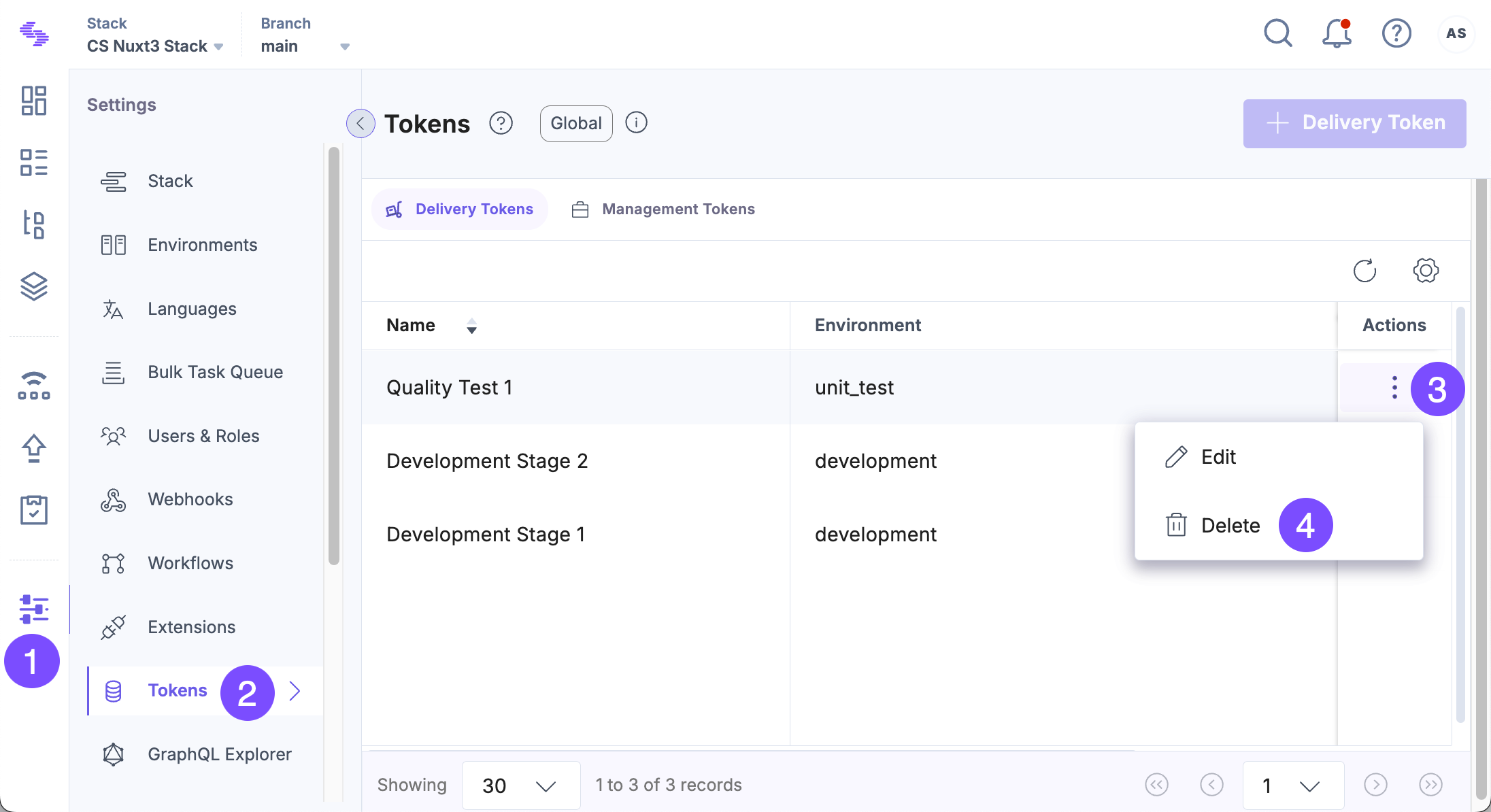
- Click the “Settings” icon in the left navigation panel or use the shortcut key “S” (for Windows and Mac OS users).
- Click Tokens in the settings panel.
- On the Delivery Tokens tab, click the vertical ellipsis in the Actions column and select Delete.
Tip: If you are on the Management Tokens tab, press “Alt + O” (for Windows users) or “Option + O” (for Mac users) to navigate to the Delivery Tokens tab.
- Confirm your action in the Delete Delivery Token modal.
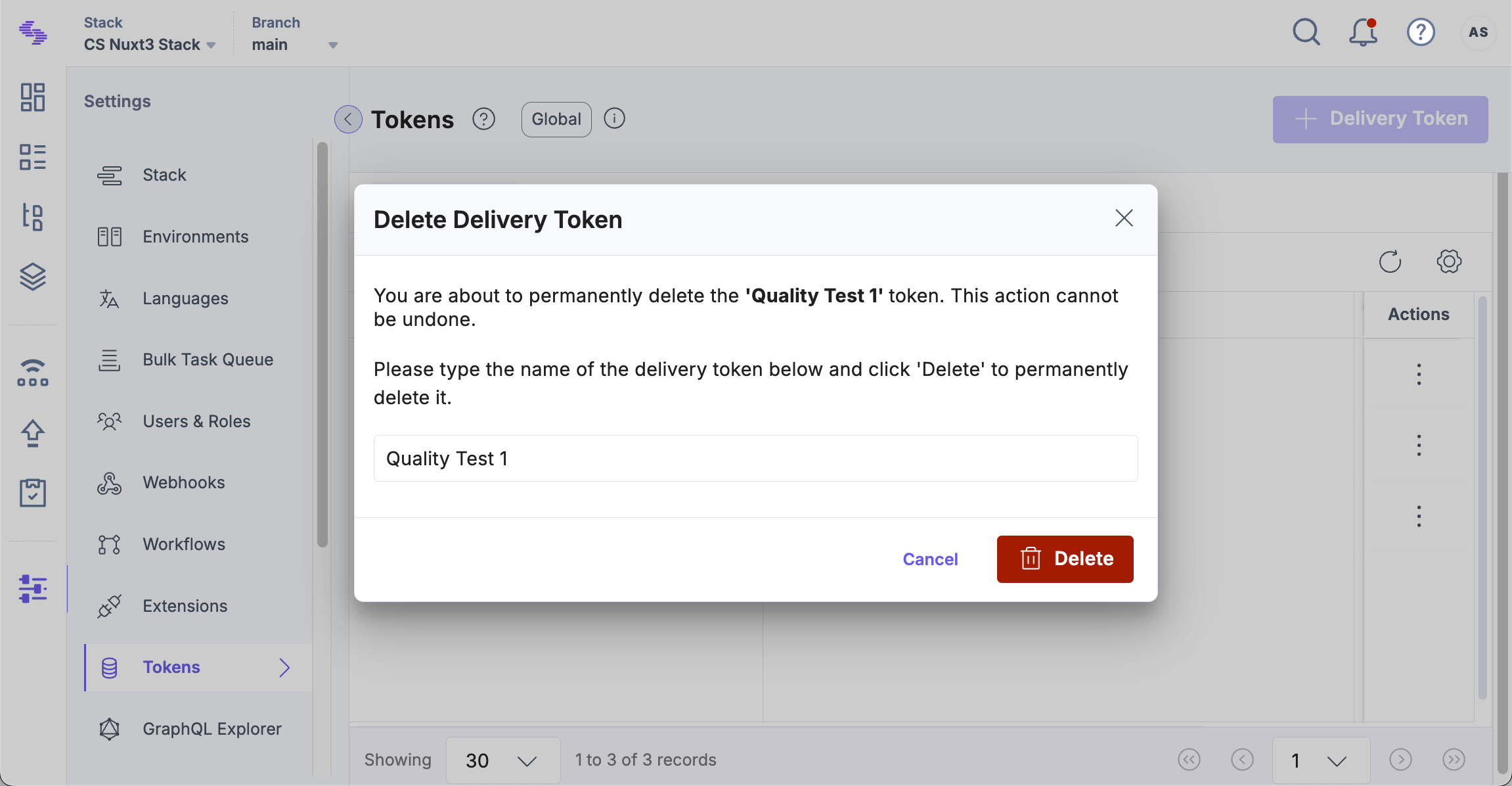
Once done, the Delivery Token and its associated Preview Token are deleted.
Delete Only the Preview Token
To remove only the Preview Token without deleting the Delivery Token, perform the following steps:
- Select the Delivery Token associated with the Preview Token you want to delete.
- Click the Delete icon beside the Preview Token.
- Confirm your action in the Delete Preview Token modal.
API Reference
- To delete a Delivery Token via API, refer to the Delete Delivery Token API request.
- To delete a Preview Token via API, refer to the Delete Preview Token API request.
Was this article helpful?
More articles in "Work with Delivery Tokens"
