

Select
The Select field allows users to choose from a predefined set of options. Use this field to standardize input, limit entries to specific values, minimize manual errors, and ensure data consistency across your stack.
Depending on the configuration, users can select a single option or multiple options.
Note: You can add up to 100 choices per Select field.
You can update the following properties of a Select field at any time:
- Display Name
- Unique ID
- Instruction Value
- Help Text
- Mandatory
- Non-localizable
- Selection Type
- Limit for Multiple Choices
- Display Type
- Choice Data Type
- Add Choices
Configuring Choices
You can define options for the Select field in the following ways:
- Single-value choices: Add options where the displayed label and stored value are the same.
For example: S, M, L, XL
- Key-value pair choices: Define options as key-value pairs using a colon (:) separator. The key appears in the entry editor, and the value is stored in the backend.
For example: New York:NY
Note: Each key and value can contain up to 100 characters.
Warning: Enabling or disabling the Key-value option removes all existing choices. Back up your existing values or export the content type schema before changing this setting.
Selection Type
The Select field supports:
- Single selection (radio buttons or dropdown)
- Multiple selection (checkboxes or multi-select dropdown)
Configure this using the Selection Type setting in the field configuration panel.
Display Type
The Display Type determines how options appear in the entry editor:
- Dropdown: Suitable for long lists of options
- Radio: Ideal for a small number of mutually exclusive options
- Checkboxes: Used when multiple selections are allowed
Horizontal Layout for Radio Buttons
You can display radio button options horizontally to optimize space in the entry editor.
To enable horizontal layout:
- Navigate to the content models section in your stack.
- Open the Select field settings.
- Set Display Type to Radio.
- Enable the Display Horizontally option.
- Save your content type.
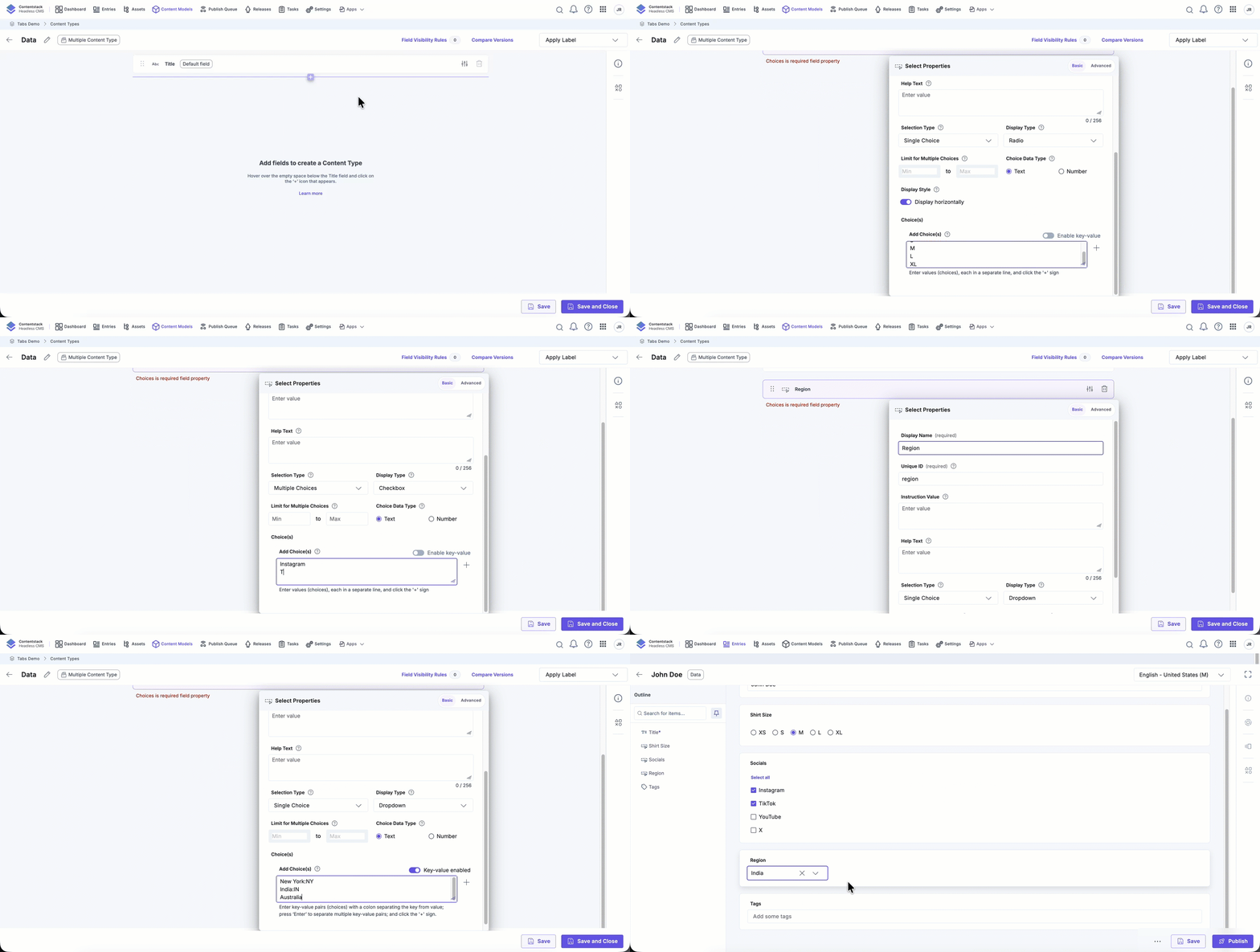
By configuring selection type, display type, and choice formats, you can control how data is entered and stored in your content types. Use this field when you need consistency, reduce manual input errors, and ensure structured data across entries.
More articles in "Fields"
