

Managing Non-Localizable Fields
Note: This feature is plan based and may not be available to all users. For more information, you can reach out to our support team.
As a developer, you can enable or disable non-localizable fields for all fields, including Group (Multiple), Modular Blocks, and Global fields. When a field is non-localizable, its data always comes from the master locale and remains uneditable in other locales. This ensures that essential content stays uniform across all language versions while allowing flexibility for other fields.
This guide covers:
- How to enable or disable non-localizable fields.
- Managing non-localizable fields within Group (Multiple), Modular Blocks, and Global fields.
- What happens when converting a group to multiple that contains a non-localizable field.
- Expected behavior in different content management scenarios.
- Best practices for managing non-localizable fields.
If your stack was recently upgraded to support Non-localizable fields in Groups (Multiple), Modular Blocks, or Global fields, note that this setting only affects new content going forward.
For example, if you had existing entries with localized content before enabling this feature, and then you mark a field (like Single Line Textbox) as Non-localizable—and that field is inside a Modular Block, Group, or Global field marked as Multiple—the system does not change the field’s behavior in those older entries. The localized versions will still allow editing of that field. This is considered a Non-localizable exception.
However, any new instances you add in the master locale entry after enabling the Non-localizable setting will behave as expected i.e., the field will be read-only in all localized versions.
Enabling Non-Localizable for Group (Multiple), Modular Blocks, or Global Fields (Multiple)
You can enable non-localizable fields in Group (Multiple), Modular Blocks, or Global Fields (Multiple) to ensure that specific data remains consistent across all locales.
To enable a field as non-localizable, log in to your Contentstack account, go to your stack, and perform the following steps:
- Open the Content Type Builder page of the content type where you want to mark a non-localizable field.
- Select a field from a group, modular block, or global field.
- Toggle Non-localizable to enabled.
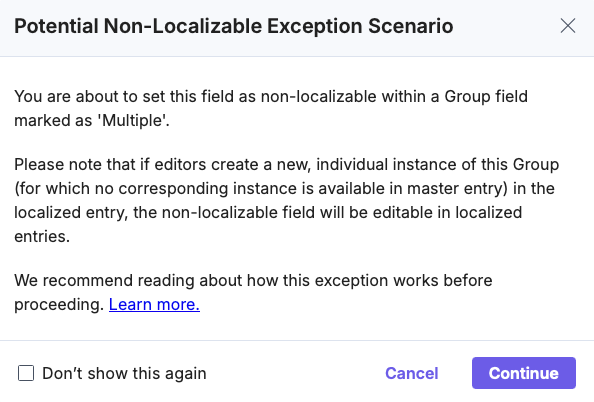
Note: When you enable this setting, a confirmation modal appears, informing you that localized versions of the field inherit values from the master locale.
- Save the content type.
Once enabled, this field always takes its value from the master locale and cannot be modified in localized entries.
Disabling Non-Localizable for Group (Multiple), Modular Blocks, or Global Fields
If you need to allow content managers to edit a previously non-localizable field in different locales, you can disable this setting.
To disable a field as non-localizable, log in to your Contentstack account, go to your stack, and perform the following steps:
- Open the Content Type Builder page of the content type where the field is marked as non-localizable.
- Locate the field from a group, modular block, or global field.
- Toggle Non-localizable to disabled.
- Save the content type.
Once disabled, content editors can modify the field independently in localized entries, allowing flexibility in content localization.
Setting a Group to Multiple When it Contains a Non-Localizable Field
If you convert a Group (Single Instance) to a Group (Multiple Instances) and it contains a non-localizable field, a confirmation pop-up appears. This informs you that:
- The non-localizable field will continue sourcing its data from the master locale, even though the group now supports multiple instances.
- Other localizable fields remain editable across different locales.

By confirming this change, you allow multiple instances of the group, but non-localizable fields in each instance will always use data from the master locale.
Example: Managing Non-Localizable Fields in a Product Content Type
Consider that you create a Product content type containing a Group (Multiple) named Specifications, which includes the following fields:
- Title: A single-line textbox, marked as non-localizable, ensuring product names remain the same across all locales.
- Description: A multi-line textbox, allowing content managers to modify product descriptions in localized entries.
- Price: A number field, enabling localized price adjustments.
- Manufacturer Details (Global Field): Contains a Company Name field, also marked as non-localizable, ensuring manufacturer names remain uniform.
The following sections explore how this setup behaves across different content management scenarios:
Adding a New Instance in the Master Locale
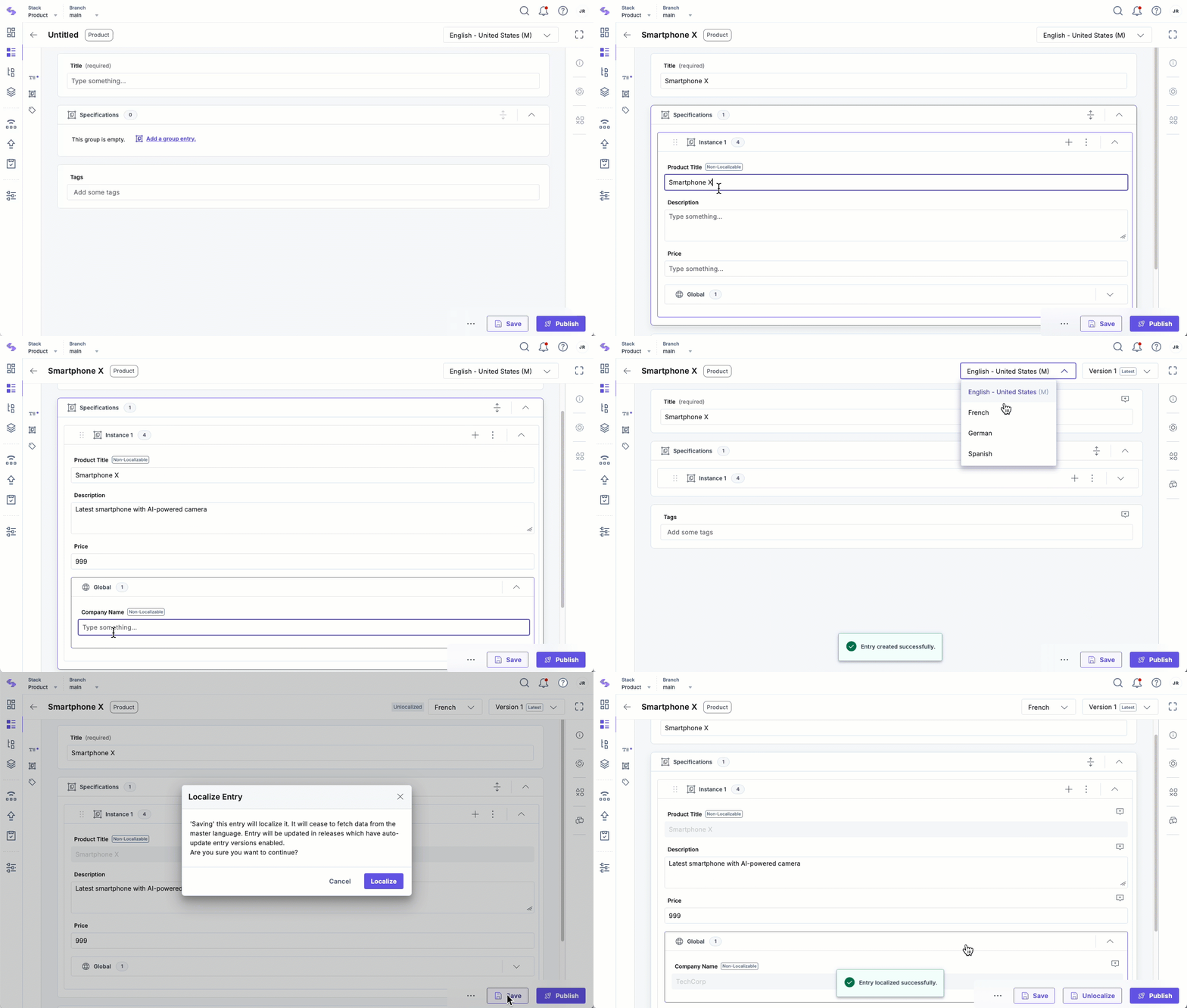
When a content manager creates a Product instance in the English (Master) locale, they enter details such as the Title, Description, Price, and Company Name. Because the Title and Company Name fields are non-localizable, they remain the same across all locales. Meanwhile, Description and Price can be modified in localized entries to cater to region-specific content.
Viewing the Entry in a Localized Entry
When the content manager switches to the French locale, the entry initially mirrors the English (Master) locale version. However:
- The Title and Company Name fields remain locked as they are non-localizable and inherit their values from the master locale.
- The Description and Price fields are editable, allowing localization.
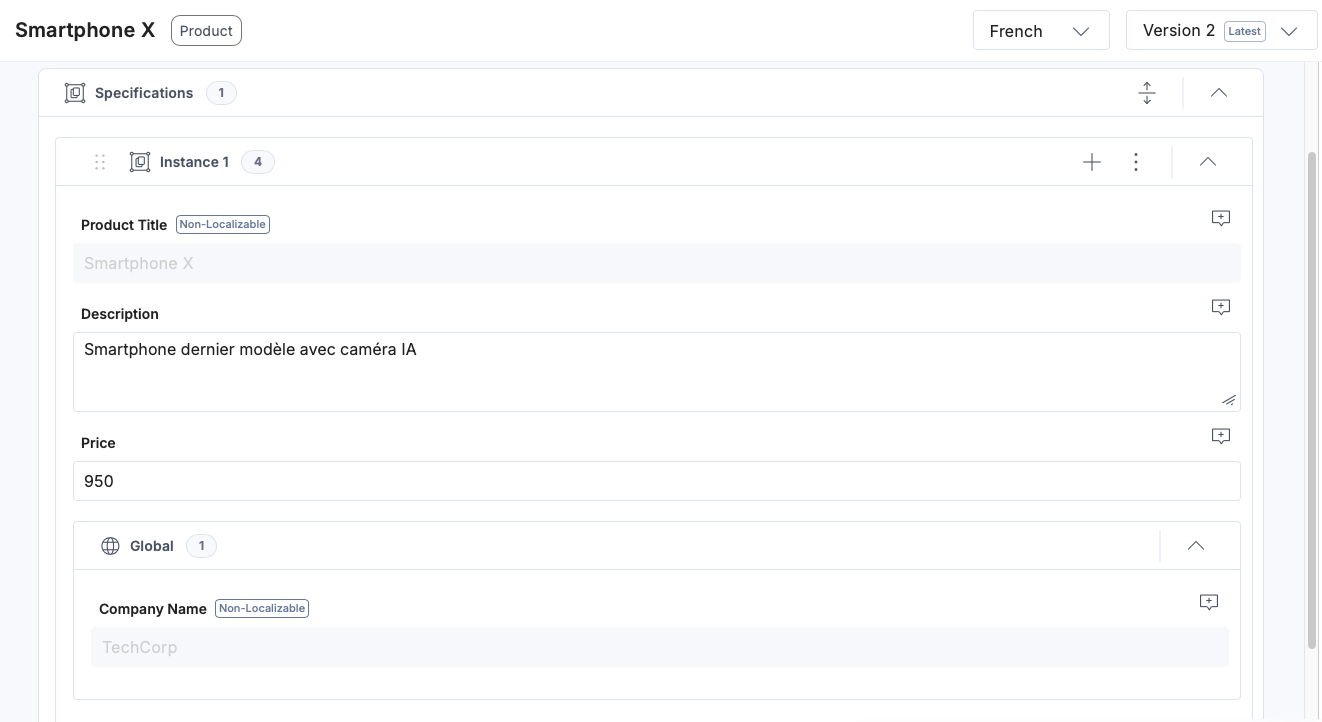
The content manager can localize the entry by modifying the Description and adjusting the Price while the Title remains unchanged.
Updating the Master Locale
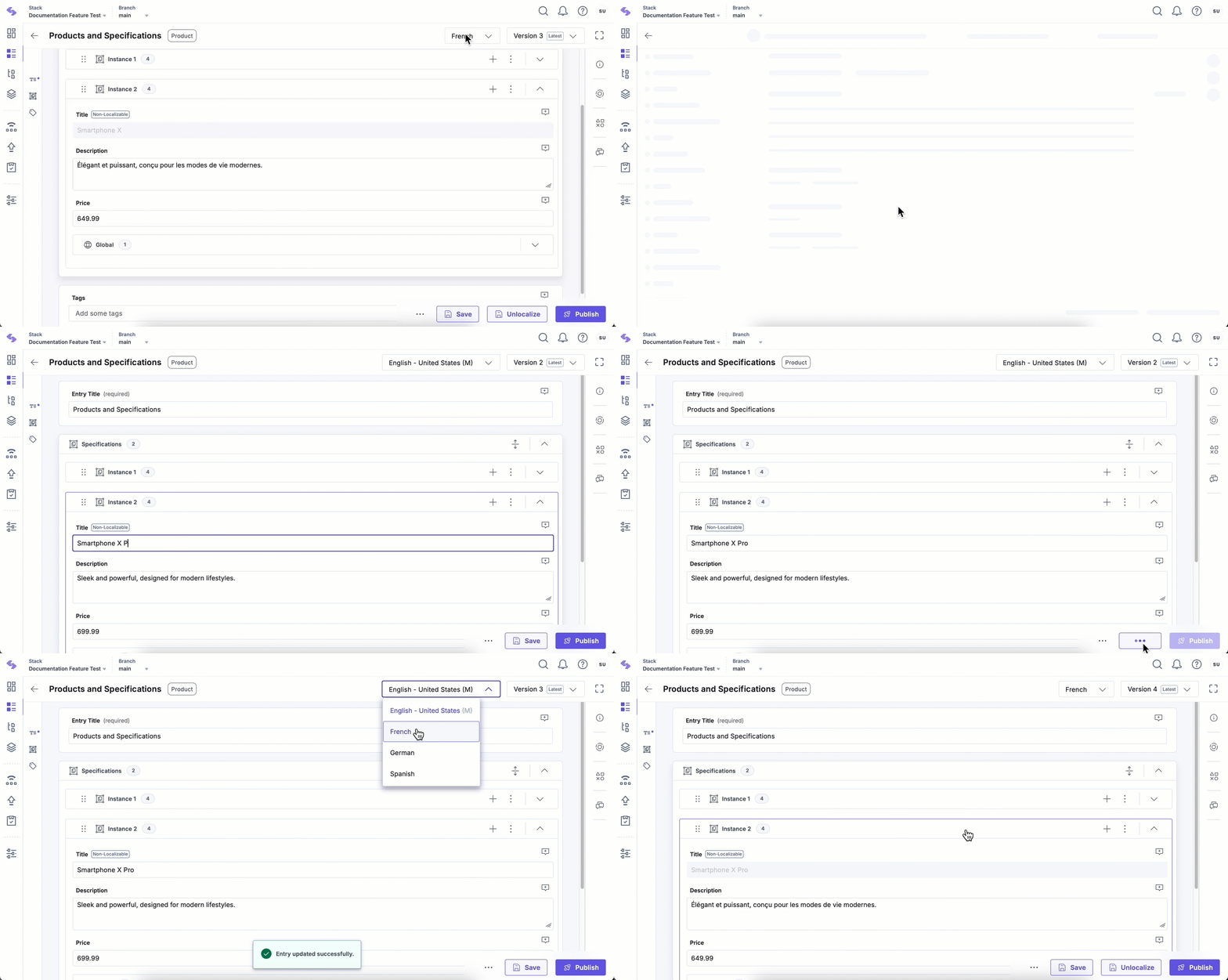
If the content manager updates the Title in the English locale from "Smartphone X" to "Smartphone X Pro", the change is automatically reflected across all localized versions. This ensures uniformity while keeping localized Description and Price values intact.
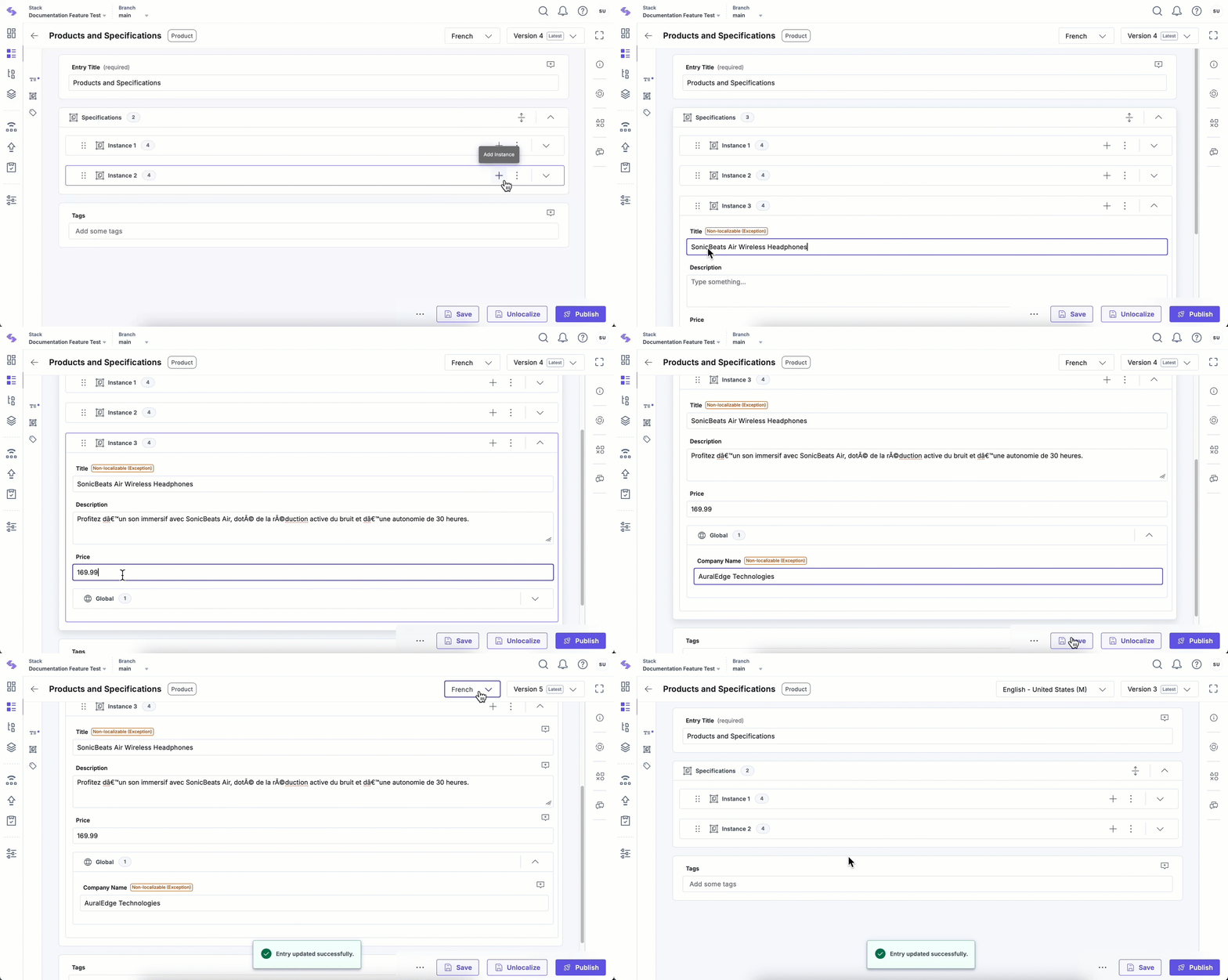
Adding a New Instance in the Localized Entry
Later, the content manager adds a new instance to the Specifications group in the French locale.
Since this instance does not exist in the master-language entry, it does not inherit any values for Non-localizable fields. As a result, the Non-localizable fields in this new instance are editable in the localized entry.
Meanwhile:
- The Title field in existing instances continues to inherit its value from the master-language entry.
- The Description and Price fields remain editable for localization.
This behavior ensures consistency for Non-localizable fields already present in the master entry, while allowing flexibility to add localized content when new instances are created.
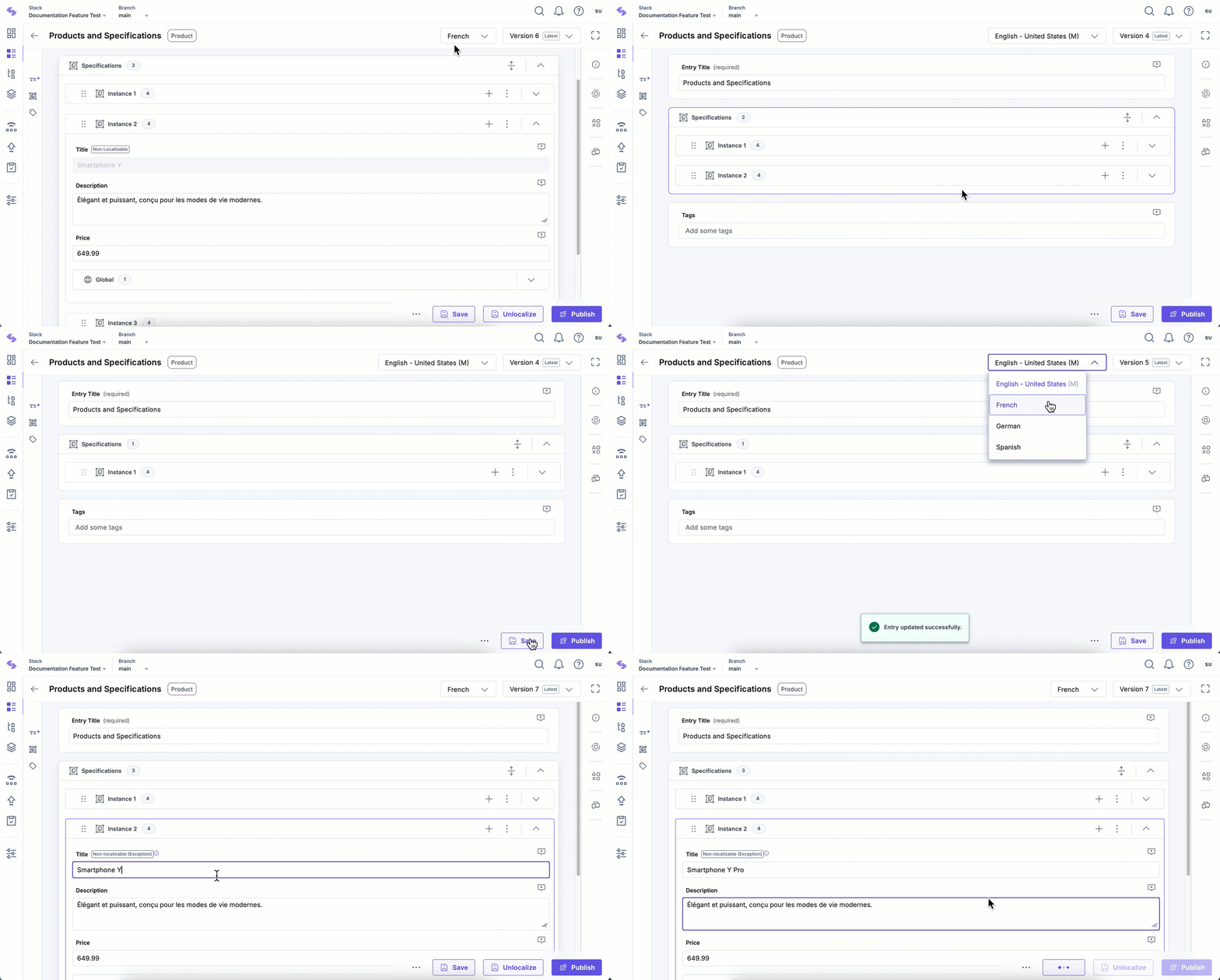
Deleting an Instance in the Master Locale
If the content manager deletes the "Smartphone Y" instance from the English locale, the corresponding instance in French is not deleted entirely. Instead:
- The Title field is now editable, as it was previously non-localizable and sourced from the master locale.
- The Description and Price fields remain unchanged, allowing localized modifications.
This prevents data loss while ensuring flexibility in localized versions.
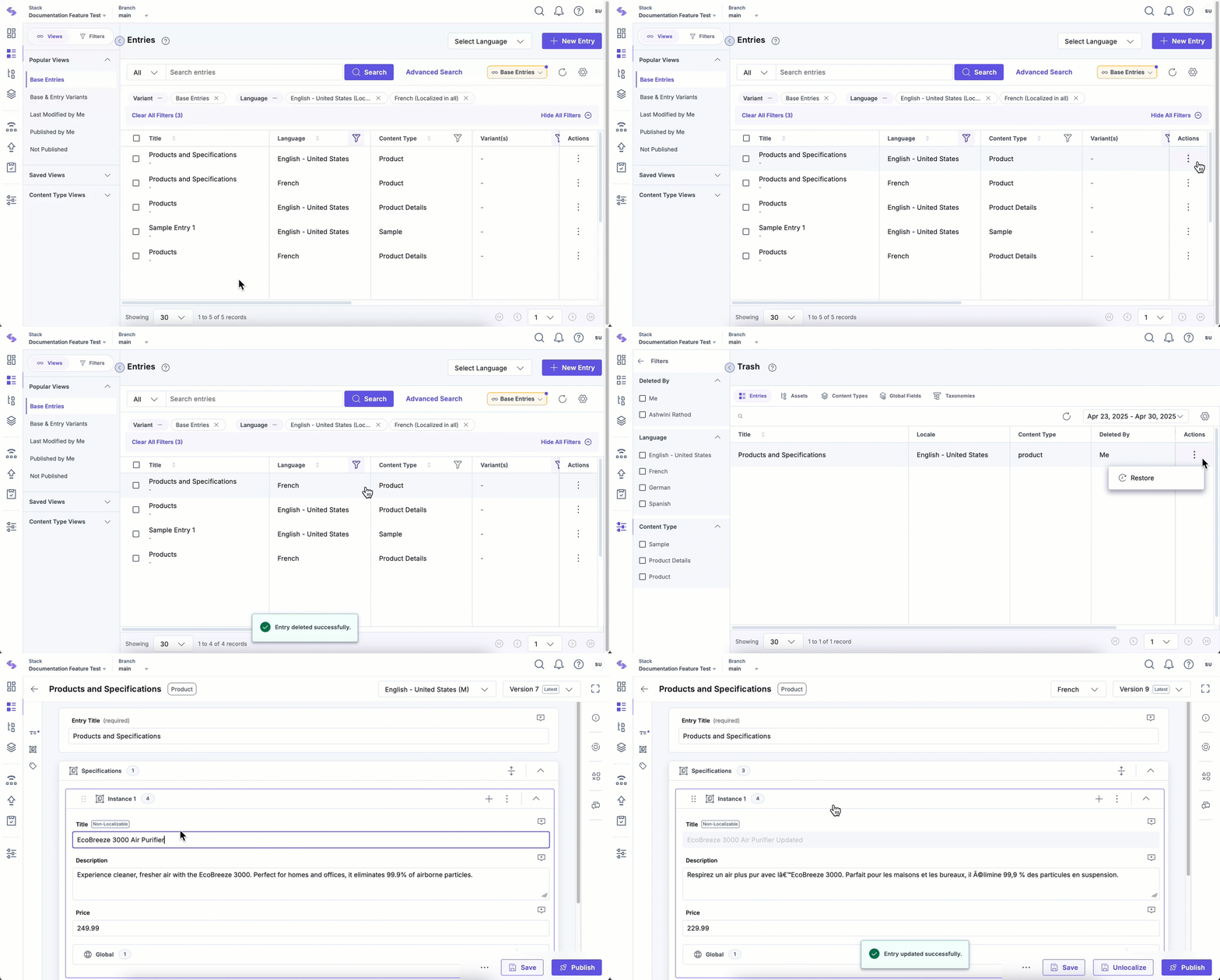
Restoring Deleted Entries
If the content manager deletes and then restores the entry in the master locale, the non-localizable fields (such as Title) get reapplied to all localized versions, ensuring consistency.
However, any changes made to localized fields before deletion remain intact after the restore process. This helps preserve localization efforts while ensuring that master-dependent fields maintain their integrity.
Best Practices for Managing Non-Localizable Fields
- Exceptions to Non-localizable Fields: While non-localizable fields are intended to stay consistent across locales, certain exceptions may occur in specific scenarios—particularly when new instances of a Group (Multiple), Modular Block, or Global (Multiple) are added in localized entries. In such cases, fields marked as Non-localizable behave like localized fields, allowing content editors to enter values unique to that locale. This happens because the new instance does not exist in the master locale.
Additional Resource: Learn more about Non-localizable Exceptions for Content Managers.
- Use non-localizable fields for critical content that must remain uniform across all locales, such as product names, company names, or SKU codes.
- Test non-localizable field behavior across locales before finalizing models to avoid surprises.
- Communicate changes to content editors when enabling or disabling non-localizable fields.
- Be mindful when deleting master instances to avoid unexpected localization behavior.
By understanding and applying these behaviors, you can effectively manage localized content while ensuring consistency in essential fields.
More articles in "Field Properties"
