

Custom
The Custom field enables you to add and use customizable fields in the content type. You need to add one or more extensions (custom field logic) to the stack to use this field. Apart from using the default fields such as “Single-line textbox,” “Rich Text Editor,” and so on, you can integrate with numerous business applications, such as “Marketo Forms”, “Optimizely”, and “Brightcove” by adding them as custom fields to the Contentstack content type.
Additional Resource: To learn what Extensions are and how they work, refer to the Extensions guide.
This field possesses certain properties that you can change at any time per your needs. The properties that you can modify are “Select Extension,” “Display Name”, “Unique ID”, “Instruction Value”, “Help Text”, “Config Parameter,” “Mandatory,” and “Non-localizable.”
After you add or create a custom field extension in the stack, you can use it in content types.
The following are the two ways to add custom fields to your content types:- Create new custom fields - Create custom fields by writing custom code and using it in the content types.
- Use prebuilt templates - Use the prebuilt templates by modifying the given code to suit your requirements. Contentstack provides certain pre-built custom fields such as color picker, code editor, video selector, and more.
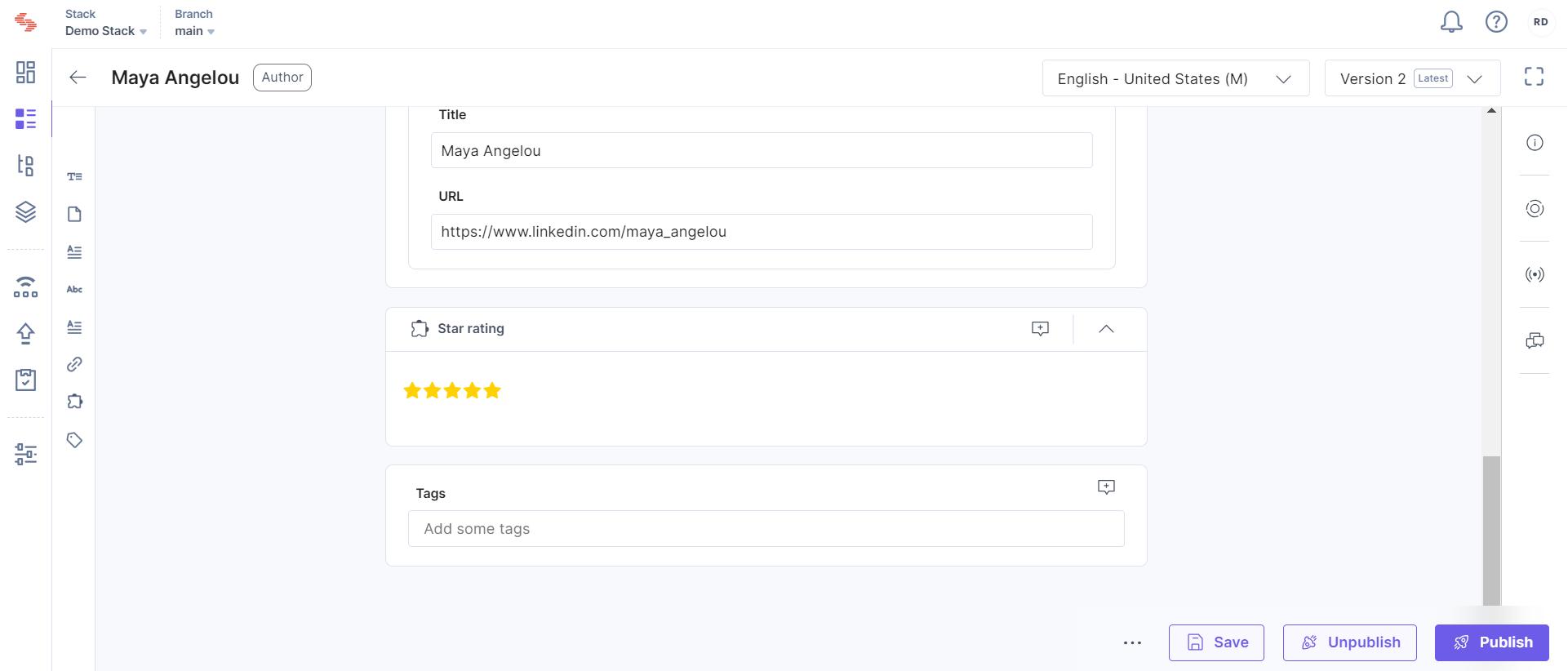
For this example, the Star Rating custom field is added in the content type, you will see it on the entry page as shown below.
- Contentstack enables you to enhance the functionality of a field by setting up Field Visibility Rules to hide/show a field on meeting certain conditions.
- You can check out our Content Modeling guide to learn how you can map your webpage’s layout with your Content Type.
- Editing any current field in the existing Content Type might result in data loss. To prevent data loss, check out our Content Type Change Management guide.
More articles in "Fields"
