

Enable Live Preview in Your Sample Website
After learning how to add a new page to our Getting Started website, this guide will help you set up a Live Preview allowing you to see your website in action.
Live Preview lets users preview entry content across multiple channels before saving or publishing it to a live website. You can edit an entry and preview the content changes side by side in real-time.
Steps to Follow
To enable live preview in our website you need to perform the following steps:
- Generate preview token in the already created delivery token
- Enable Live Preview in the Stack
- Update the code with the Live Preview Changes
- Pushing the Live Preview changes to Git repository
- Deploy new changes using Launch
Generate Preview Token In Existing Delivery Token
- Click on the Stack Settings icon and click on Tokens.
- Open the previously generated delivery token (PlateStack)
- Click on + Create Preview Token
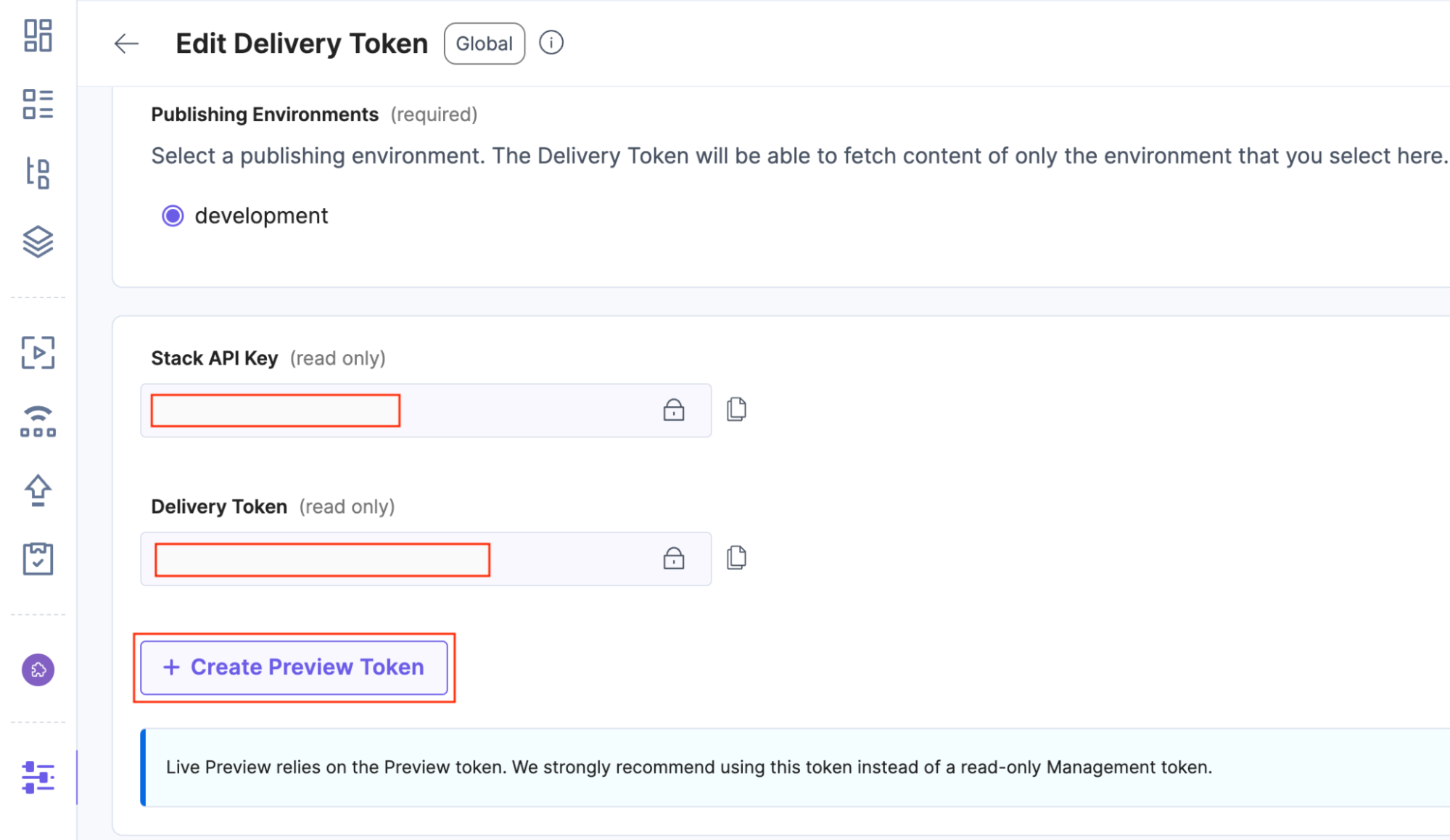
- Copy the Generated Preview token and save it in the .env file as:
REACT_APP_CONTENTSTACK_PREVIEW_TOKEN=<YOUR_PREVIEW_TOKEN> - Click on Save to save the Preview token.
Enable Live Preview in the Stack
- Click on the Stack Settings icon and click on Live Preview.
- Tick the checkbox of Enable Live Preview.
- Select the Default Preview Environment i.e., Development.
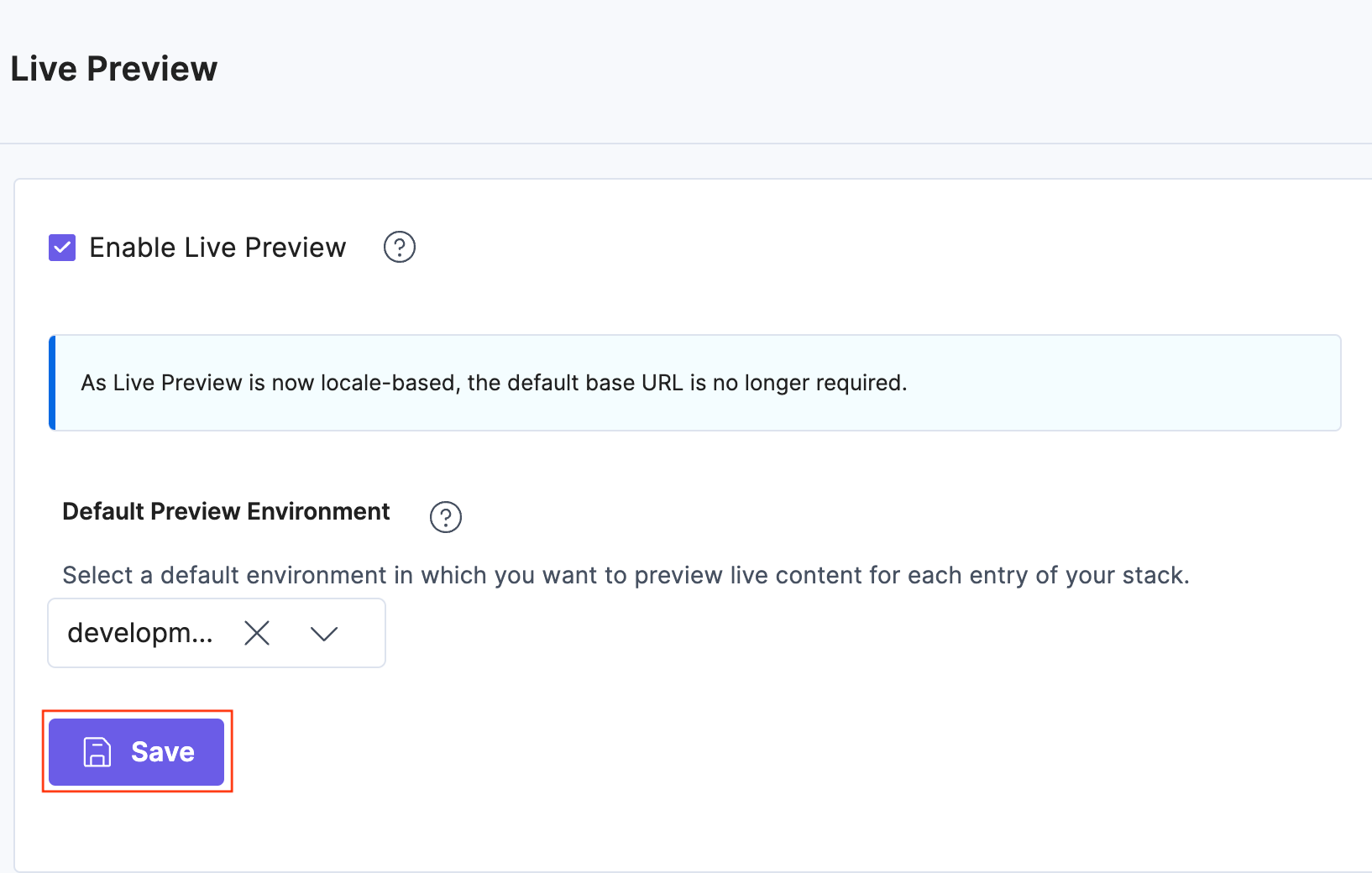
- Click on Save.
Update the code with the Live Preview Changes
Follow these steps to set up live preview through the code:
- Go to src/sdk/utils.ts file. This file has all the SDK initialization logic.
- Add the following two methods at the top of the file:
const getLivePreviewHostByRegion = (region: string) => { switch (region) { case "US": return "rest-preview.contentstack.com"; case "EU": return "eu-rest-preview.contentstack.com"; case "AZURE_NA": return "azure-na-rest-preview.contentstack.com"; case "AZURE_EU": return "azure-eu-rest-preview.contentstack.com"; default: return "rest-preview.contentstack.com"; } }; const getHostByRegion = (region: string) => { switch (region) { case "US": return "app.contentstack.com"; case "EU": return "eu-app.contentstack.com"; case "AZURE_NA": return "azure-na-app.contentstack.com"; case "AZURE_EU": return "azure-eu-app.contentstack.com"; case "GCP_NA": return "gcp-na-api.contentstack.com"; default: return "app.contentstack.com"; } }; - Update the Environment Variable with REACT_APP_CONTENTSTACK_PREVIEW_TOKEN at the top of initializeContentstackSdk
const { REACT_APP_CONTENTSTACK_API_KEY, REACT_APP_CONTENTSTACK_DELIVERY_TOKEN, REACT_APP_CONTENTSTACK_ENVIRONMENT, REACT_APP_CONTENTSTACK_REGION, REACT_APP_CONTENTSTACK_PREVIEW_TOKEN } = process.env; - Update the Contentstack.Stack method within the initializeContentstackSdk with the below code:
const Stack = Contentstack.Stack({ api_key: REACT_APP_CONTENTSTACK_API_KEY as string, delivery_token: REACT_APP_CONTENTSTACK_DELIVERY_TOKEN as string, environment: REACT_APP_CONTENTSTACK_ENVIRONMENT as string, region: region, live_preview: { enable: true, host: getLivePreviewHostByRegion(REACT_APP_CONTENTSTACK_REGION as string), preview_token: REACT_APP_CONTENTSTACK_PREVIEW_TOKEN as string } }); - Install Live Preview Utils SDK package via npm using the following command:
npm install @contentstack/live-preview-utils
- Import ContentstackLivePreview along with other imports at the top of the file:
import ContentstackLivePreview from "@contentstack/live-preview-utils"; - Initialize the Live Preview SDK below the Contentstack.Stack method and before return stack:
ContentstackLivePreview.init({ stackSdk: Stack }); - Finally, at the end of the file export the onEntryChange method:
export const onEntryChange = ContentstackLivePreview.onEntryChange; - Finally, save the file.
Here’s what you did above:
- Added getLivePreviewHostByRegion and getHostByRegion to the top of the file
- Updated the Environment Variable import for REACT_APP_CONTENTSTACK_PREVIEW_TOKEN
- Updated Stack Initialization with the live_preview parameter
- Installed Live Preview SDK via npm
- Imported ContentstackLivePreview along with other imports
- Initialized the Live Preview SDK by passing stack information
- Added onEntryChange to the exports at the end of file
- Add the following two methods at the top of the file:
- Go to src/routes/index.ts file. This is the file that maintains the routing logic of our application.
- Import onEntryChange from src/sdk/utils at the top of the file:
import { onEntryChange } from "../sdk/utils"; - In the useEffect function, wrap the fetchInitialData method within the onEntryChange handler before invoking it:
useEffect(() => { onEntryChange(() => { fetchInitialData(dispatch, setLoading); }); }, [dispatch]); - Save the file.
Here's what you did above:
- Added onEntryChange to the import statement
- Wrapped fetchInitialData function with onEntryChange
- Import onEntryChange from src/sdk/utils at the top of the file:
- Go to src/components/menu/Menu.tsx file. This file consists of the Rendering Logic of the Menu Page of our Restaurant Menu Website.
- Import onEntryChange from src/sdk/utils at the top of the file:
import { onEntryChange } from "../../sdk/utils"; - In the useEffect function, wrap the fetchMenuPageData method within the onEntryChange handler before invoking it:
useEffect(() => { onEntryChange(() => { fetchMenuPageData(dispatch, setLoading); }); }, [dispatch]); - Save the file.
Here's what you did above:
- Added onEntryChange to the import statement.
- Wrapped fetchMenuPageData Function with onEntryChange
- Import onEntryChange from src/sdk/utils at the top of the file:
Pushing the Live Preview Changes to Git Repository
The changes done above are in your local machine. Let’s see how to deploy this using Launch to take it live.
- Open a new Terminal in VS code (press control + shift + ` or click on Terminal > New Terminal).
- With multiple files modified, it is essential to commit and push them to Git to facilitate a successful deployment.
- Now, let’s stage all the files that you need to commit. Run the below command in the terminal. You will see the list of files staged.
git add . -v
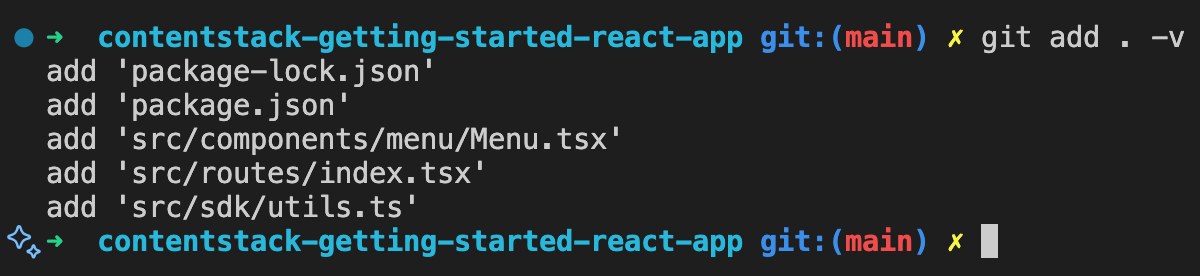
- After the changes are staged, commit the staged files to the repository. Run the below command in the terminal. You will see the number of files changed.:
git commit -m "Add Live Preview changes" Note:
Note:- Let’s give a commit message “Add Live Preview changes” with -m flag. It’s a good practice to provide a commit message whenever you add new changes to the repository.
- Insertions and deletions count may differ for you.
- After committing the changes, push the changes to the repository. Run the below command in the terminal:
git push origin main
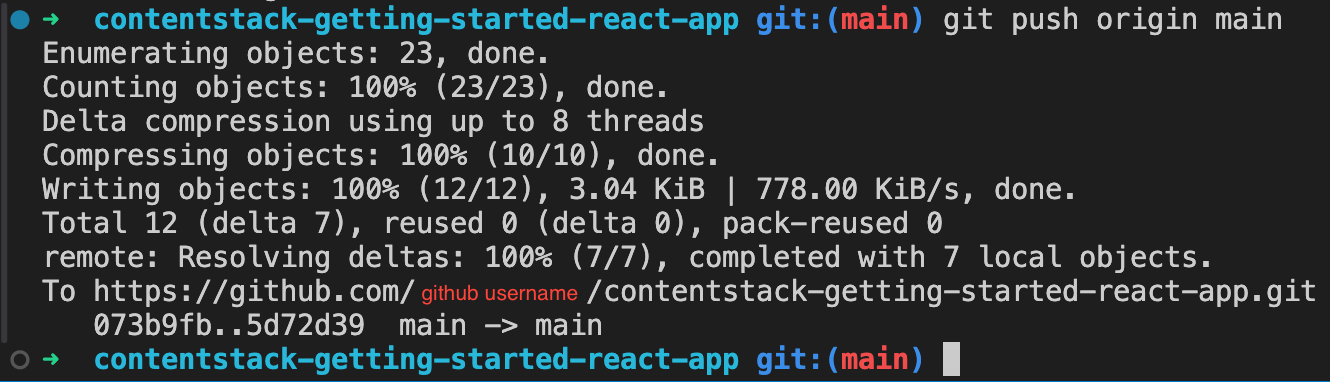
You have successfully pushed your changes to Git. Now let’s deploy the new changes using Launch.
Deploy New Changes Using Launch
To deploy the changes you added to your application, perform the following set of steps:
- Go to Launch and click the contentstack-getting-started-react-app project
- By default, Launch will auto deploy new changes whenever you push code to the main branch of our repository. You would see a status of Deploying in the default environment as soon as the code is pushed.
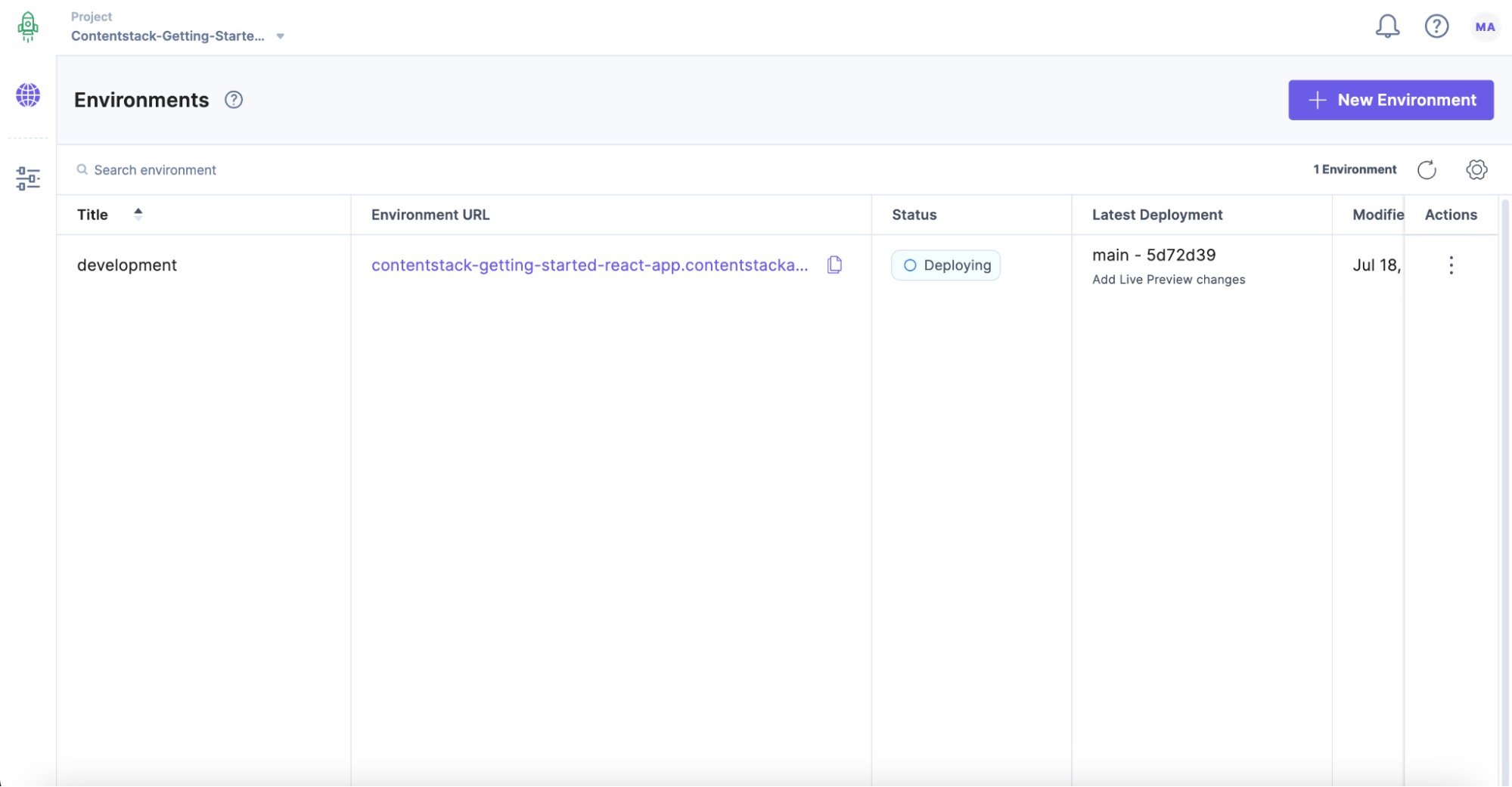
- Click on the “Settings” icon (press “S”) on the left navigation panel, and click on Environments.
- Select the development environment and navigate to Environment Variables.
- Scroll down and under the Environment Variables section, click on + Add Environment Variable.
- Now, to run our application with Live Preview, we need to add following environment variable from your .env file:
REACT_APP_CONTENTSTACK_PREVIEW_TOKEN=YOUR_PREVIEW_TOKEN - Finally, click Save Environment Variables.
- Click on the “Environments” icon (press “E”) on the left navigation panel, and click the Default environment.
- Finally, click on Redeploy.
- Once the deployment is completed, the status will be Live, click on the Environment URL to view the website.
View Live Preview of Your Webpage
To start viewing your website in the Live Preview panel, perform the following steps:
- Log in to your Contentstack account and navigate to the organization in which you have your “Getting Started” stack.
- Click on the “Settings” icon (press “S”) on the left navigation panel, and click on the Environments.
- Click the development environment and update the base URL with the Launch Environment URL where your website is deployed and click Save.
- Click on the “Entries” icon (or press “E”) on the left navigation panel.
- Go into any of the entry (say, “Footer”) and open the “Live Preview” tab from the right sidebar
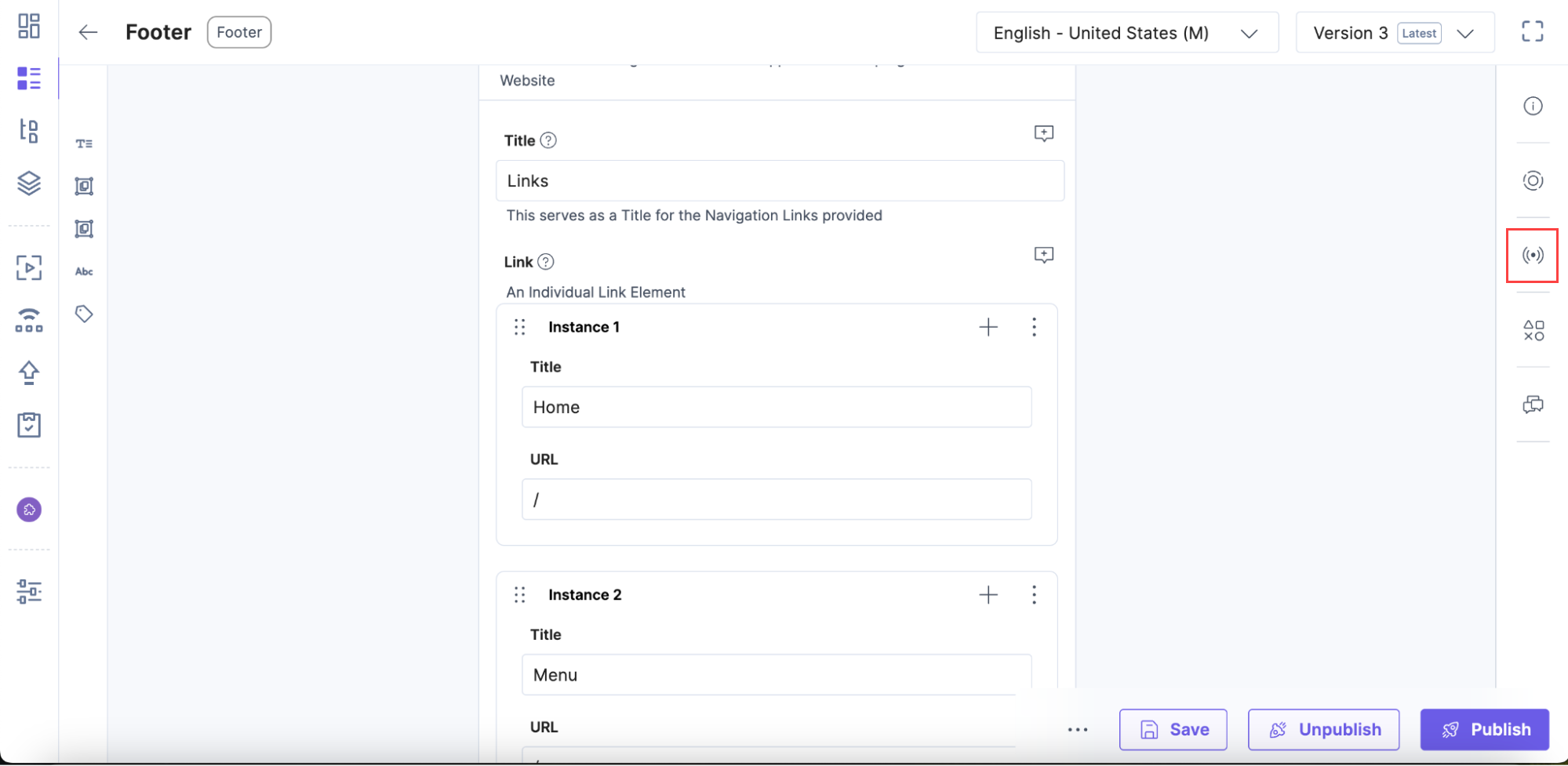
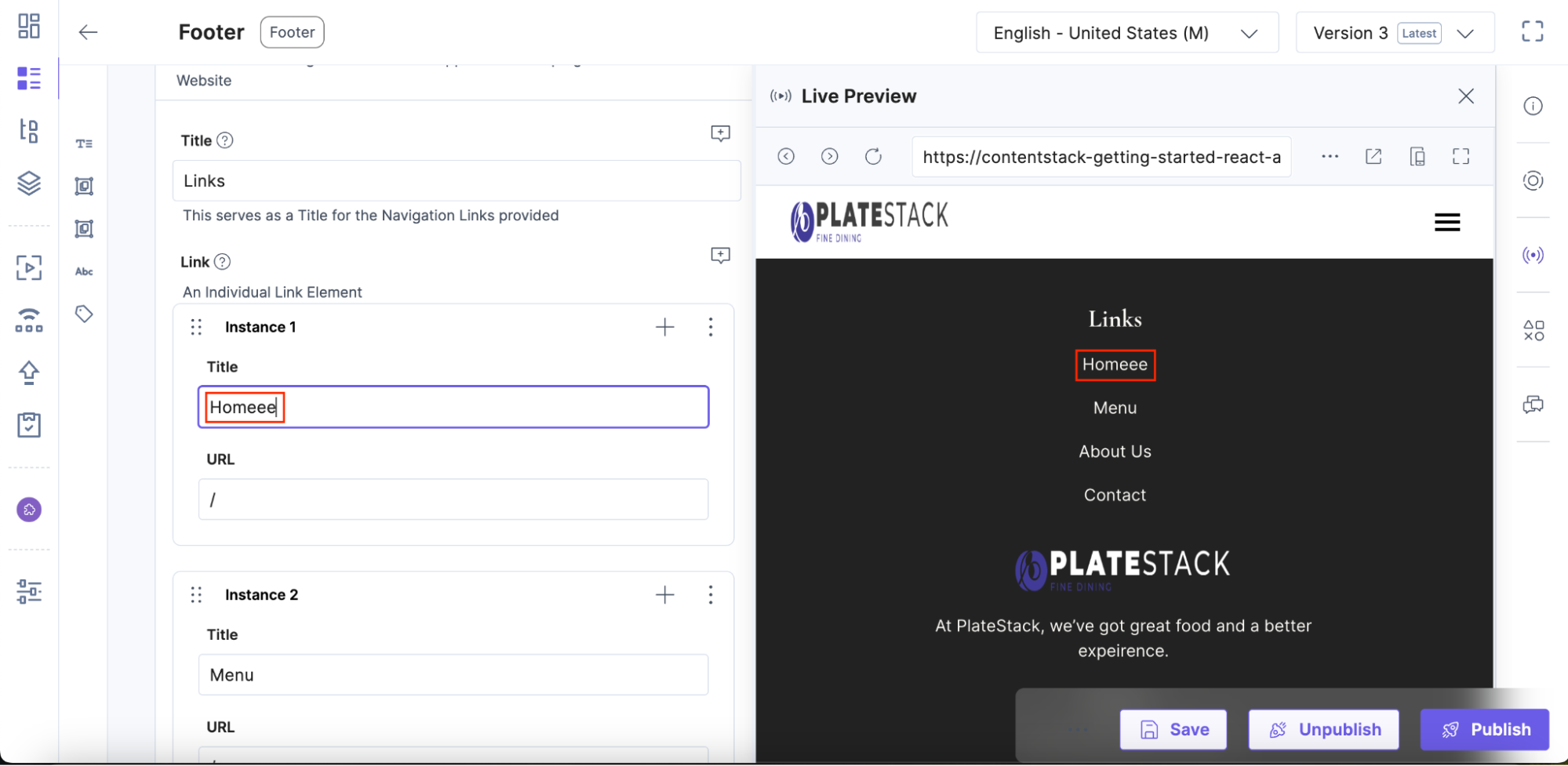
- Modify any value of a field and see it updated in the Live Preview panel instantly
Live Edit Tags (optional)
Live edit tags allow you to navigate to the field that contains the website content being previewed within the Live Preview pane. When you click on the “Edit” button beside a content block in the preview pane, you will be redirected to the corresponding field within the entry. If the field holds reference to another entry, you will be redirected to the referenced entry's editor page.
For example of Live Edit Tags let us consider the header entry and the Respective code changes to Enable Live edit Tag
- To enable the Live Edit Tag buttons, add addEditableTags from @contentstack/utils
- When making API calls to retrieve an entry, pass that entry to the following function. This function modifies the entry and adds additional data, as discussed below.
- For example, in the header entry you have the following data:
{ "logo": { "title": "Header Logo.png", "url": "https://images.contentstack.io/v3/assets/Header_Logo.png" }, "navigation_links": { "link": [ { "title": "Home", "href": "/" }, { "title": "Menu", "href": "/menu" }, { "title": "About Us", "href": "/about-us" }, { "title": "Contact", "href": "/contact" } ] } } - Once it is passed to the addEditableTags, the entry is modified as follows:
{ "logo": { "title": "Header Logo.png", "url": "https://images.contentstack.io/v3/assets/Header_Logo.png", "$": { "url": "header.blt8tvsk328dbw258.en-us.logo", "title": "header.blt8tvsk328dbw258.en-us.logo.title" } }, "navigation_links": { "link": [ { "title": "Home", "href": "/", "$": { "title": "header.blt8tvsk328dbw258.en-us.navigation_links.link.0.title", "href": "header.blt8tvsk328dbw258.en-us.navigation_links.link.0.href" } }, { "title": "Menu", "href": "/menu", "$": { "title": "header.blt8tvsk328dbw258.en-us.navigation_links.link.1.title", "href": "header.blt8tvsk328dbw258.en-us.navigation_links.link.1.href" } }, { "title": "About Us", "href": "/about-us", "$": { "title": "header.blt8tvsk328dbw258.en-us.navigation_links.link.2.title", "href": "header.blt8tvsk328dbw258.en-us.navigation_links.link.2.href" } }, { "title": "Contact", "href": "/contact", "$": { "title": "header.blt8tvsk328dbw258.en-us.navigation_links.link.3.title", "href": "header.blt8tvsk328dbw258.en-us.navigation_links.link.3.href" } } ] } } - The “$” object consists of a key called data-cslp which follows a specific syntax that enables the live preview SDK to map fields within the entry page.
{content_type_uid}.{entry_uid}.{locale}.{field_uid} - By using the “$” object, you need to map each and every element in the frontend code that needs to have a live edit button. For example the logo of header
<img {...logo.$.url}="" src="{logo?.url}" alt="Logo">
For complete Live Preview code with Live Edit tags, please check out the livePreview Branch by executing the below command:
git checkout live-preview
Next Steps
