

HTTP Trigger
The HTTP Trigger connector lets you create a webhook URL to perform hypertext transfer protocol (HTTP) GET/POST requests. So, when a user makes an HTTP GET/POST request to the configured webhook URL, the associated action is performed.
Set up the HTTP Trigger
Perform the following steps to configure the HTTP Trigger Connector:
- Click Configure Trigger from the left navigation panel.
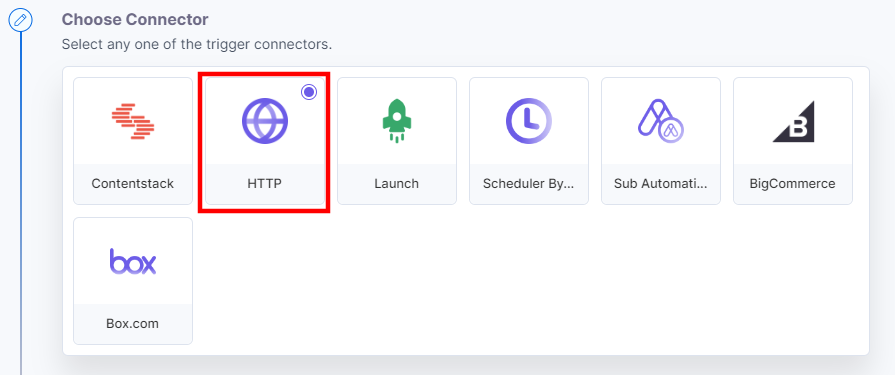
- Within the Configure Trigger step, click the HTTP connector.
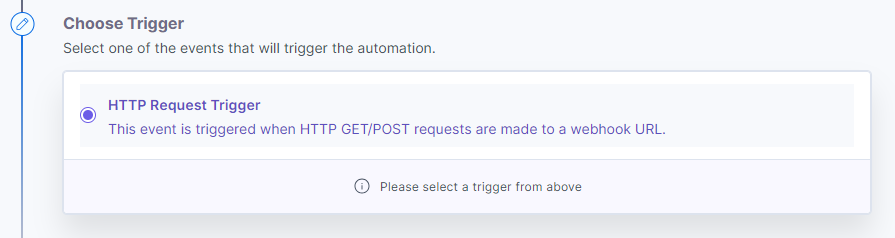
- Select HTTP Request Trigger. This trigger will be activated whenever you make an HTTP GET/POST request to a specific webhook URL.
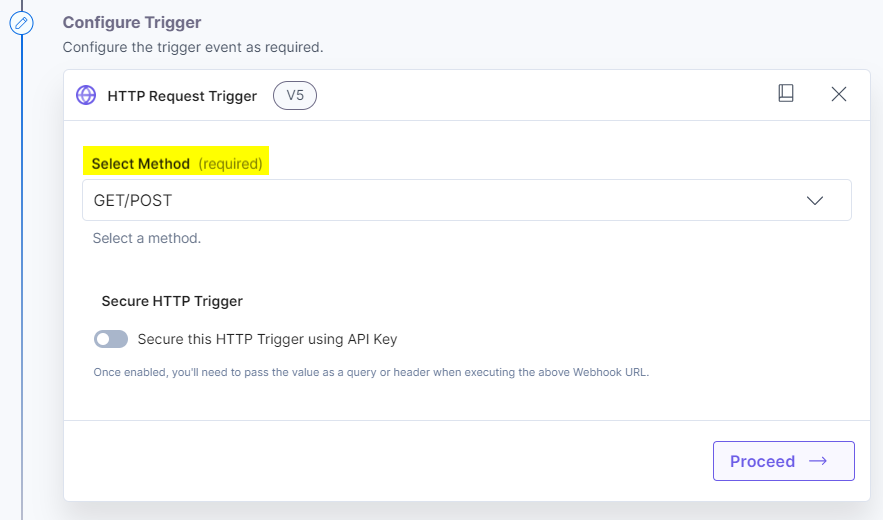
- Select a Method, i.e., GET/POST.
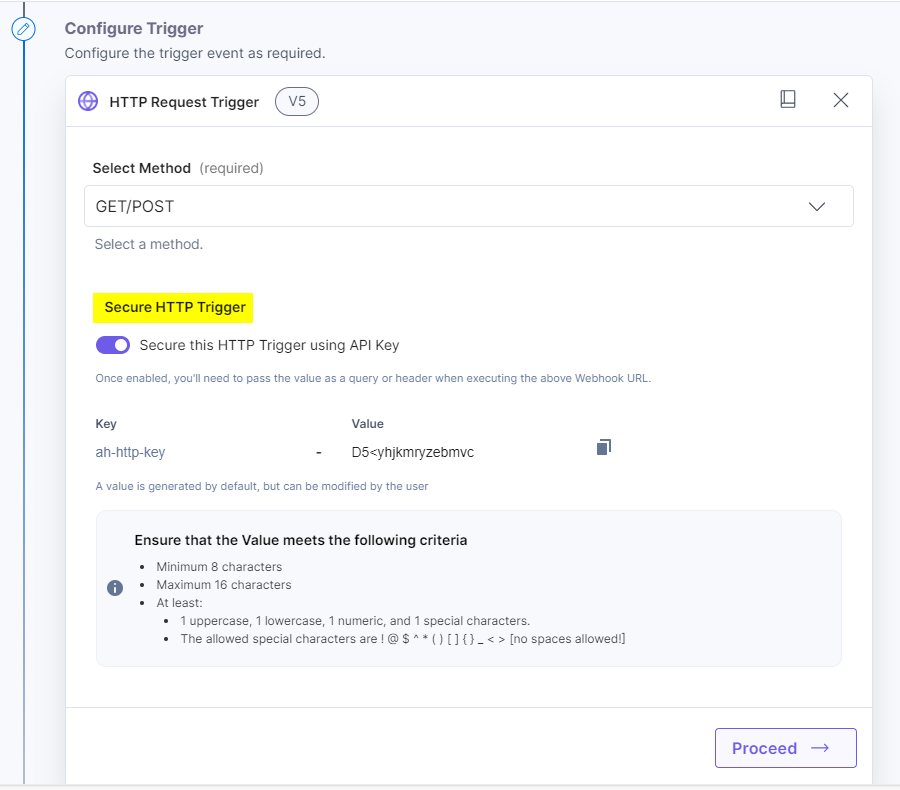
- Enable the Secure HTTP Trigger to add security to the HTTP trigger. The Secret value is automatically assigned once the setting is enabled. You can also set the Secret as per the criteria. Click Proceed.
Note: When Secure HTTP trigger is enabled, you can only execute URLs with the key secret pair.
You will find the applicable input “URL.” This URL will be the webhook URL that you can use to see the automation working. Click Test Trigger.
Note: You can update the configuration of a configured HTTP Trigger with the same URL.
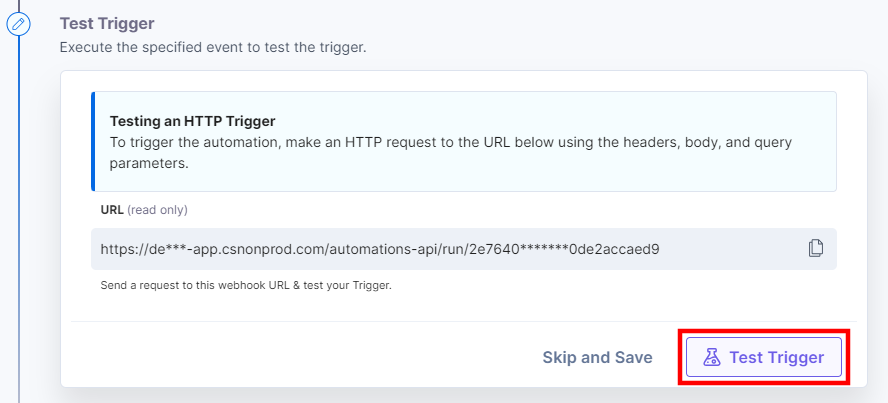
You should be able to see the output as follows:
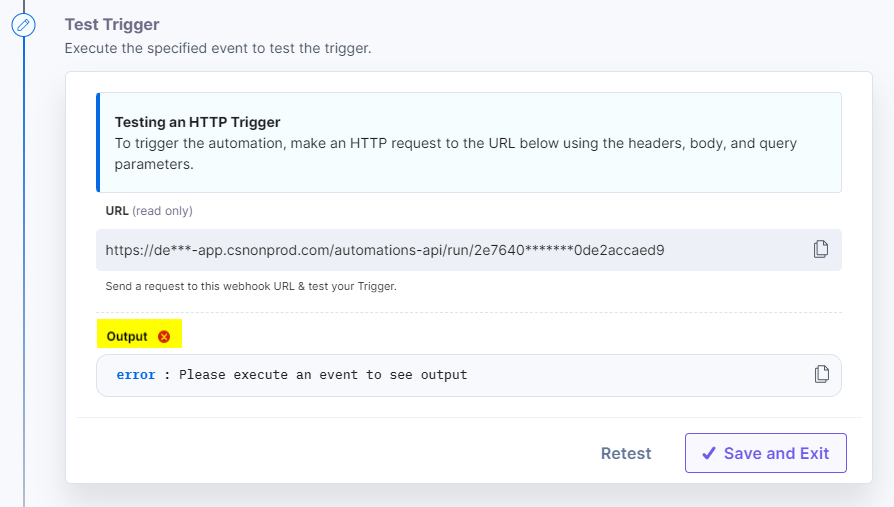
Note: The output doesn’t appear because we haven’t tested the Trigger URL yet.
Next, to try if the trigger is working real-time, perform the following steps:
- Copy the Input URL that you see above and paste it on a new browser tab.
- Pass the key and secret pair parameter configured previously to the Input URL, for example, https://trigger_input_URL?ah-http-key=U2>ggyhbsogvlps and hit enter. You should see an output similar to the following:
{"result": "The rule is currently being tested or not activated","trigger_id":"1111ab1c1ab11111ca11b111111ca1bc"} - Return to your Test Trigger setup page and click Test Trigger again. In the output, you will see your query parameter as follows:
query: ah-http-key:"U2>ggyhbsogvlps"
Here’s what you see: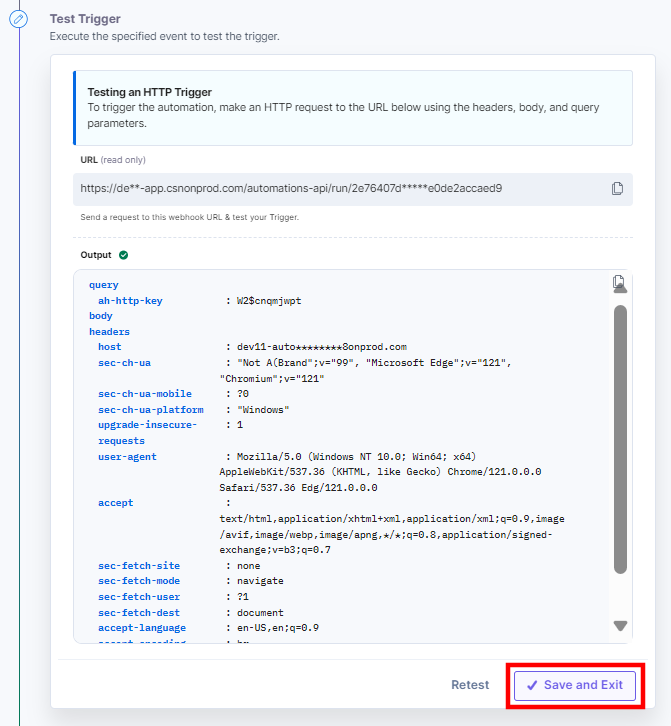
Note: You can also test the trigger in HTTP client by passing the key: secret pair in the Header section.
- Lastly, you can either pass a new query parameter and Retest the trigger or hit Save and Continue (see screenshot in step 3).
Note: After successfully configuring a trigger, if you re-configure any other trigger you will be prompted to revert to the previously configured trigger. You can revert back to the last trigger configurations by clicking the Revert Changes button.
This completes your step of configuring your HTTP trigger.
More articles in "Triggers"
