

BigCommerce Trigger
BigCommerce is a cloud-based platform that helps set up an online store for your products.
The Automate BigCommerce trigger lets you add BigCommerce-specific trigger events, such as Cart Converted, Customer Created, Product Created, Order Created, Shipment Created, SKU Created in your automation.
Note: After successfully configuring a trigger, if you re-configure any other trigger you will be prompted to revert to the previously configured trigger. You can revert back to the last trigger configurations by clicking the Revert Changes button.
Set up the BigCommerce Trigger
Perform the following steps to configure the BigCommerce trigger:
- Click Configure Trigger from the left navigation panel.
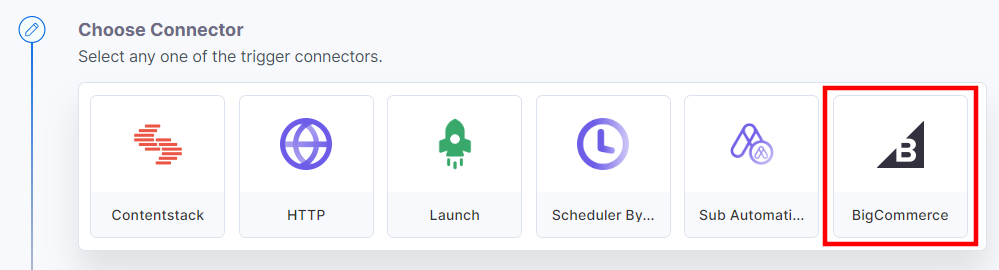
- Within the Configure Trigger step, click the BigCommerce connector.
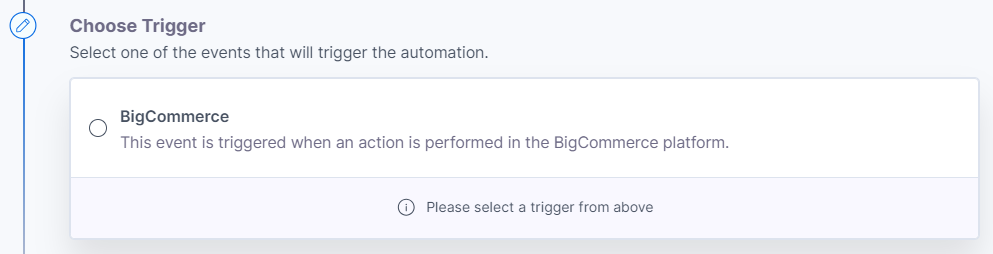
- Under Choose Trigger tab, select the BigCommerce trigger.
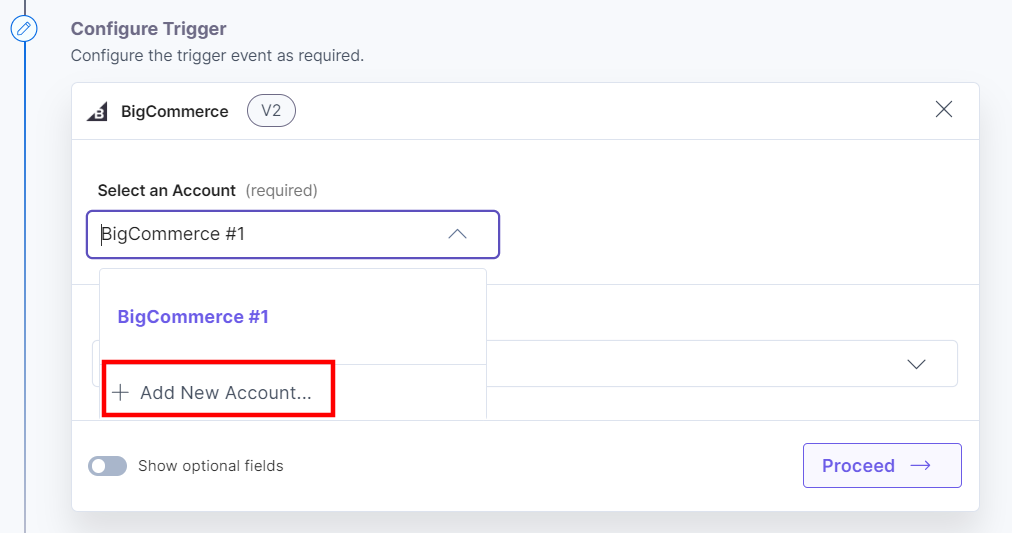
- In the Configure Trigger tab, click + Add New Account to add your BigCommerce account.
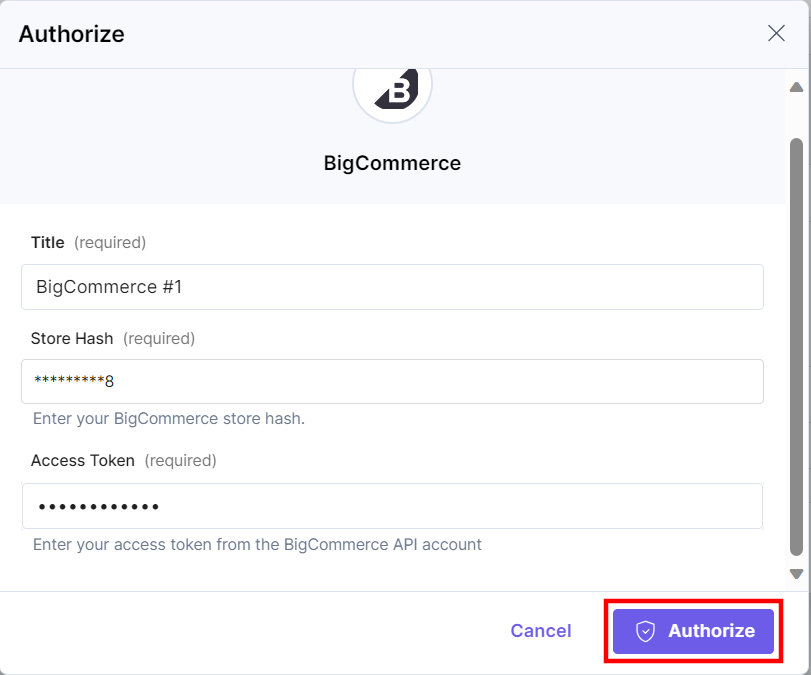
- In the Authorize pop-up window, provide the Store Hash and Access Token.
To generate Store Hash and Access Token, log into your BigCommerce dashboard and perform the following steps:
- Click the Advanced Settings tab in the navigation and select API Accounts.
- Under the “API Accounts” section, click + Create API Account.
- Provide a Name and set the OAuth scopes. Once done, click Save.
- Copy the “Store Hash” and “Access Token” to your clipboard for future use.
Additional Resources: For more information, refer to the Store API Accounts document.
- Once done, click Authorize.
- Select an Event from the dropdown.
- Optionally, enable the Show optional fields toggle to add Custom Header. Click + Add Custom Header to add multiple headers.
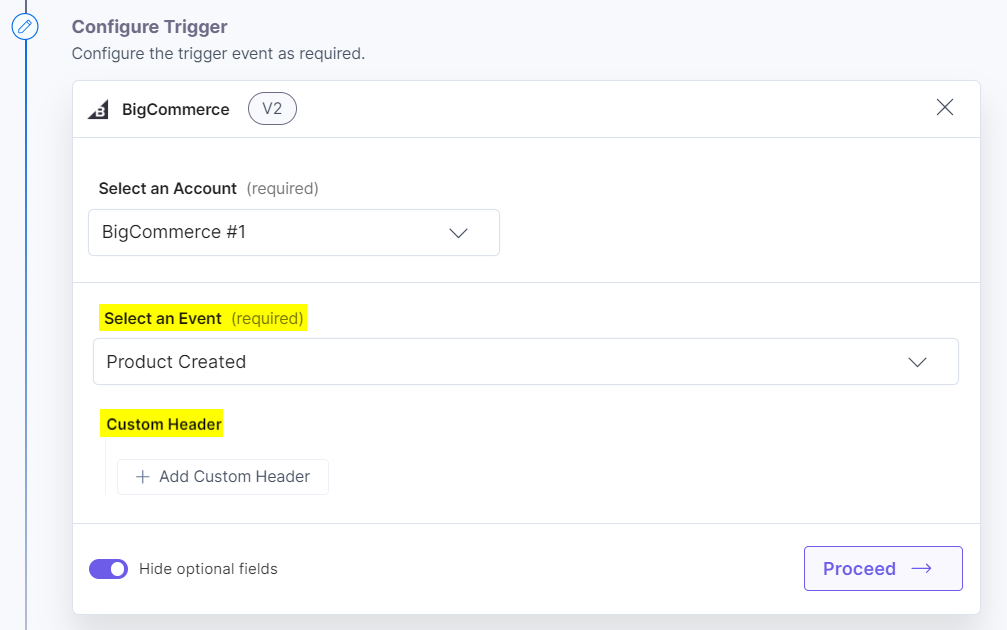
- Click the Proceed button.
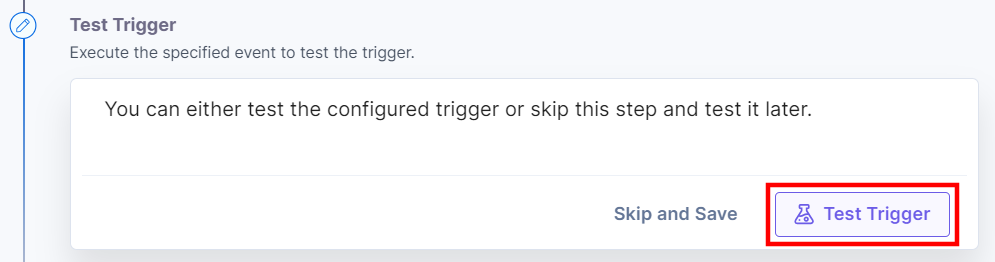
- To execute and test the configured trigger, click the Test Trigger button.
- On successful configuration, you can see the below output. Click the Save and Exit button.
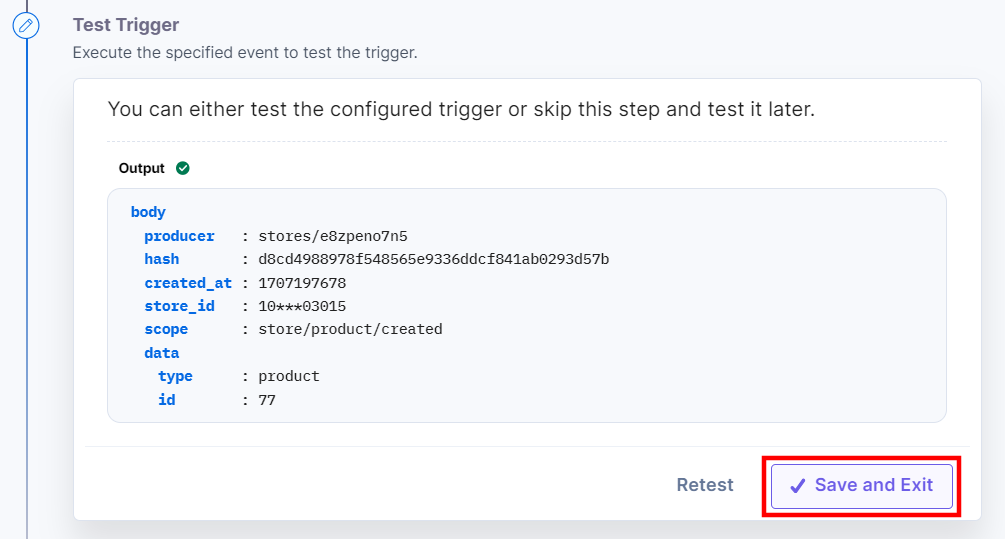
Additionally, you can use the BigCommerce trigger with the BigCommerce connector to fetch the product details. For example, you can select the “Product Created” event in the BigCommerce trigger and configure the action to fetch the product details.
This sets the BigCommerce trigger connector.
More articles in "Triggers"
