

Add to Release in Visual Editor
Visual Editor allows you to add one or more entries to a release directly from the page editing interface. This reduces context switching and helps content teams prepare and organize content for publishing without leaving the Visual Editor. Whether you are preparing a single update or coordinating changes across multiple entries, this feature simplifies release management within the editing workflow.
Add Entries to a Release from Visual Editor
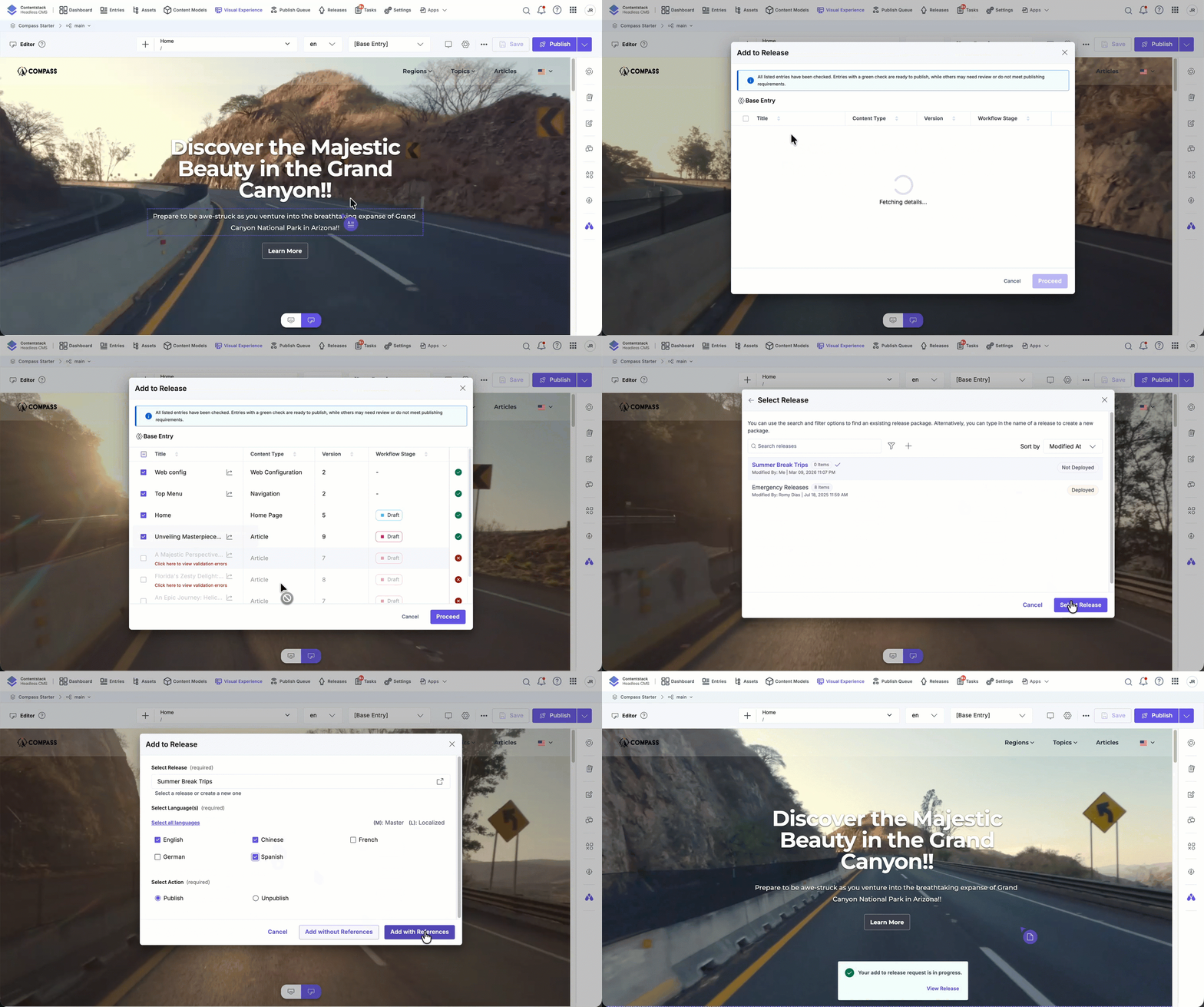
To add multiple entries to a release using Visual Editor, log in to your Contentstack account and perform the following steps:
- Navigate to your stack and select Visual Experience.
- Click Editor in the bottom pill menu.
- Click the horizontal ellipsis and select Add to Release.
- In the Add to Release modal, select one or more entries from the list.
- A green checkmark indicates the entry is ready to be added.
- Entries without a green check may require review or may not meet publishing criteria.
- Click Proceed.
- Select an existing Release or create a new one.
- Select one or more Locales.
- Click Add with Reference to publish the referenced entries along with the selected entry.
Note: You must select at least one entry to proceed.
Add a Specific Entry to a Release
You can also add an individual entry to a release directly from the Form panel while viewing the entry in Visual Editor.
To add a specific entry to a release:
- Use the URL bar to open the page associated with the entry.
- Open the entry in the Form panel.
- Click the entry actions menu and select Add to Release.
- Choose the target Release and Locales.
- Click Add to confirm.
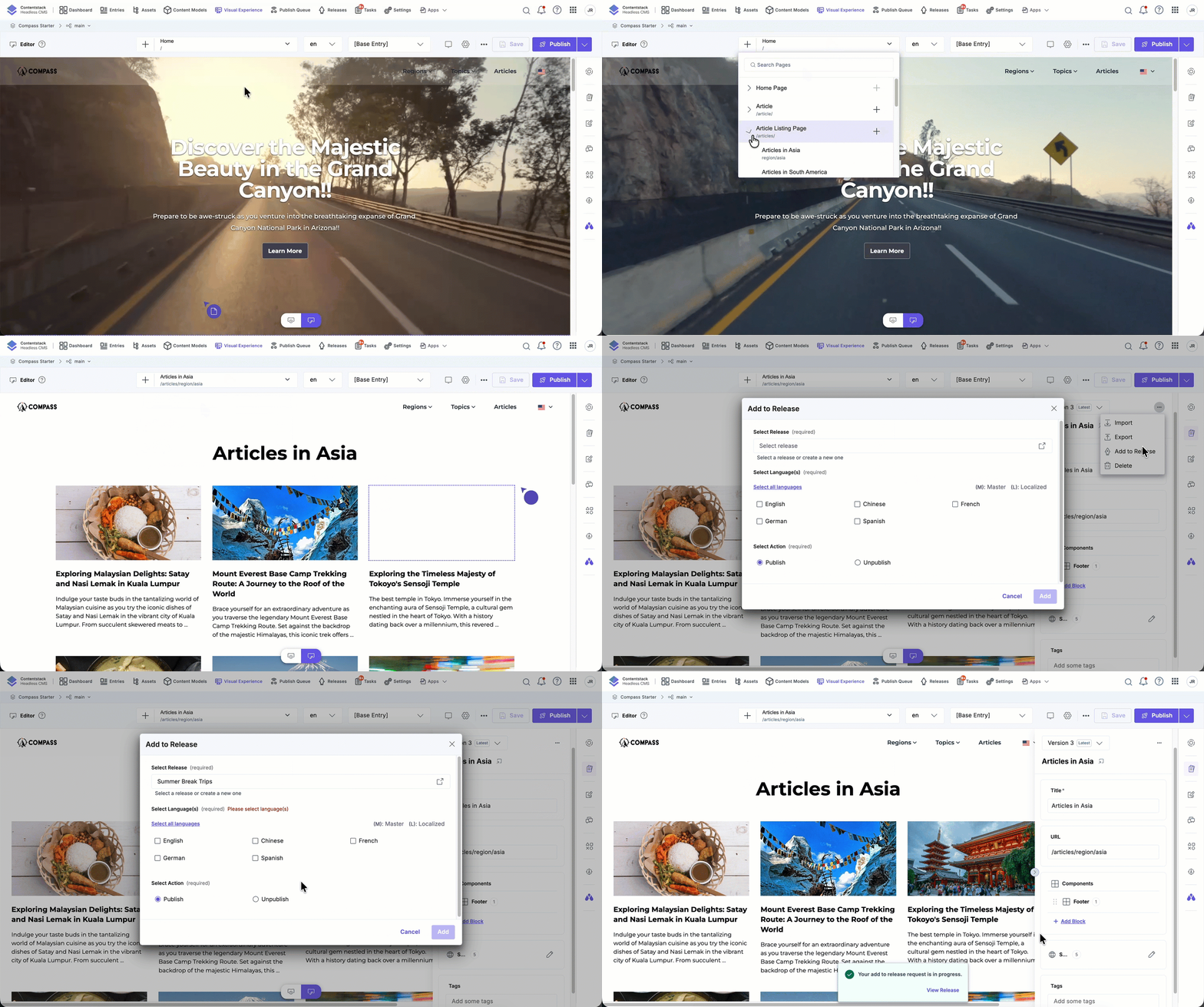
After the entries are added, a confirmation message appears indicating that the request is in progress. You can click View Release to monitor the status and track the entries included in the release.
More articles in "Work with Visual Editor"
