

Form
The Form panel in Visual Editor lets you edit entries, manage versions, and perform entry-level actions, without leaving your page. Changes you make reflect instantly on the canvas for a faster, more intuitive editing experience.
You can make quick updates or manage an entry’s full lifecycle without switching contexts.
Key Features
The Form panel includes several capabilities that help you edit efficiently without leaving the context of your page.
- Breadcrumb Navigation: Navigate between parent and referenced entries using the entry breadcrumb trail without leaving the page.
- Inline Reference Editing: Edit referenced entries directly within the Form panel without opening a new tab for uninterrupted content updates.
- Real-Time Preview Sync: Instantly view changes on the canvas as you edit, ensuring what you see accurately reflects what will be published.
- Entry Management Tools: Import, export, unlocalize, version, and delete entries, directlyall from within the Form panel.
To access the Form panel, log in to your Contentstack account, and perform the following steps:
- Navigate to your stack and select Visual Experience.
- Click Editor in the bottom pill menu.
- Use URL bar to locate the page you want to update the content.
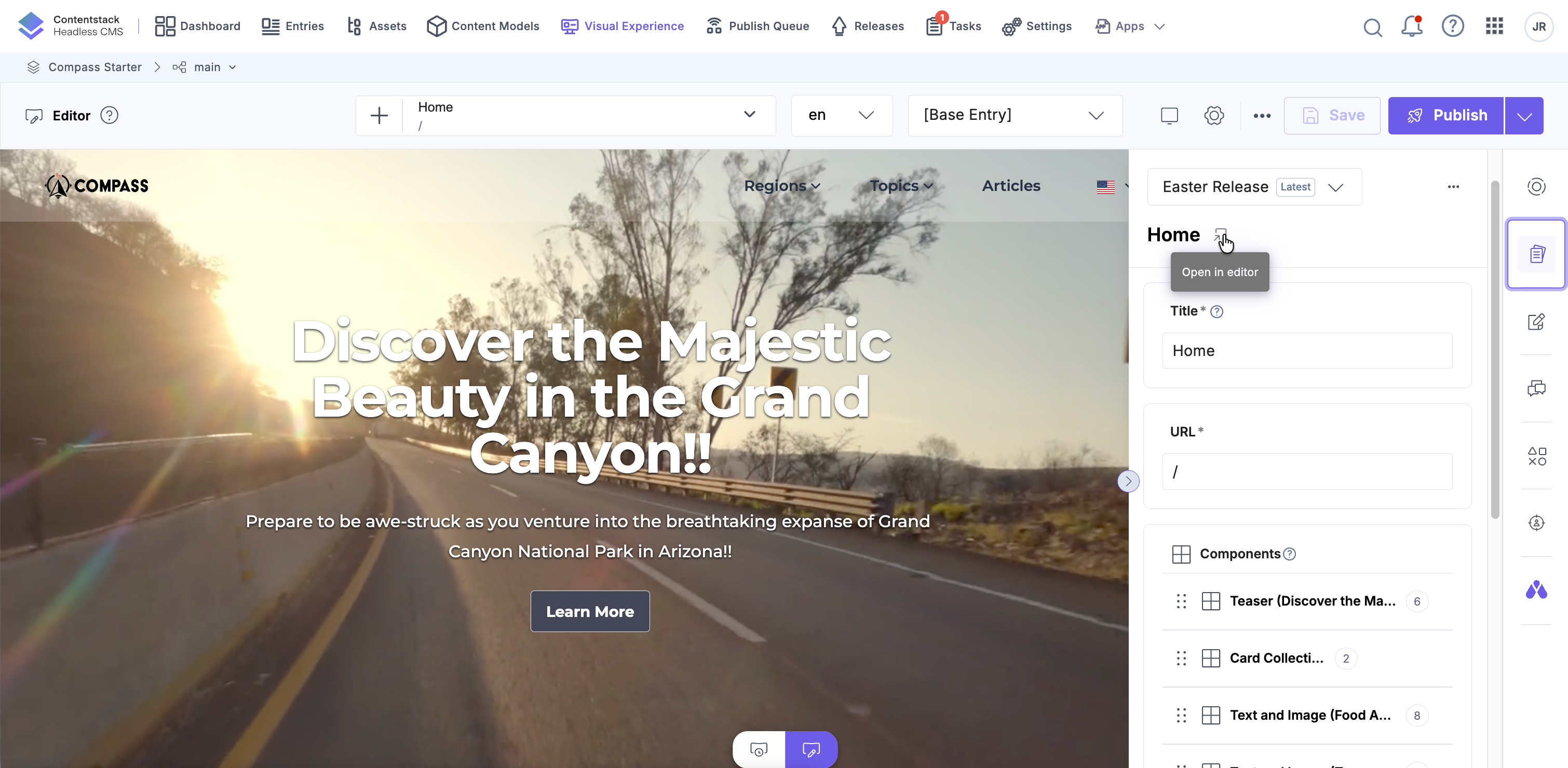
- In the right sidebar, click the Form icon to open the entry editor.
- Edit the fields in the Form panel to see real-time changes on the Visual Editor canvas.
- Alternatively, click any field in the canvas. Then, in the toolbar, select Form to open that field in the Form panel.
Tip: You can also use field modifiers directly on the canvas for supported fields without opening the Form panel.
- Click the “Open in editor” icon next to the page title to open the full entry editor in a new tab.
Manage Entries from the Form Panel
Once the Form panel is open, you can perform the following entry-level actions directly from within the panel.
-
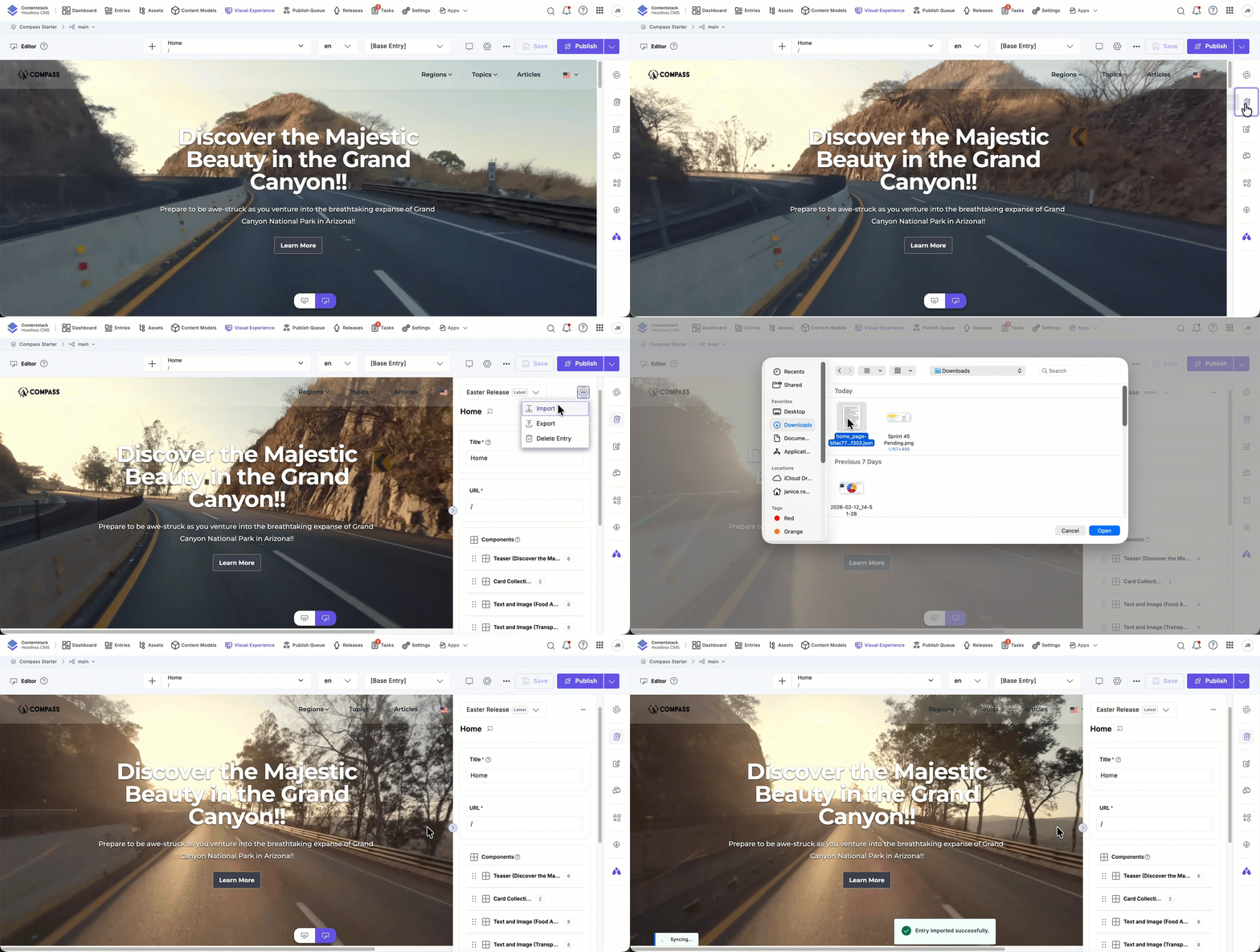
Import Entry
Upload content into an entry using a JSON file.
To import an entry:
- Open the entry in the Form panel.
- Click the entry actions menu.
- Select Import and upload the JSON file.
Note: The imported file must match the content type schema. A new version is automatically created after import.
-
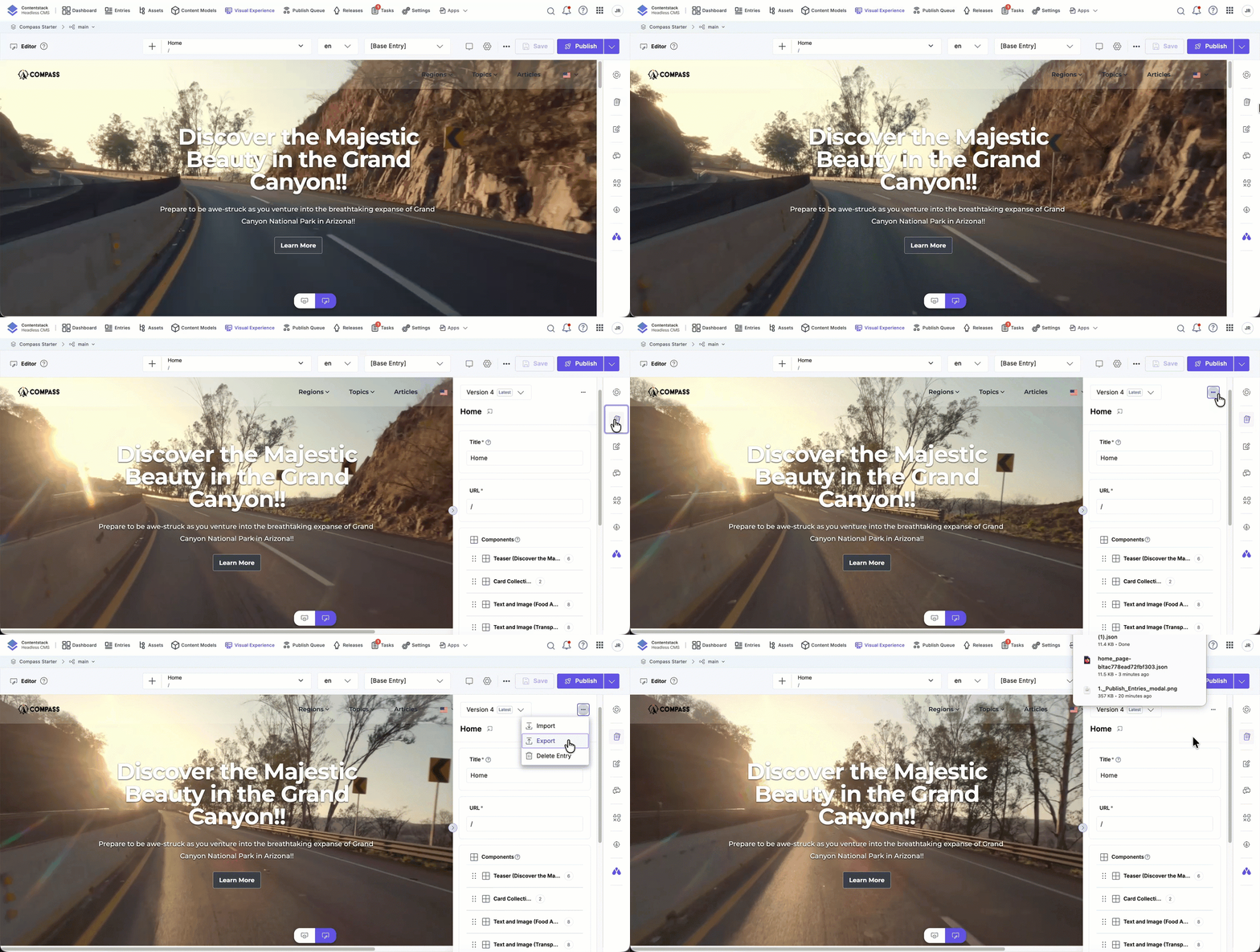
Export Entry
Download the current entry as a JSON file for backup or reuse.
To export an entry:
- Navigate to the entry in the Form panel.
- Click the entry actions menu.
- Select Export.
The exported file reflects the selected locale and entry version.
-
Add to Release
Add an entry to a release directly from the Form panel, without leaving the page or switching contexts.
To add an entry to a release:
- Open the entry in the Form panel.
- Click the entry actions menu.
- Select Add to Release.
- In the modal that appears, select an existing Release or create a new one.
- Select one or more Locales.
- Click Add to confirm.
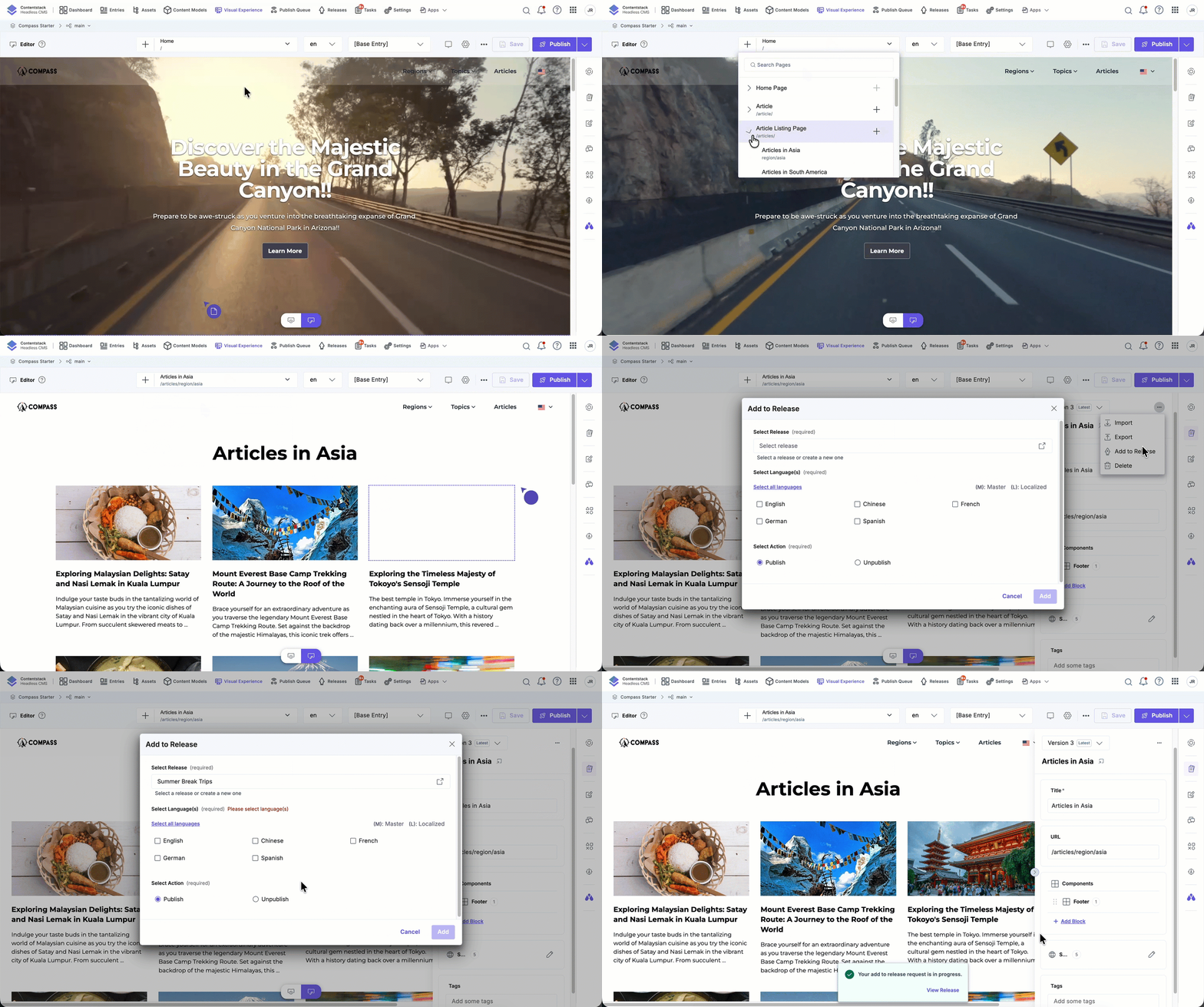
A confirmation message will indicate the request is in progress. You can click View Release to track its status.
Tip: Only entries that meet publishing criteria will be available to add. A green checkmark indicates readiness.
-
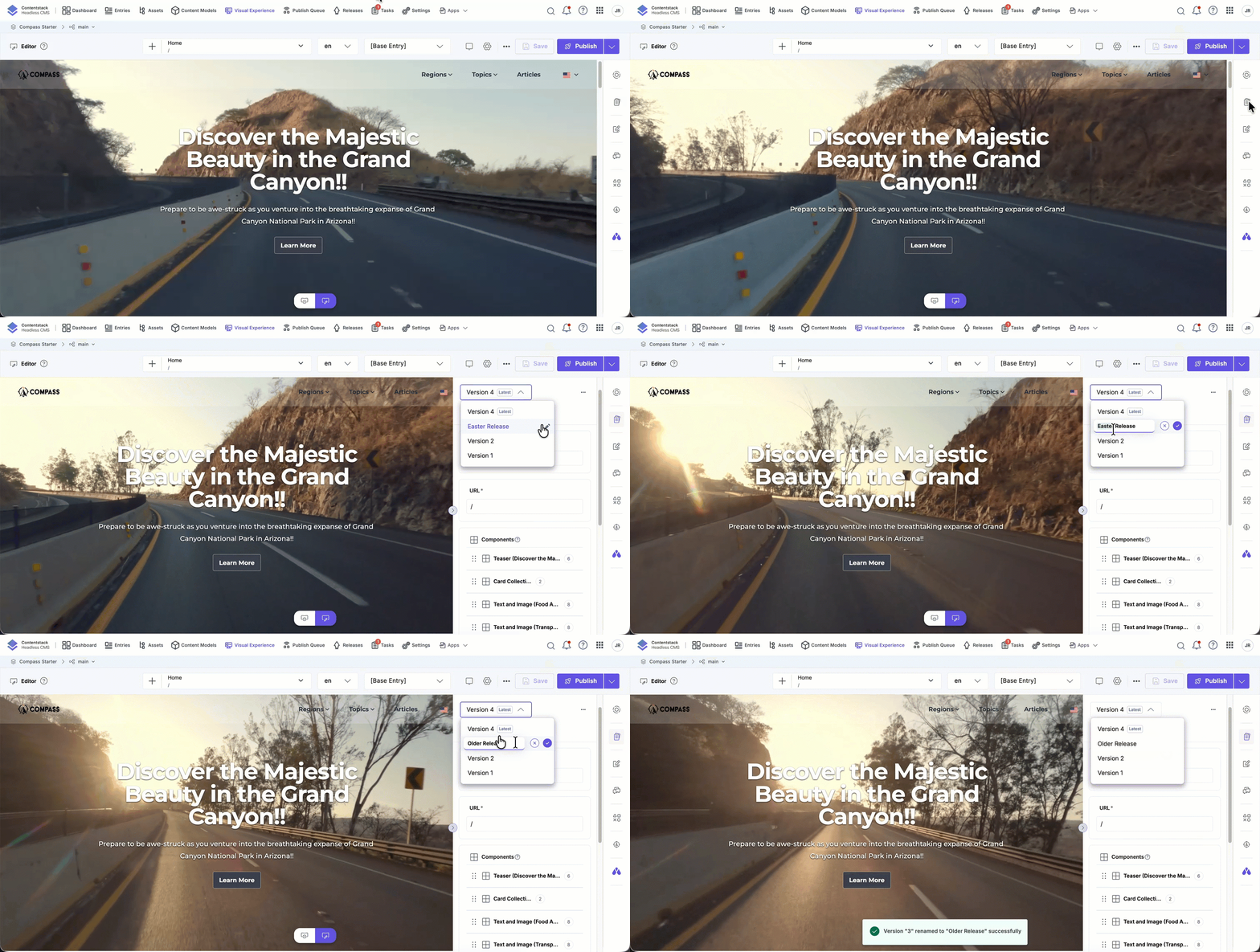
Rename Entry Versions
Make version history easier to manage by renaming versions.
To rename a version:
- Open the Form panel.
- Click the Version dropdown.
- Hover over a version and click the pencil icon.
- Enter a new name and save.
Note: Renaming a version does not modify entry content.
-
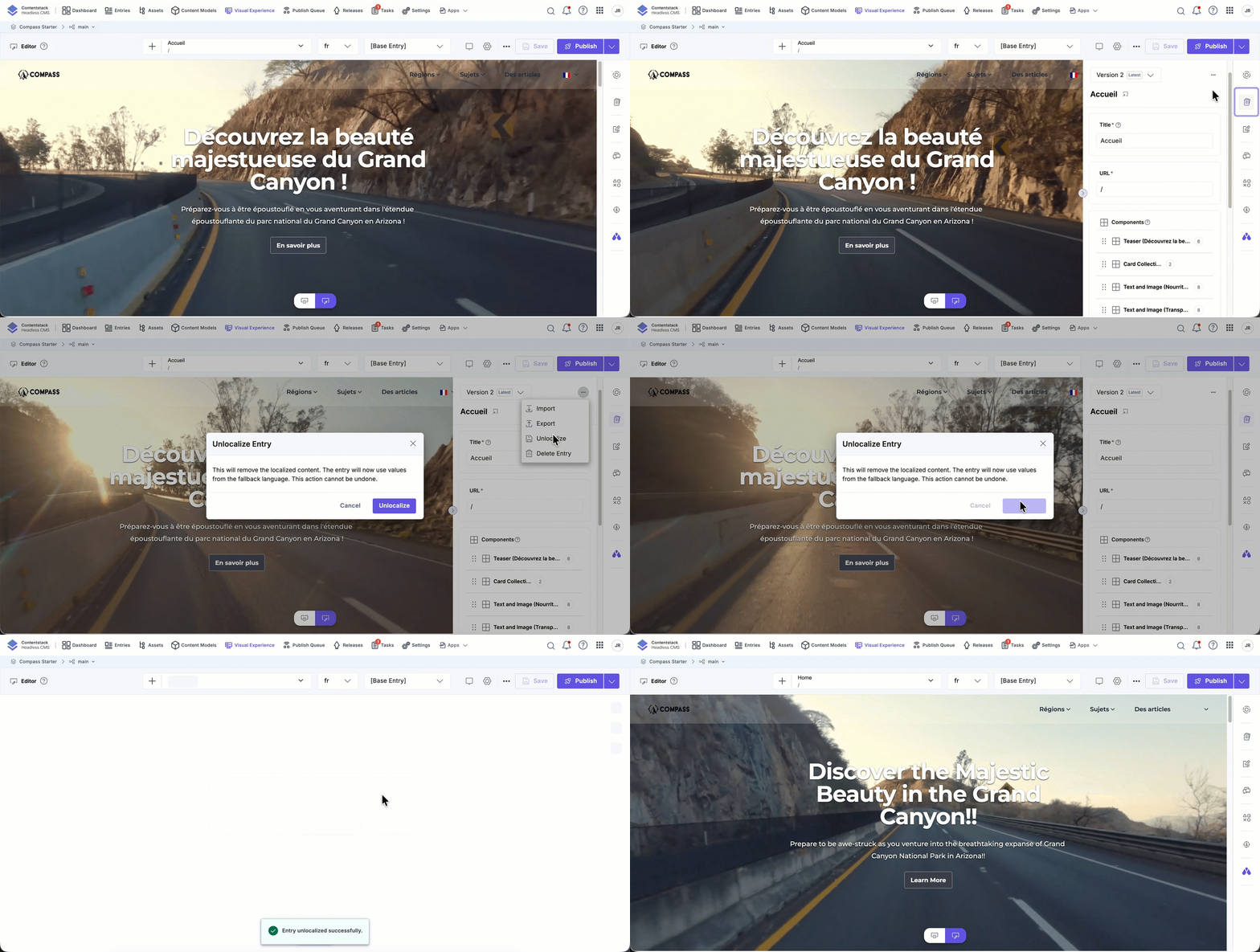
Unlocalize an Entry
Remove locale-specific content and revert to inherited content.
To unlocalize an entry:
- Open a localized entry in the Form panel.
- Select Unlocalize from the entry actions menu.
Warning: Unlocalizing permanently removes localized content and cannot be undone.
-
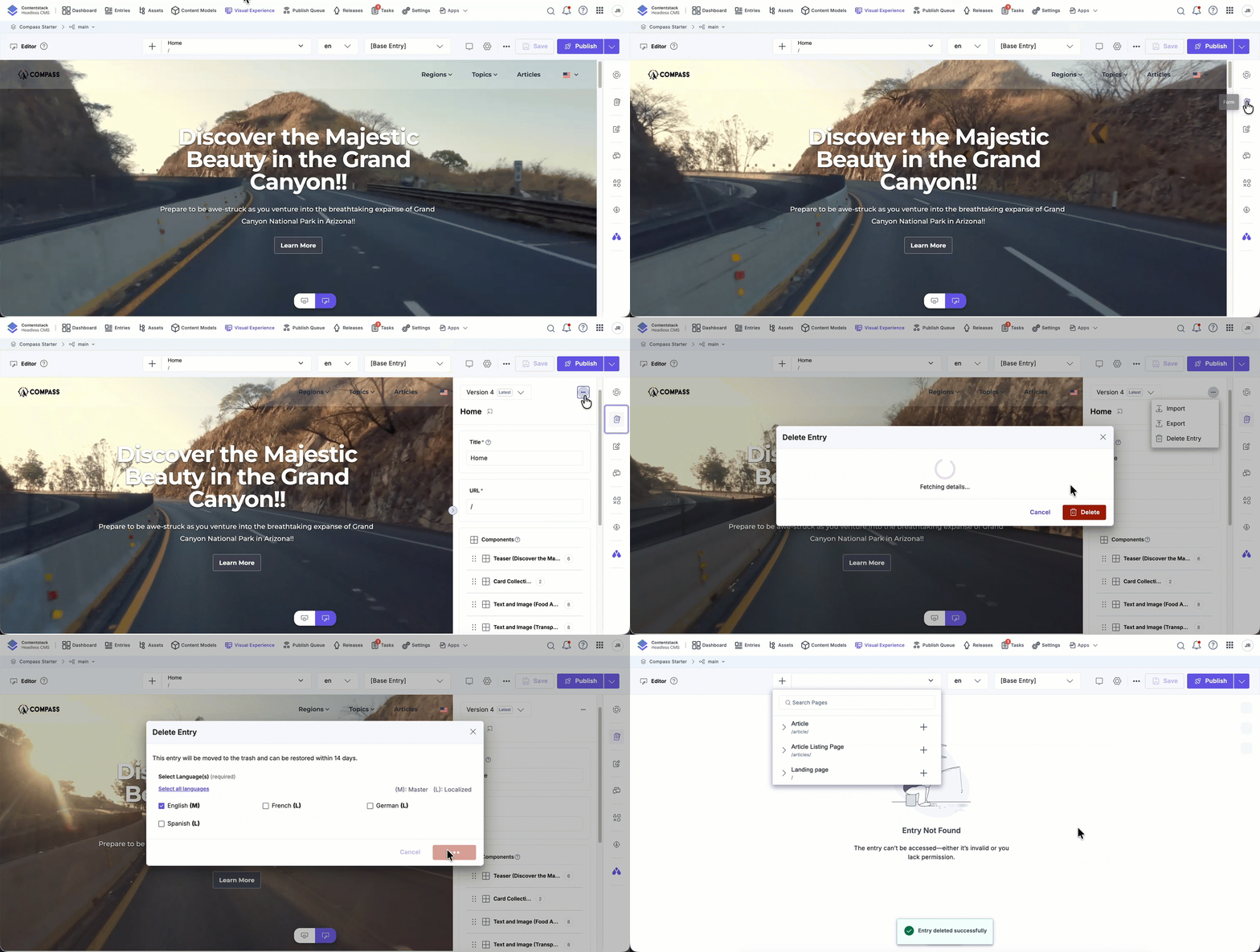
Delete an Entry
Remove an entry directly from Visual Editor.
To delete an entry:
- Open the entry in the Form panel.
- Open the entry actions menu.
- Select Delete and confirm.
Note: Entry deletion follows the same permission rules as the entry editor.
The Form panel combines editing, versioning, and localization into one unified workspace, helping you manage entries faster and preview changes as you go.
More articles in "Visual Editor Tools"
