

Quick Search
The Quick Search feature in Contentstack allows you to swiftly and efficiently search for entries or assets from any location within your stack. Quick Search navigates you to the corresponding entries or assets page with the relevant search results displayed. This feature is designed to save time and improve productivity by streamlining the search process and offering a user-friendly interface.
To access the Quick search, log in to your Contentstack account and perform the following steps:
- Navigate to your stack and click the “Search” icon (or press “ctrl” + "K") located in the header.
- Use the dropdown menu within the search bar to select whether you want to search for Entries or Assets.
- Type your search term in the search bar and find all the relevant results.
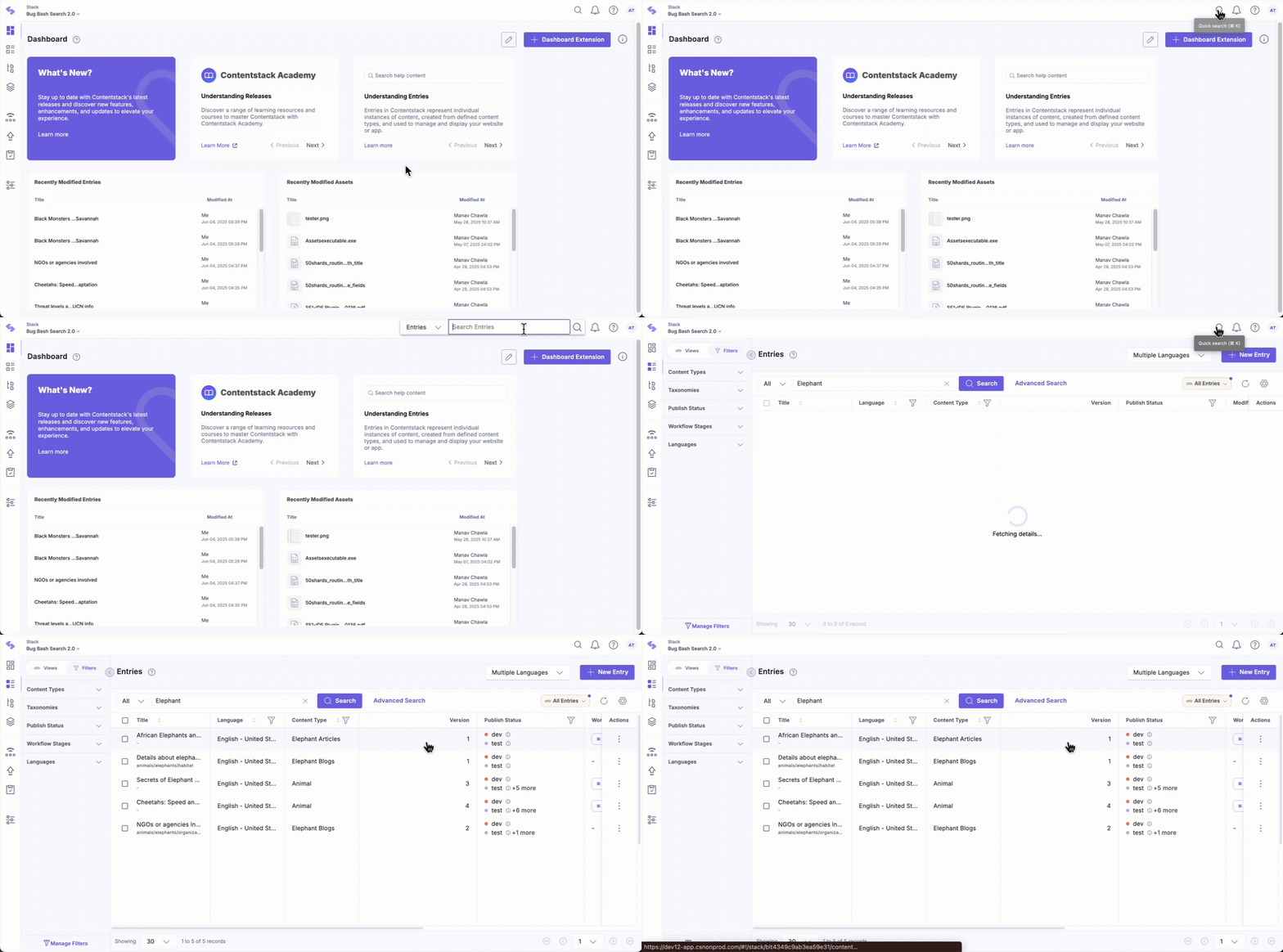
- You can also refine your search further using filters or advanced queries.
Quick Search in Contentstack simplifies and speeds up finding entries or assets by providing immediate results from anywhere in the stack.
Was this article helpful?
More articles in "Working with Search"
