

Rename Entry Versions
You can rename an existing version of an entry in Contentstack. Renaming versions can help you better organize and identify specific versions of your entries for improved content management.
To rename an existing version, log in to your Contentstack account, and perform the following steps:
- Go to your stack and click the “Entries” icon.
- Navigate to the entry you want to modify.
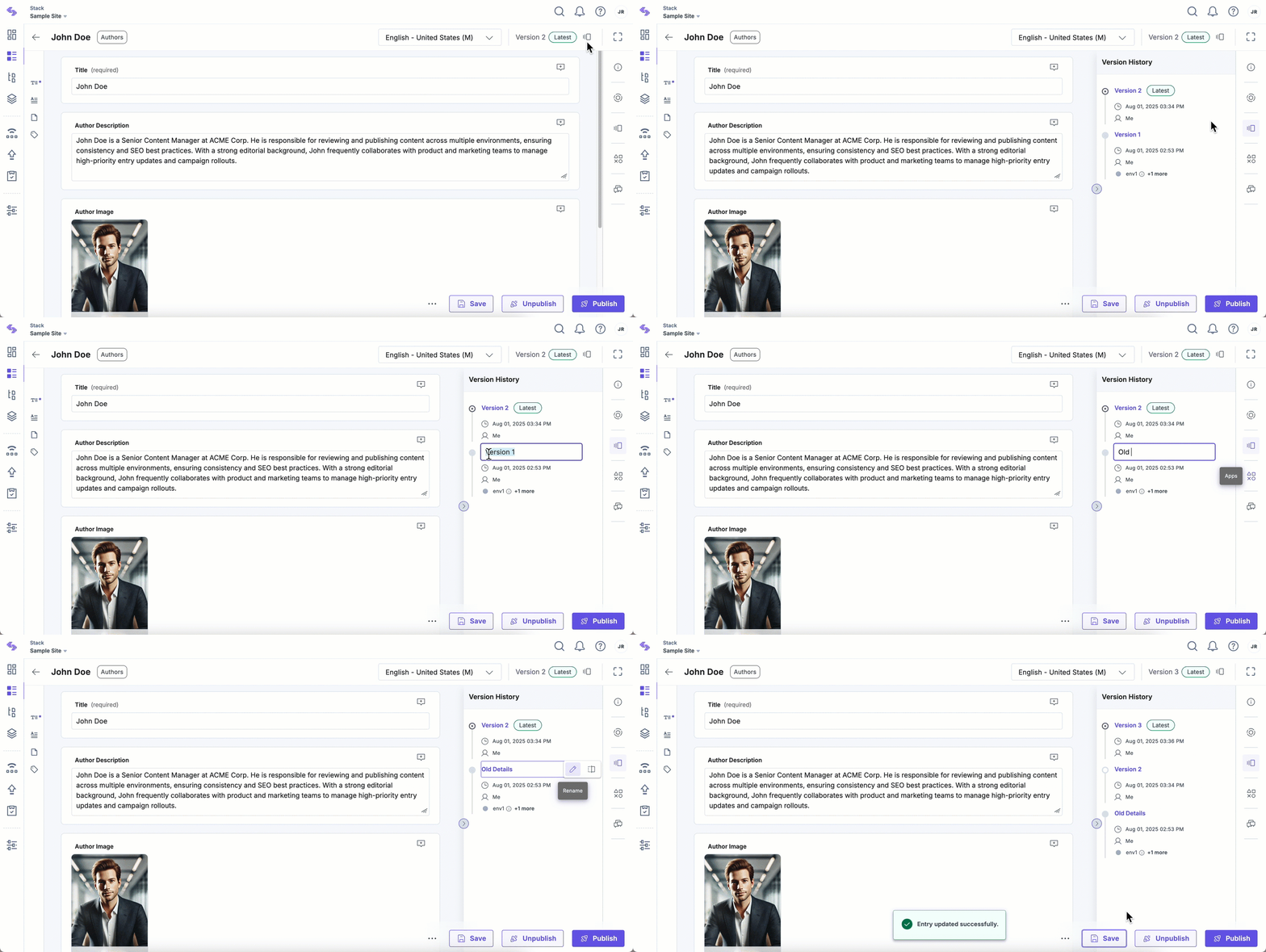
- Click the version icon in the top-right corner of the entry editor, or use the “Versions” icon in the right sidebar to open the Version History panel.
- In the list of saved versions, locate the version you want to rename. Hover over it and click the “Rename” icon.
- Enter a custom name and confirm your changes by pressing “Enter” on your keyboard.
Note: Version names can include only alphanumeric characters, spaces, hyphens, or underscores. Special characters such as slashes and symbols are not supported.
Note: Custom version names have a maximum limit of 32 characters.
Was this article helpful?
More articles in "Manage Entry Versions"
