

Remove Entry Version Names
Entry versions in Contentstack can have custom names assigned for better organization. You can remove a custom name and revert the version to its default naming convention (e.g., "Version 3").
To remove an entry version name, log in to your Contentstack account, and perform the following steps:
- Go to your stack and click the “Entries” icon.
- Navigate to the entry you want to modify.
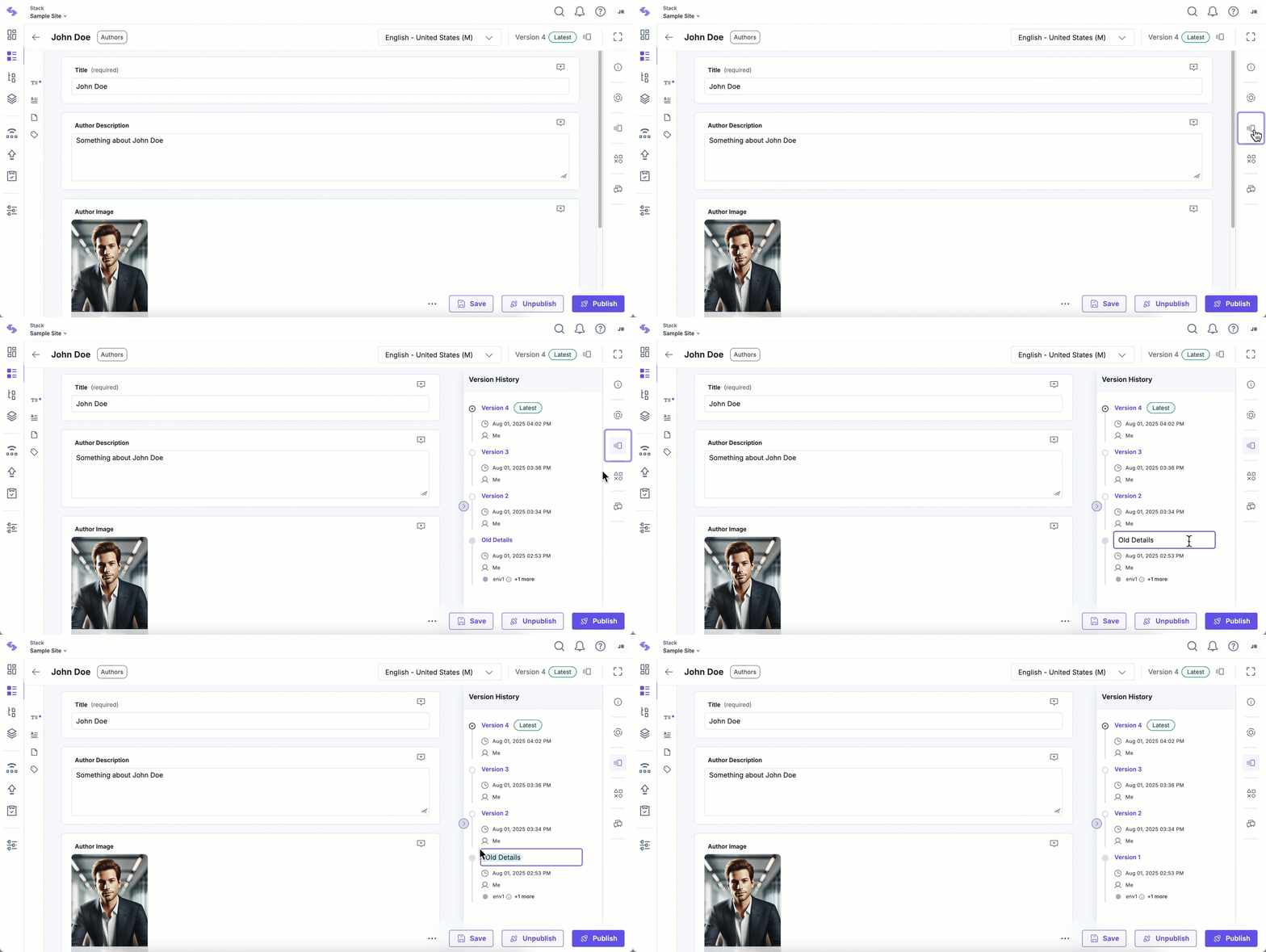
- Click the version icon in the top-right corner of the page or the “Versions” icon in the right sidebar.
- Locate the entry, hover over it, and click the “Rename” icon.
- In the input field, remove the custom name (or leave it blank).
- Confirm your changes by pressing “Enter” on your keyboard.
The version name will reset to its default value (e.g., "Version 1").
Note: Removing a version name does not affect the version's content.
Was this article helpful?
More articles in "Manage Entry Versions"
