

Publish an Entry Variant
Note: The Entry Variants feature is currently available as part of an Early Access Program and may not be available to all users. For more information, you can reach out to our support team.
Publishing entry variants in Contentstack allows you to deliver personalized content tailored to specific user segments.
To publish an entry variant, log in to your Contentstack account and perform the steps given below:
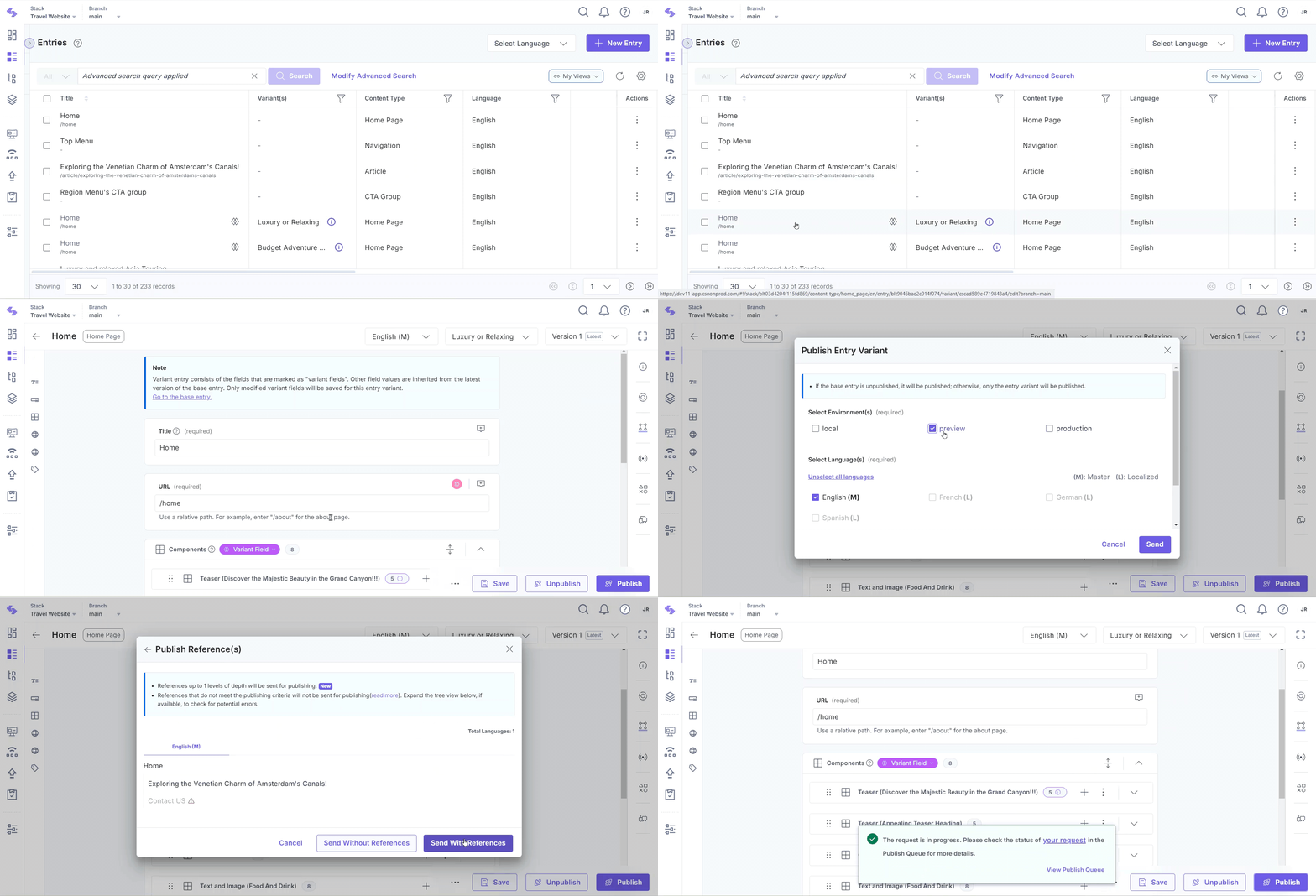
- Navigate to the desired stack, click the Entries icon in the left navigation panel, and select an existing entry variant, indicated by the variants icon on the entries list page.
- Click the Publish button within the entry editor.
- In the Publish Entry Variant modal that appears, under Select Environment(s) and Select Language(s), select the environment(s) and the locale(s) to which you want to publish the entry.
- Under Publish, you have two sub-options – Now (to publish immediately) and Later (to publish at a later date/time that you provide).
When you select “Later”, a group of options appear asking you to select the Date and Time of publishing, and the Time-Zone.
- Confirm your settings by clicking the Send button.
- If you have nested references within your entry variant, the The Publish Reference(s) modal showing all the nested references for the entry will open up.
- Click Send With References to send the entry along with all its nested references for publishing.
Note:
- If no previous or current version of the base entry is published in the selected environment(s) and language(s), the base entry will be published by default.
- If a content type or global field is updated after an entry was created (for example, a new required field is added), Contentstack validates the entry against the latest configuration when you publish. If any required field is empty, the entry cannot be published until you complete it.
Alternatively, when publishing the base entry, you can Select Variant(s) from the dropdown in the Publish Entry modal. Choose from the available entry variants to publish them alongside the base entry.
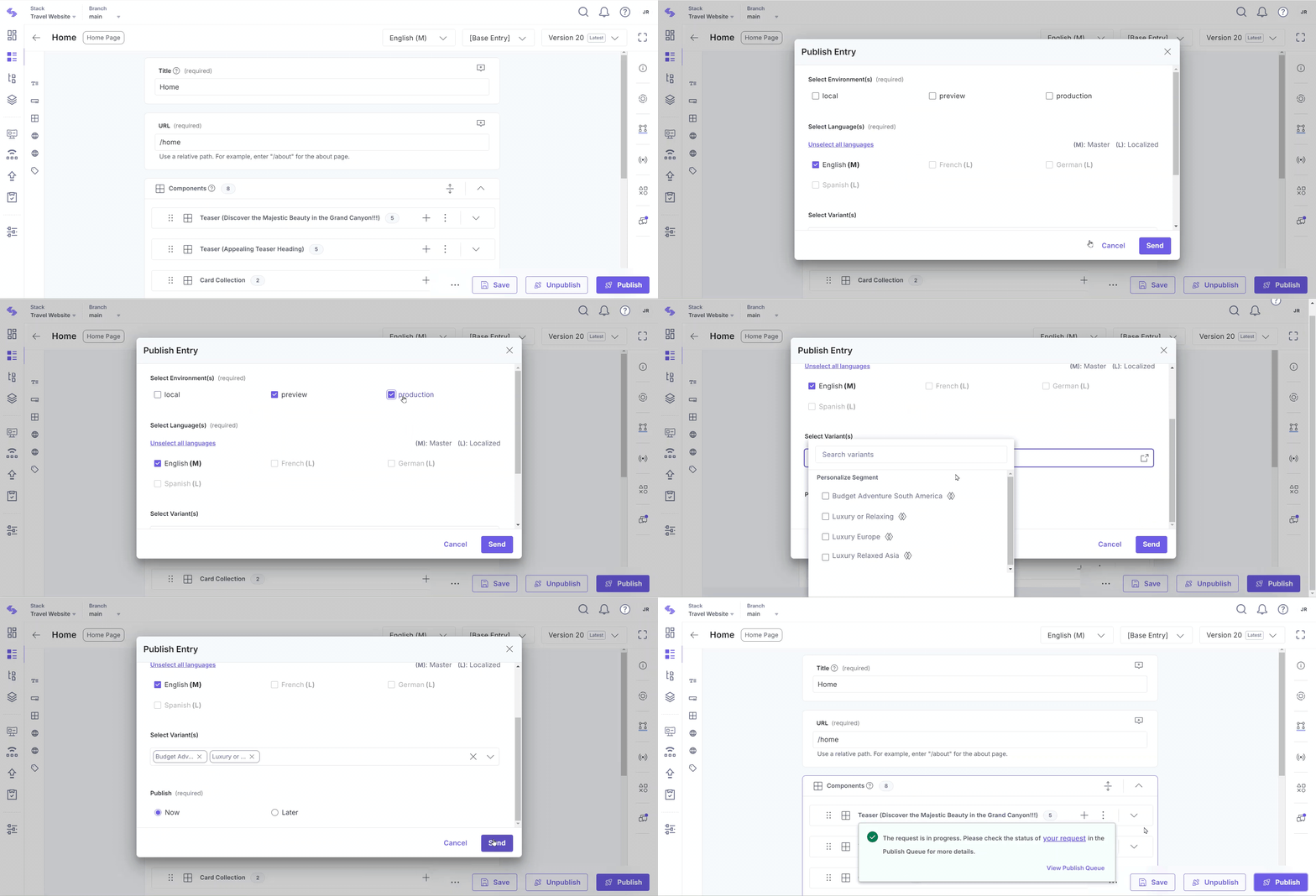
By following these steps, you can effectively publish entry variants in Contentstack, enabling personalized content delivery to specific user segments.
API Reference
To publish an entry variant via API, refer to the Publish Entry Variant API requests.
More articles in "Work with Entry Variants"
