

Bulk Delete Assets
Contentstack’s Bulk Delete Assets feature provides instructions for removing multiple assets from your stack.
To bulk delete assets, log in to your Contentstack account, and perform the following steps:
- Go to your stack and click the “Assets” icon in the left navigation panel. You can use the shortcut key “A” (for both Windows and Mac OS).
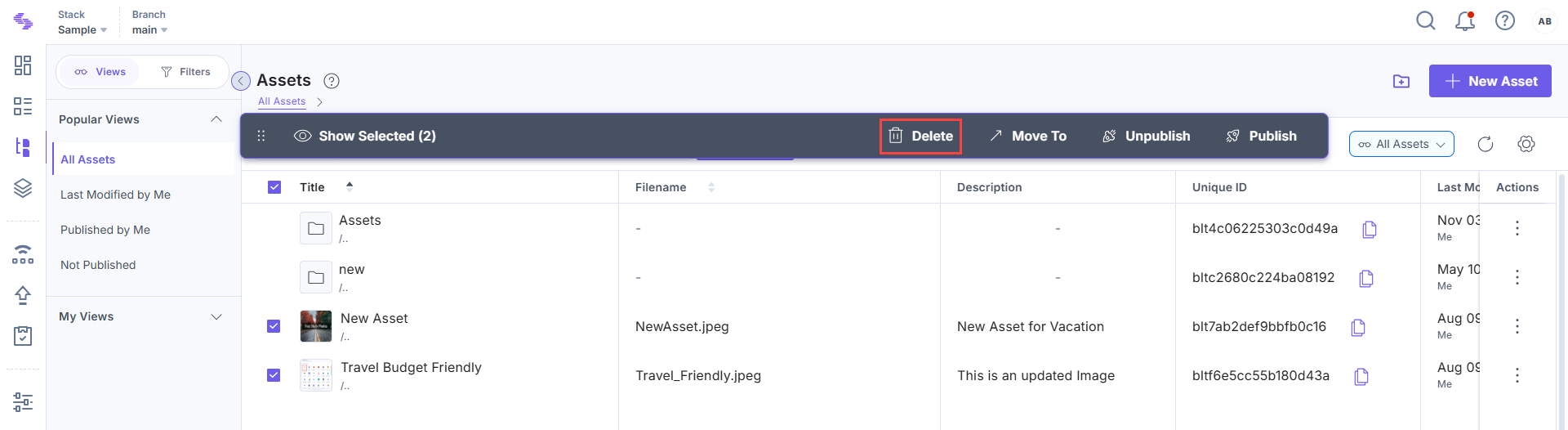
- Use the checkboxes to select the assets you want to delete.
- After selecting the assets, click the Delete option in the floating panel that appears.
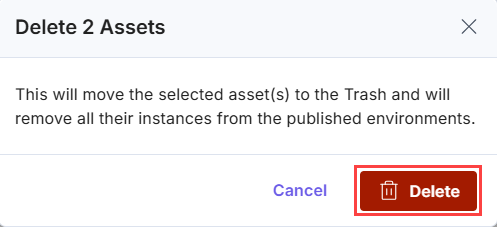
- A confirmation dialog will appear. Click Delete to move the selected assets to the Trash.
Note: You can select and delete up to 100 assets at a time. To delete more than 100 entries, repeat the process in batches.
Note: Deleted assets are moved to the trash and can be restored within 14 days. After this period, they will be permanently deleted.
Was this article helpful?
More articles in "Bulk Operations on Assets"
