

Export a Voice Profile
Exporting a Voice Profile in Contentstack helps you reuse your brand’s tone and language settings across different stacks or environments. Whether you are backing it up, migrating to a new project, or ensuring consistency across teams, this feature simplifies the process and saves you time.
Prerequisites
- Contentstack account
- Access to Organization that has Brand Kit enabled
- Access to the Contentstack Organization/Stack as the Owner/Admin
- Access to Brand Kit as an invited Collaborator
Steps for Execution
Note: For this guide, we have assumed that you have created a Voice Profile inside your Brand Kit.
To export a Voice Profile, log in to your Contentstack account and perform the following steps:
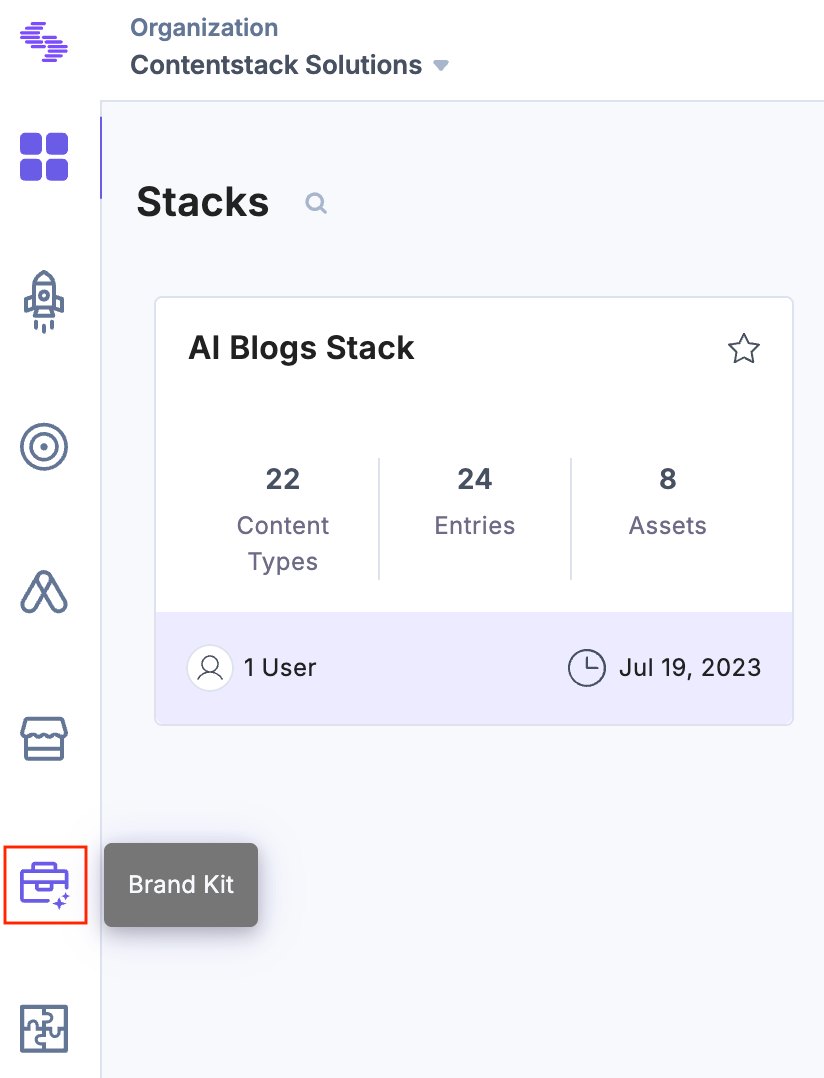
- In the left navigation panel, click the Brand Kit icon.
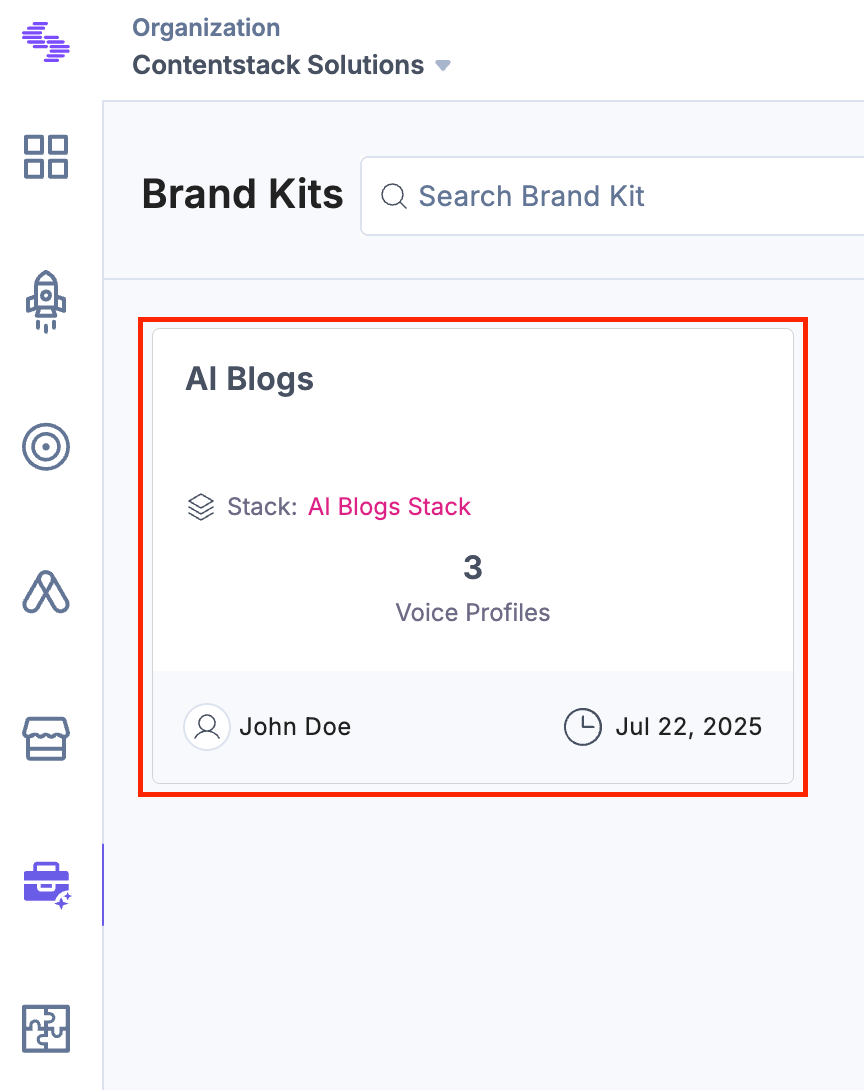
- Select the Brand Kit that contains the Voice Profile you want to export.
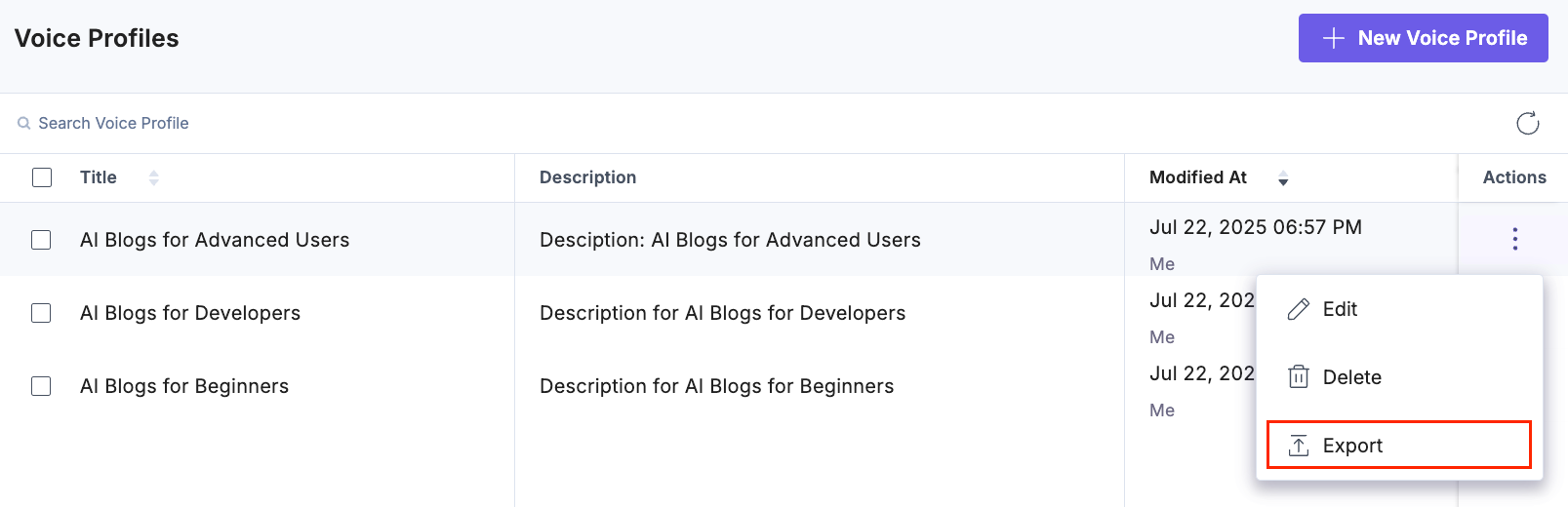
- Under Actions, click the vertical ellipsis next to the desired Voice Profile and select Export to download the Voice Profile.
- To export multiple Voice Profiles, select the checkboxes for the desired Voice Profiles and click Export from the floating bar.
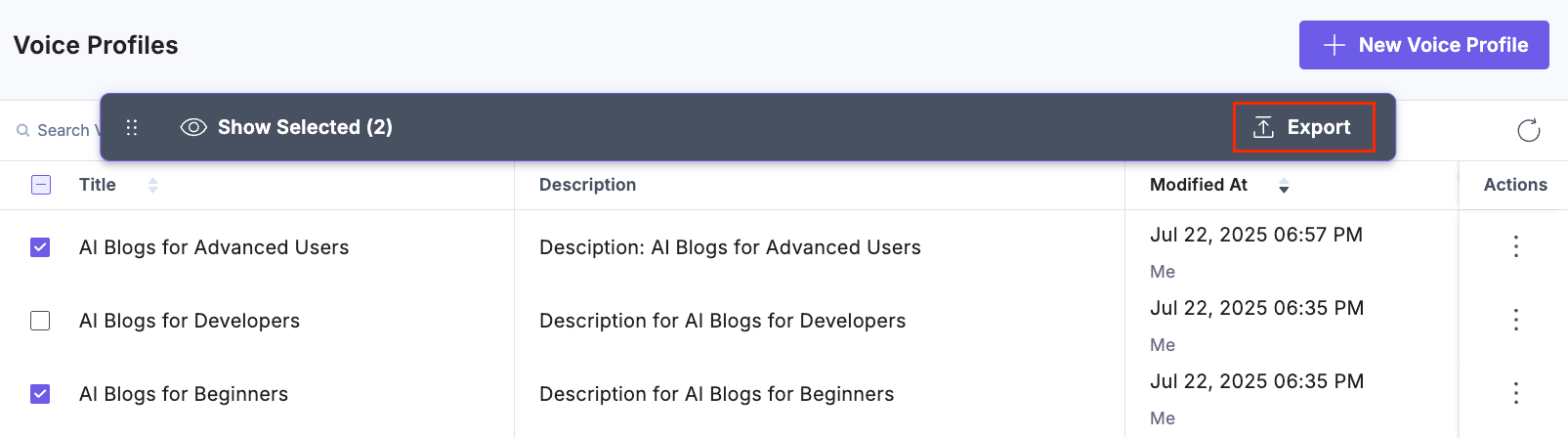
The selected Voice Profiles will be downloaded as .json files.
Was this article helpful?
More articles in "Working with Voice Profile"
