

View Entry References
The View Entry References feature helps you understand how entries are connected across your stack. It shows where an entry is referenced and allows you to visualize its relationships within and across content types.
This helps you manage interconnected content more efficiently by identifying parent and child relationships before making updates.
To view references, log in to your Contentstack account and perform the following steps:
- Navigate to your stack and open the desired entry.
- Click the Information tab (represented by the i icon).
- Scroll to the Referenced In section. This section lists all entries that reference the current entry. Each entry name is clickable, allowing you to open and edit the referencing entry directly.
- To visualize relationships, click View Reference Map. This option is also available within applicable Reference fields.
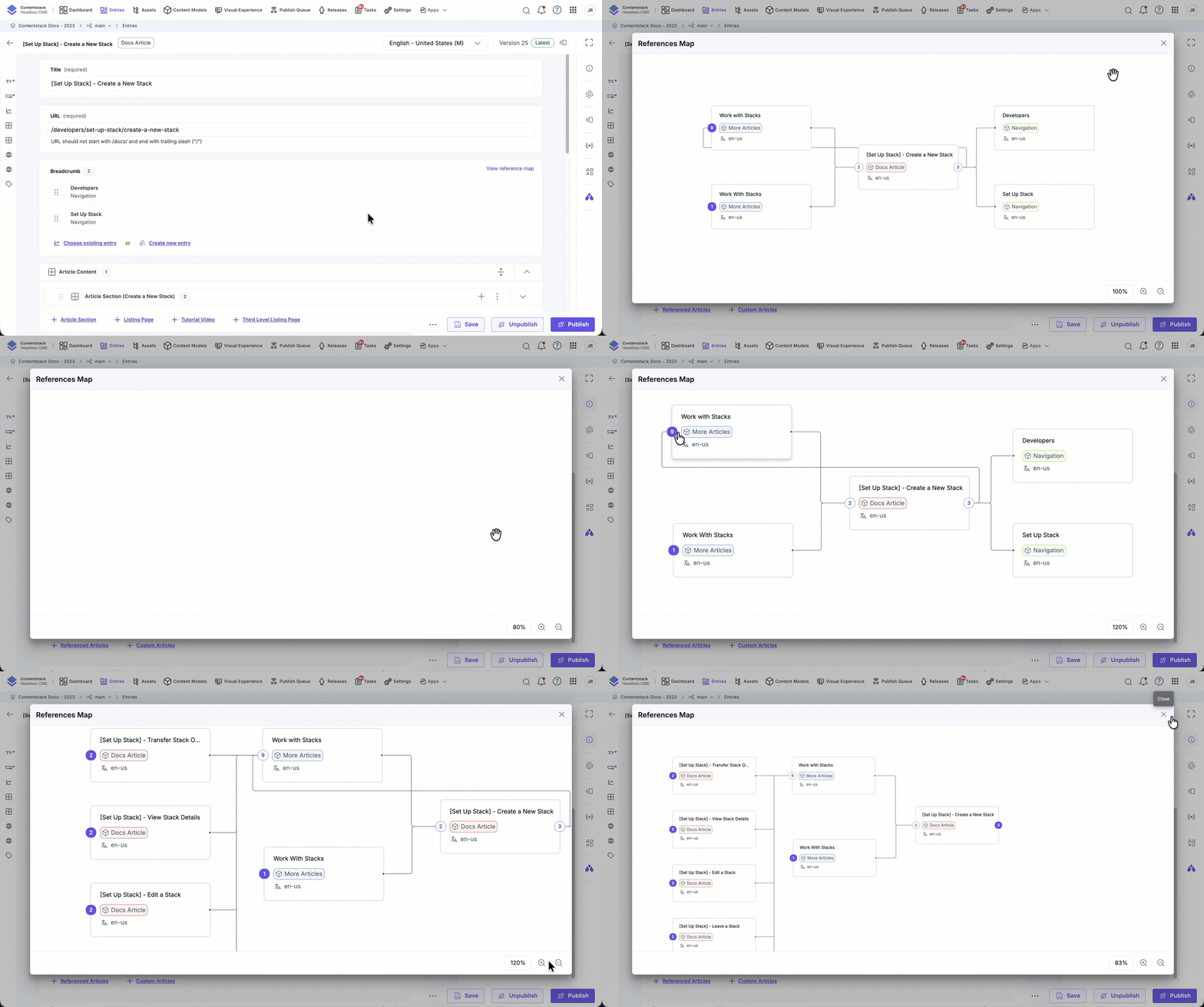
Understanding the Reference Map
The Reference Map visually represents how entries are connected.
- The center node represents the currently opened entry.
- Nodes on the left represent parent entries (where the current entry is referenced).
- Nodes on the right represent child entries (entries referenced by the current entry).
By default, the map loads direct parent and direct child relationships.
You can interact with the map to explore deeper relationships:
- Expand or collapse nodes to load additional related entries.
- Zoom in or out to adjust the level of detail.
- Drag the map to reposition the view within the modal.
- Select a node to highlight its relationship path.
- Click an entry name to open it in a new browser tab.
The map automatically adjusts the default zoom level based on the number of visible nodes to ensure optimal visibility.
The Reference Map provides a clear, interactive view of entry dependencies. It helps you assess impact before editing, maintain content consistency, and navigate complex content relationships with confidence.
More articles in "Create and Manage Content"
