

Name Asset Versions
Assigning custom names to versions can help you better organize and identify specific versions of your assets for improved content management.
By default, Contentstack assigns a version number to each asset (e.g., "Version 1," "Version 2," etc.) . To make versions easier to identify, you can assign custom names, such as "Initial Image for Banner" or "Do Not Edit."
To assign a name to an asset version, log in to your Contentstack account, and perform the following steps:
- Go to your stack and click the “Assets” icon in the left navigation panel.
- Navigate to the asset you want to modify.
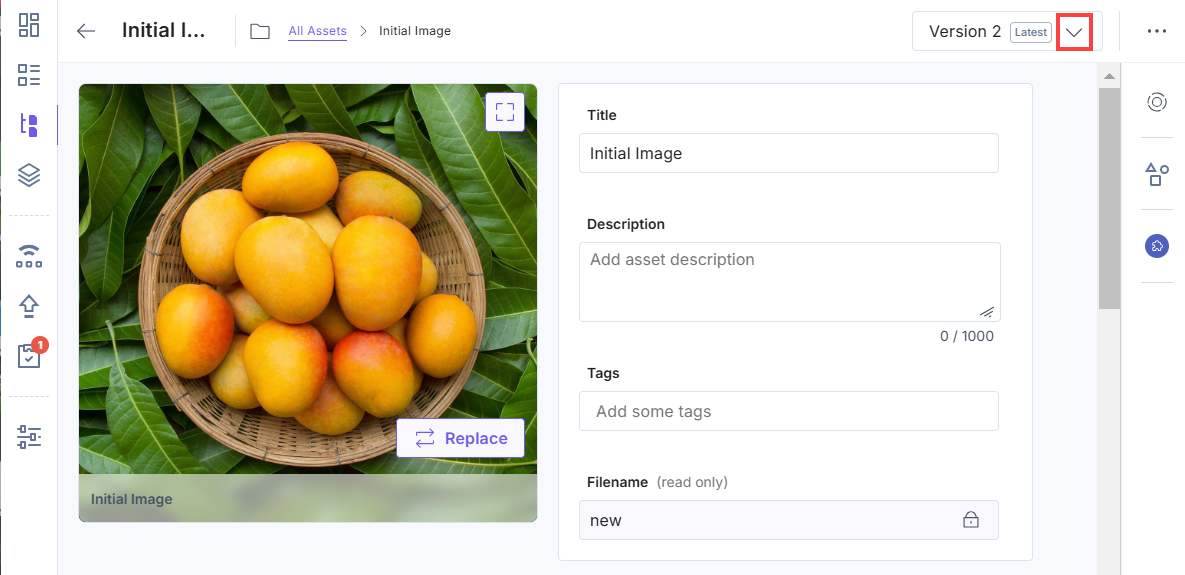
- Click the version dropdown located in the top-right corner of the page.
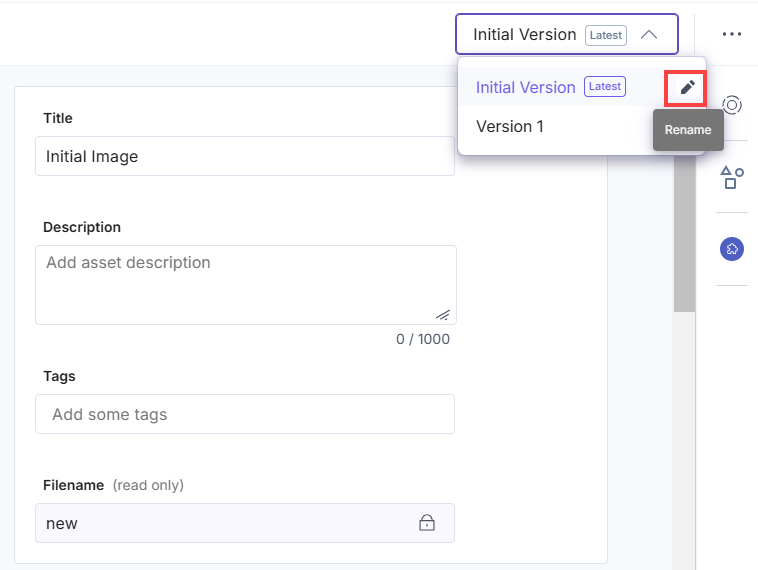
- From the dropdown menu, view the list of all asset versions. Click the Rename icon next to the asset version you want to rename.
- Type the new name for the version in the provided field. Once done, confirm your changes by either clicking the checkmark icon or pressing Enter on your keyboard.
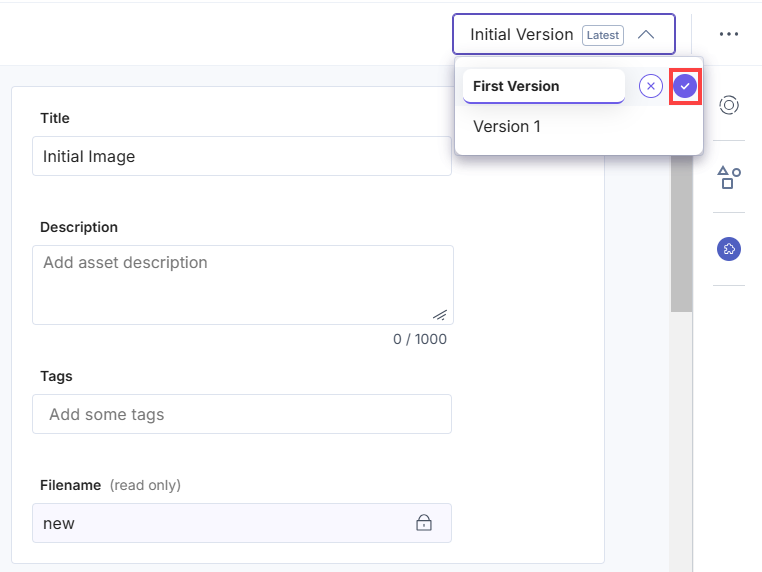
Note: Custom version names have a maximum limit of 32 characters.
Was this article helpful?
More articles in "Manage Asset Versions"
