

Create an Asset Folder
Organizing your assets into folders ensures they are structured and easy to manage. In Contentstack, you can create folders within the Assets section and maintain a nested folder structure, allowing up to 5 levels of depth.
To create an asset folder, log in to your Contentstack account, and perform the following steps:
- Go to your stack, and click the “Assets” icon in the left navigation panel.
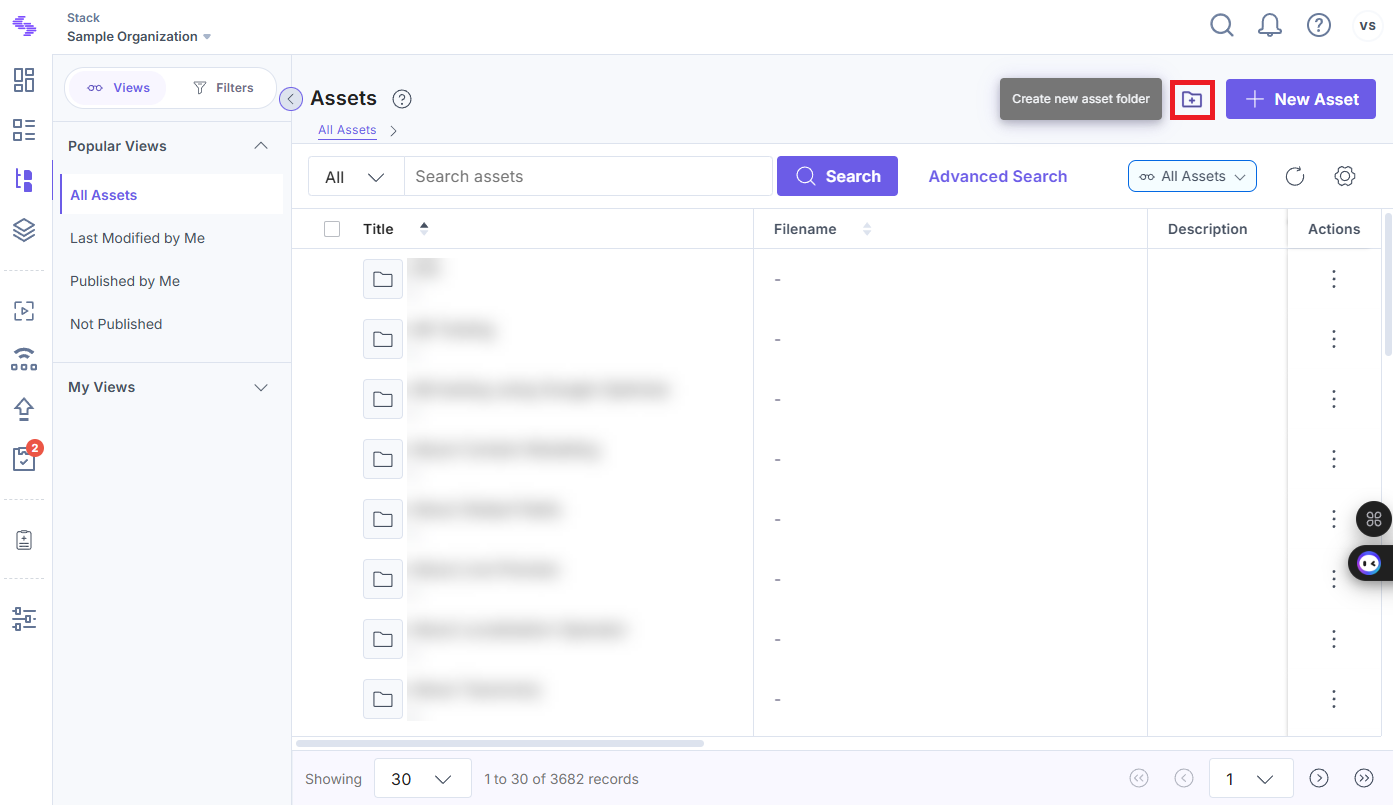
- Click the Create new asset folder icon at the top-right corner of the page.
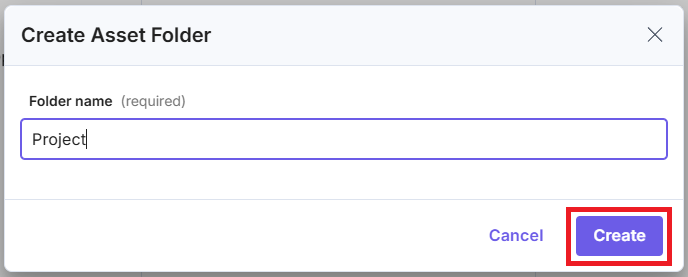
- In the Create Asset Folder modal, enter a name for your folder (e.g., Project) and click Create.
Your new folder appears on the Assets page.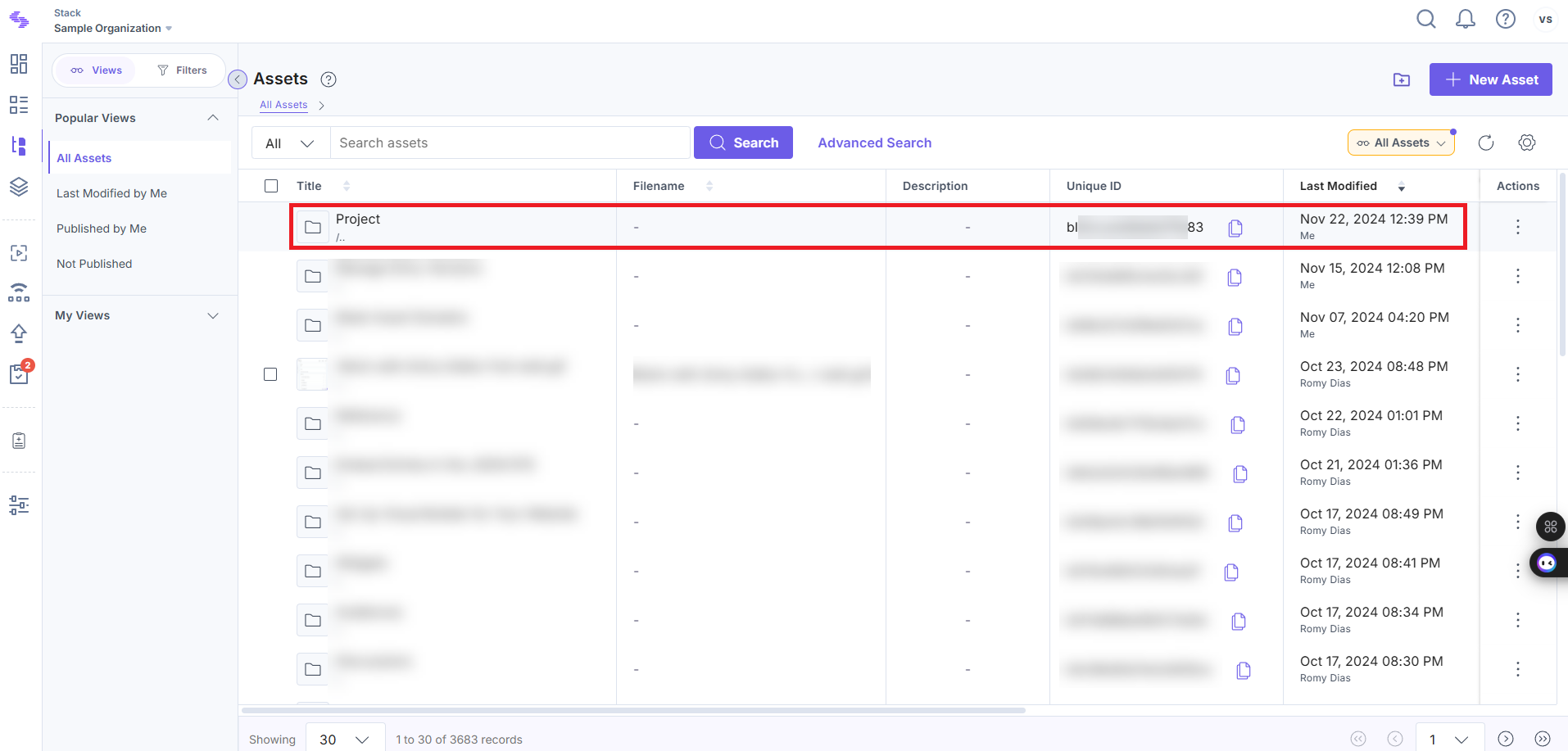
Adding Assets to a Folder
You can easily upload and organize assets in your newly created folder by following these steps:
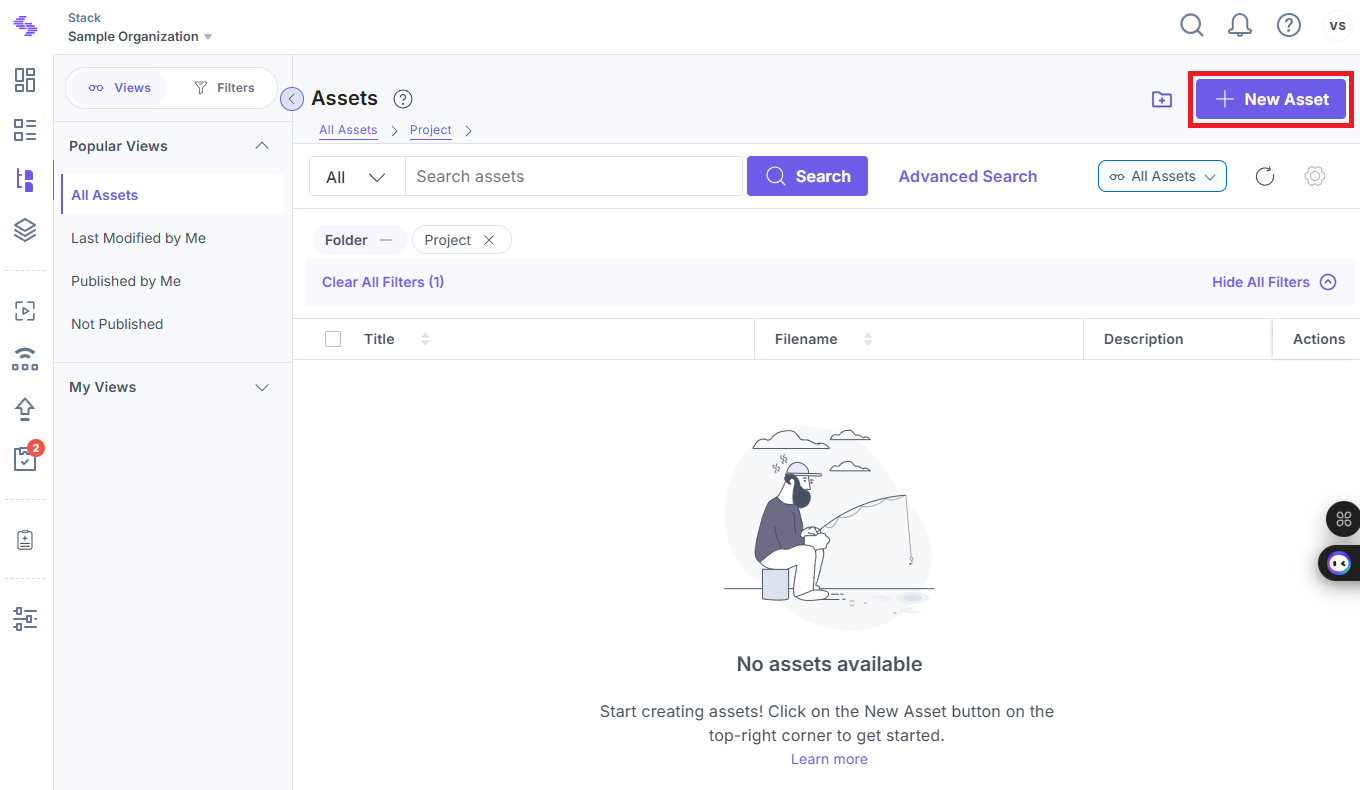
- Open the folder where you want to add assets.
- Click the + New Asset button at the top-right corner of the page.
- Upload your assets directly to the folder.
Note: A maximum of 10000 folders, including nested folders, can be created per stack.
API Reference
To create an asset folder via API, refer to the Create a folder API request.
Was this article helpful?
More articles in "Create and Manage Asset Folders"
