

Copy an Entry
Copying an entry in Contentstack allows you to reuse existing content quickly without recreating it from scratch. Depending on your needs, you can copy a single locale or create copies across all available languages, making it easier to scale and manage content efficiently.
The copy behavior varies based on the option you choose in the Copy Entry modal.
To copy an entry, log in to your Contentstack account and perform the following steps:
- Go to your stack and click the Entries icon, or press E on your keyboard (available for both Windows and Mac).
- Find the entry you want to copy.
- Open the entry, click the horizontal ellipsis at the bottom of the editor, and select Copy.
- Alternatively, from the Entries list page, click the vertical ellipsis in the Actions column next to the entry, and select Copy.
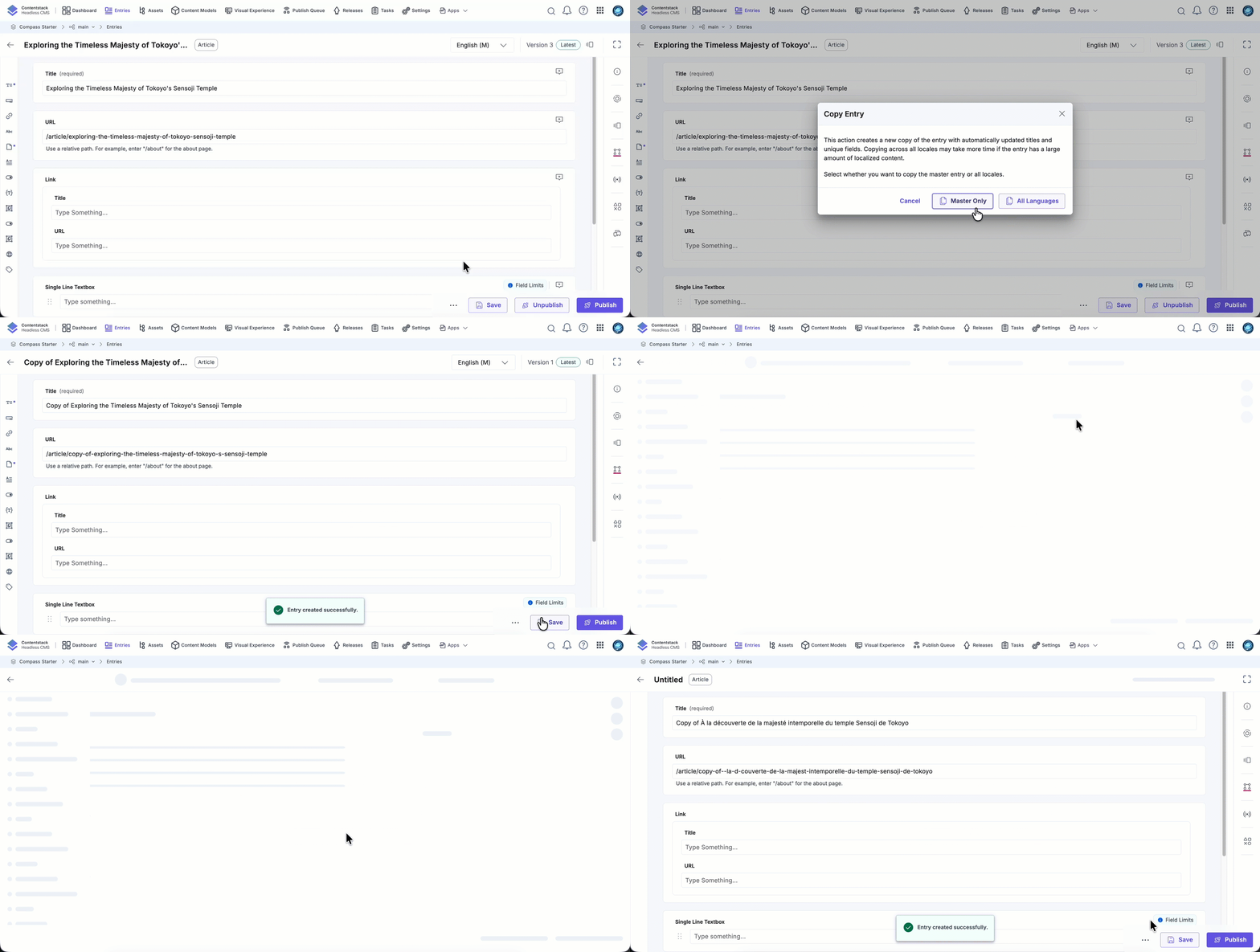
- In the Copy Entry modal, choose one of the following options:
- Current Locale Only: Creates a copy of the entry in the currently selected locale. Use this option when you want to duplicate a single locale for reuse or editing. The copied entry opens immediately, allowing you to edit fields before saving.
Note: If you are copying a non-master locale, Contentstack also creates a copy of its fallback locale to preserve the locale relationship.
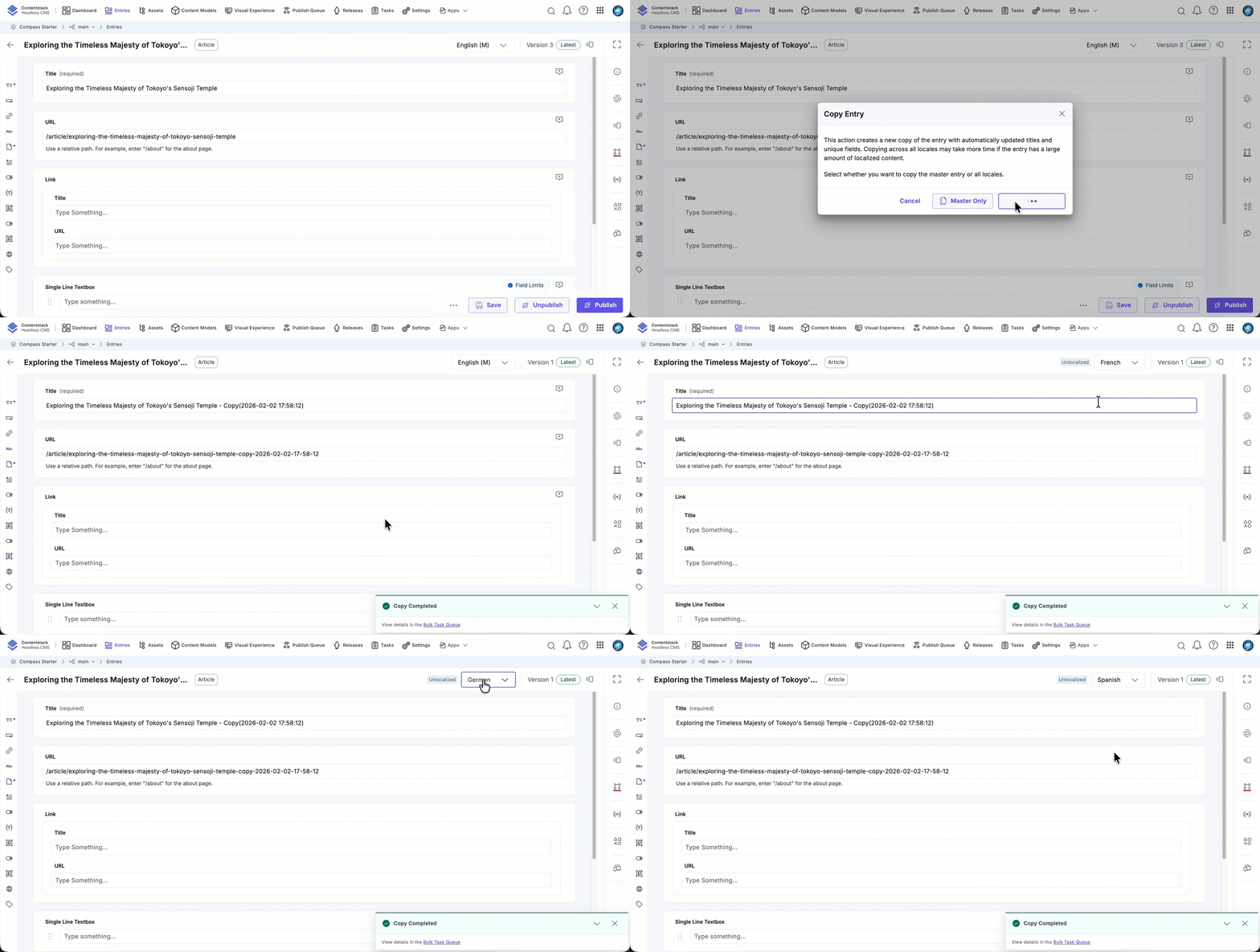
- All Locales: Creates a copy of all localized versions of the entry. Useful when you want to duplicate fully localized content.
To maintain uniqueness, Contentstack automatically appends a timestamp to the title and unique fields during the copy process.
Example:
- Original title: Product Overview
- Copied title: Product Overview – Copy (2025-01-10 14:22:18)
Note:- Copying entries across all locales may take longer depending on the size and complexity of the content.
- Localized entries remain localized, while unlocalized entries stay unlocalized until explicitly saved.
Example: If fr is localized and es is unlocalized in the original entry, the copied fr version will stay localized, and es will remain unlocalized until saved.
Warning: If your content type enforces validations that do not allow these automatic updates, the copy operation may fail.
- Current Locale Only: Creates a copy of the entry in the currently selected locale. Use this option when you want to duplicate a single locale for reuse or editing. The copied entry opens immediately, allowing you to edit fields before saving.
The Copy Entry feature helps streamline content operations by enabling fast duplication of single-locale or fully localized entries. This improves consistency, speeds up workflows, and reduces manual effort.
More articles in "Create and Manage Content"
