

Bulk Publish Assets
Publishing multiple assets simultaneously streamlines your workflow, saving time and effort compared to publishing assets individually. Whether you are handling images, documents, or other media files, this feature helps to optimize your publishing workflow in Contentstack.
To publish multiple assets at once, log in to your Contentstack account, and perform the following steps:
- Go to your stack and click the “Assets” icon in the left navigation panel. You can also use the shortcut key “A” (for both Windows and Mac OS users).
- Use the checkboxes to select the assets you want to publish.
- After selecting the assets, click the Publish option in the floating panel that appears.
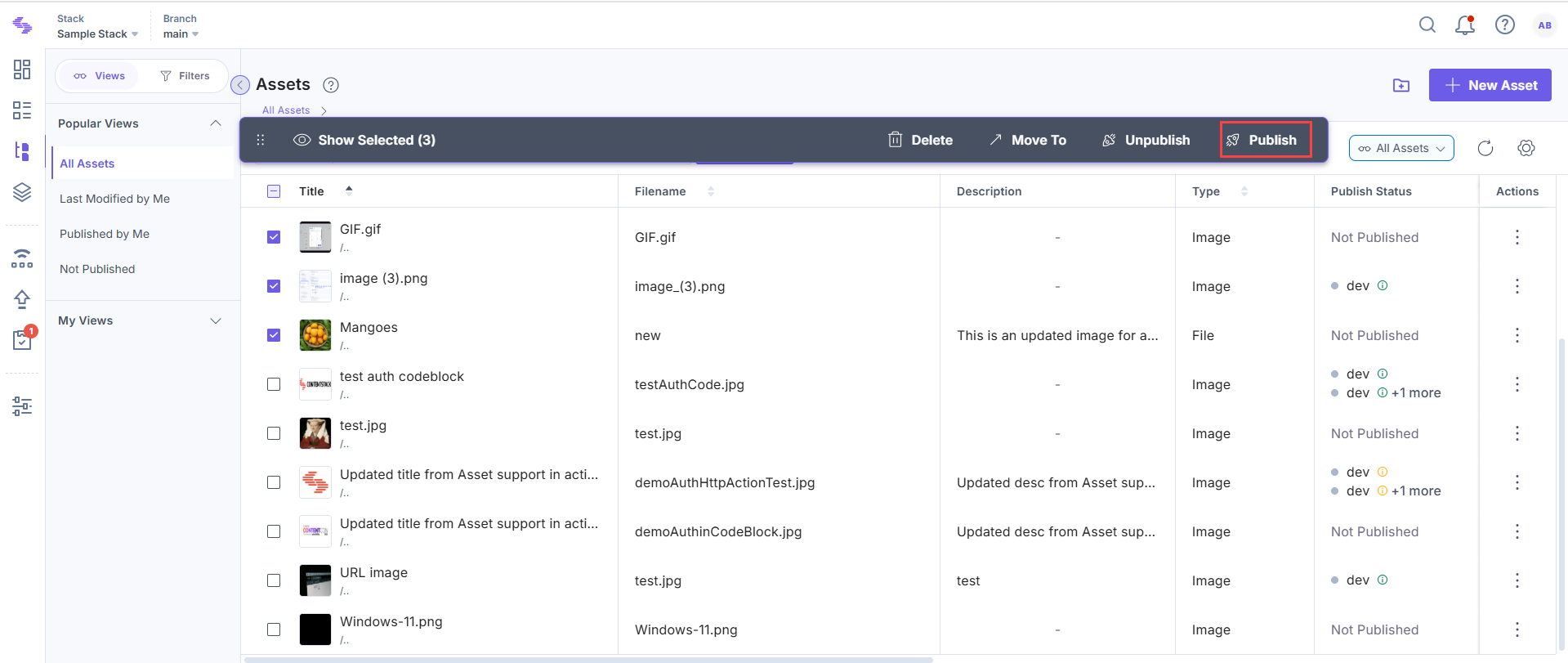
- In the Publish Assets modal:
- Select Environment(s): Select the environment(s) where the assets will be published.
- Select Language(s): Select the locale(s) in which you want the assets to be published.
Note: When publishing multiple assets, only their latest versions will be published.
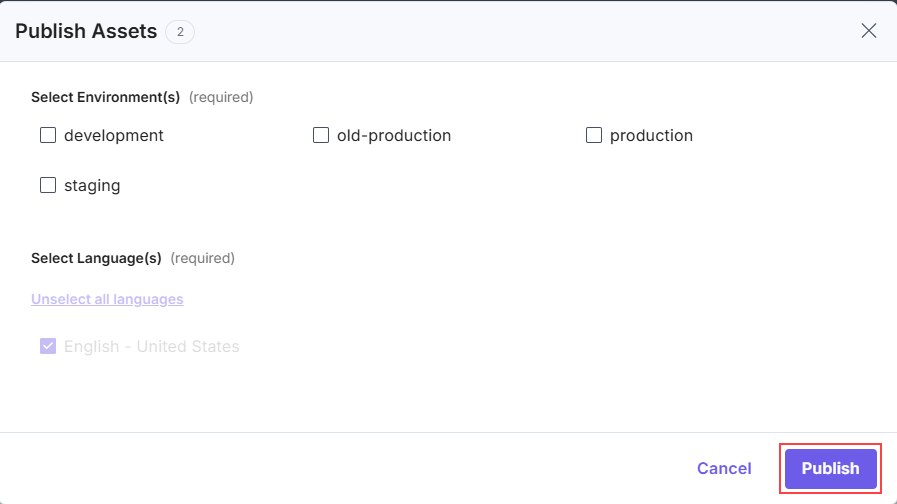
- Click Publish to publish the selected assets.
Note: You can publish up to 10 assets simultaneously in 10 languages across 10 environments.
Additional Resource: For automated bulk publishing, refer to the Bulk Publishing of Entries and Assets guide.
Was this article helpful?
More articles in "Bulk Operations on Assets"
