Powerful New Features for a Smoother Editorial Experience
We’ve introduced a new set of enhancements designed to make life easier for editors and content modelers—so you can work more efficiently, reduce manual steps, and maintain high content quality across your stack.
Whether you’re publishing at scale, managing content models, or updating existing entries, these improvements help streamline your workflow from start to finish.
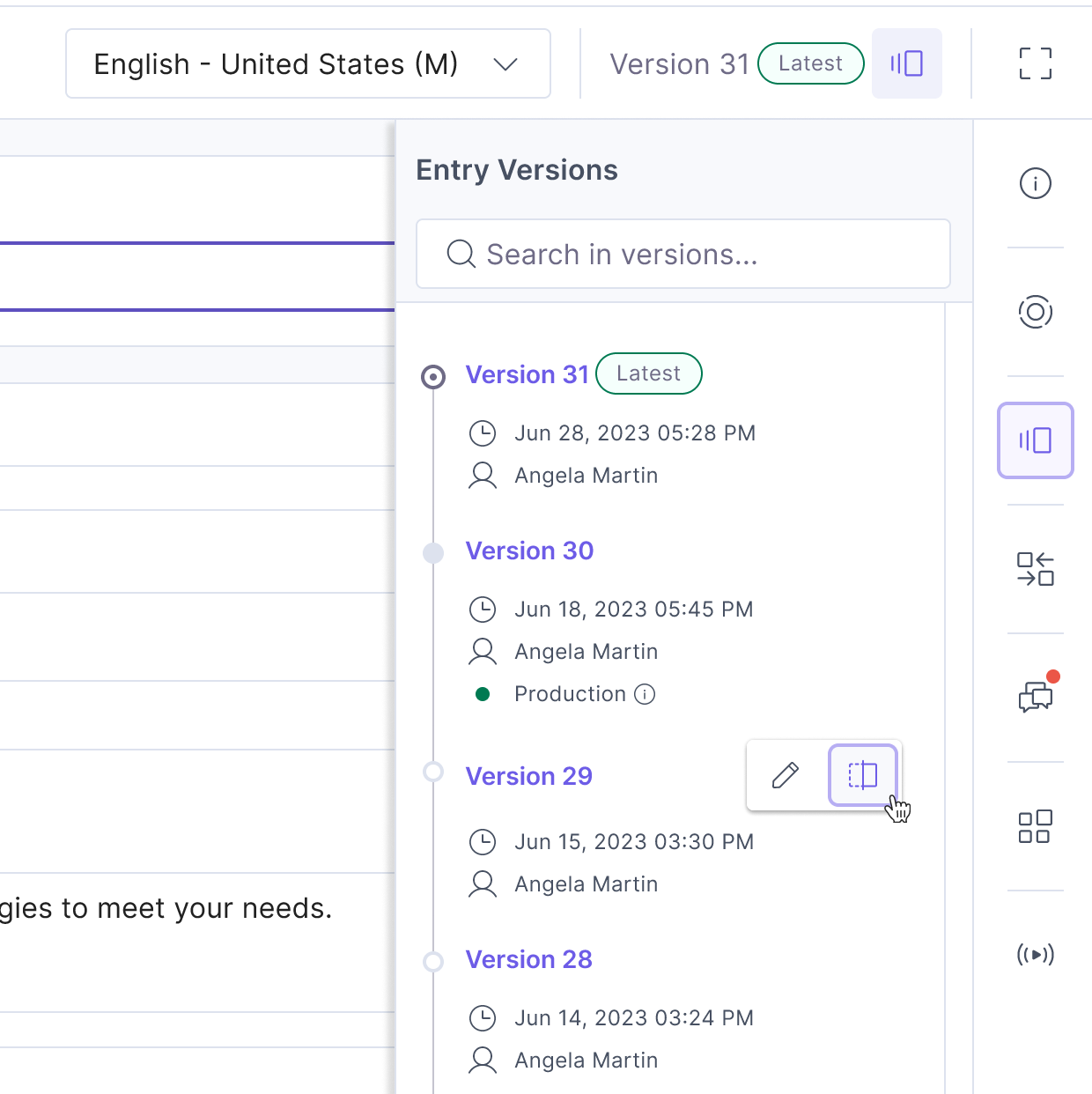
A smarter entry versions sidebar
We’ve completely reimagined how you view version history for entries. Previously, switching between versions required digging through a dropdown and opening each one individually to see what had changed.
Now, with the Entry Versions sidebar, you get a clearer, timeline-style view of every version—all without leaving the page. The new sidebar includes:
- The version number or custom name
- Who created it and when
- Publish history and status
- Quick actions to rename or compare versions
This makes it easier to scan changes at a glance and manage versions with confidence.
Enhanced URL field controls
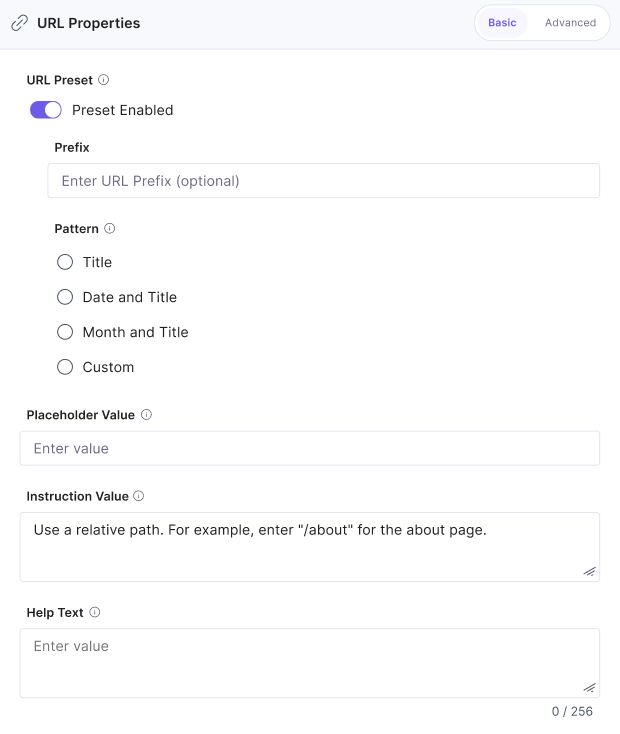
We’ve added new configuration options to the URL field, giving content modelers more control over structure and usability. You can now:
- Customize or overwrite the default help text
- Add placeholder values or instructional text
- Mark the field as required or optional
These changes improve the editor experience and help ensure content is entered correctly and consistently—especially useful for managing redirects, canonical URLs, and structured metadata.
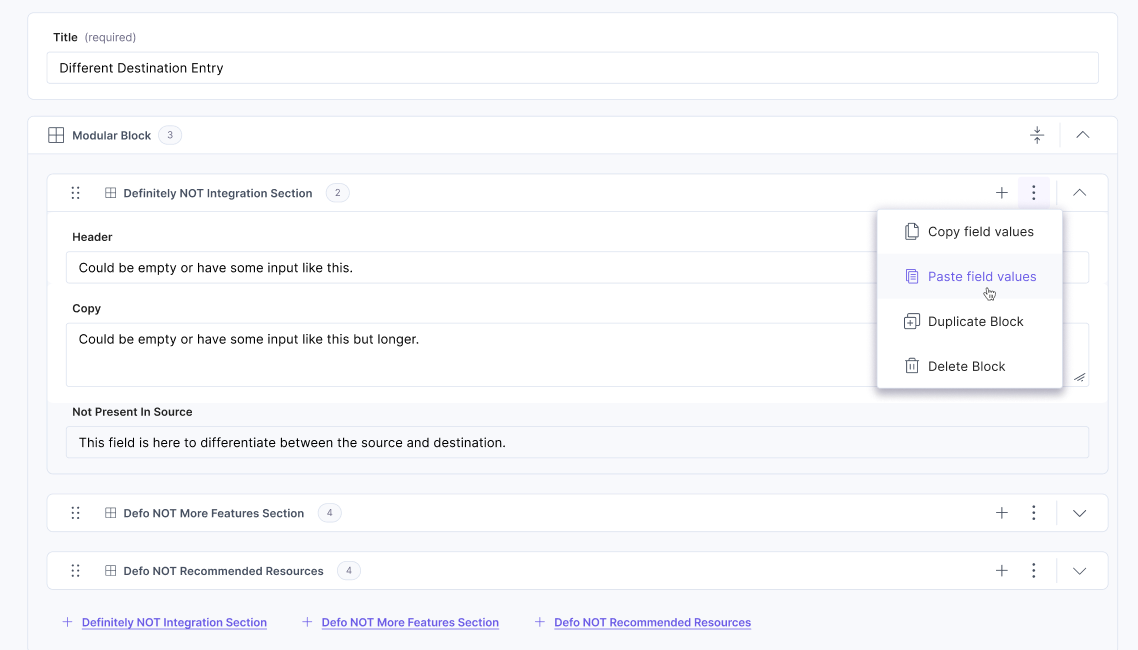
Copy modular block values across entries
Need to reuse a complex block of content? Now you can copy the field values of an entire block within a Modular Blocks field and paste it:
- Into another block within the same entry, or
- Into a matching block structure in a different entry
This eliminates the need to manually duplicate field-by-field content—saving valuable time and reducing the chance of errors.
Bulk publish status—now with more clarity
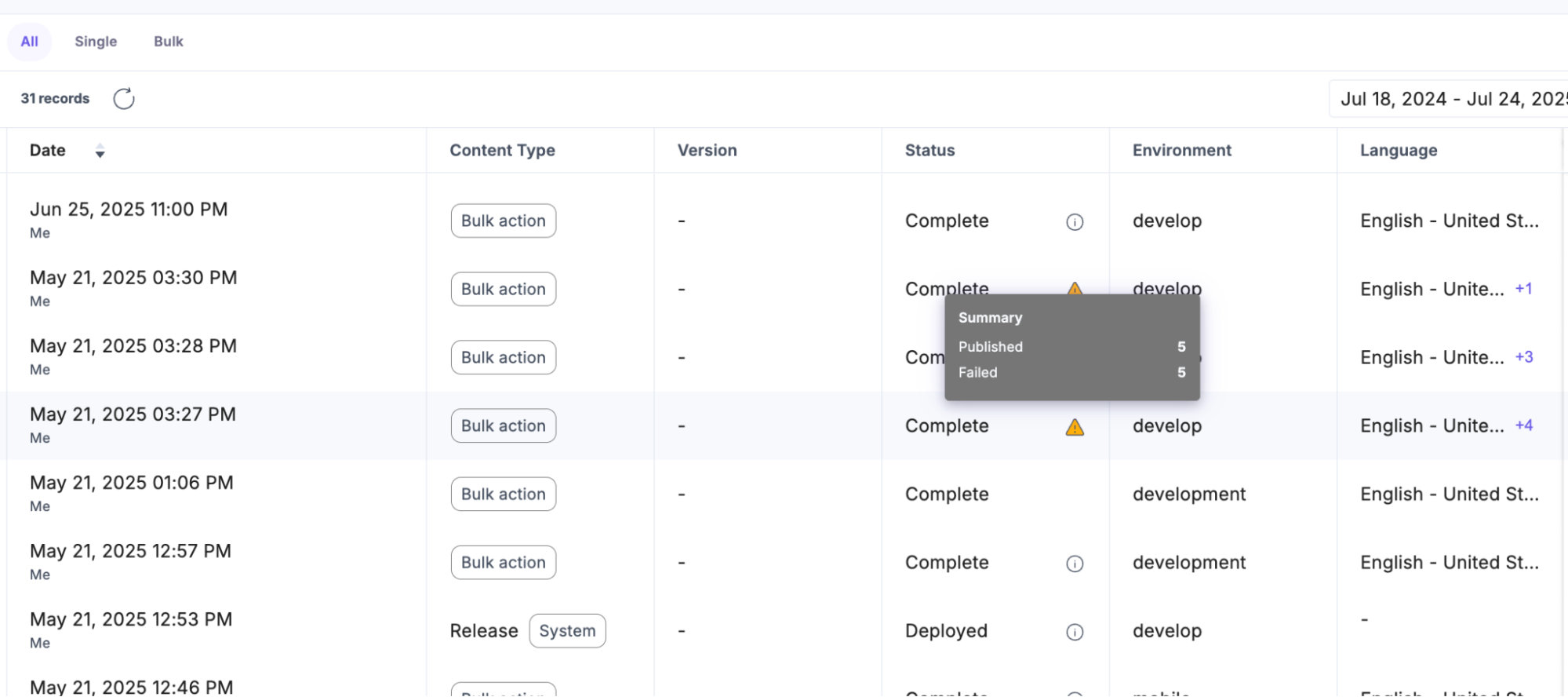
Bulk publishing just got more transparent. When you publish a group of entries, the Status column in the Publish Queue now shows clearer visual indicators.
If the job completes but some entries fail, the overall status will still say “Complete,” but it’ll now include:
- Icons to flag partial failures
- Detailed status indicators per item
This makes it easier to spot and address issues—without clicking through each entry to find out what went wrong.
Each of these updates is designed to help you work faster, with more visibility and control. We’re always listening, so if you have feedback or suggestions, we’d love to hear from you.
These features will be rolled out to all customers in the next few days.
Happy publishing!
About Contentstack
The Contentstack team comprises highly skilled professionals specializing in product marketing, customer acquisition and retention, and digital marketing strategy. With extensive experience holding senior positions in notable technology companies across various sectors, they bring diverse backgrounds and deep industry knowledge to deliver impactful solutions.
Contentstack stands out in the composable DXP and Headless CMS markets with an impressive track record of 87 G2 user awards, 6 analyst recognitions, and 3 industry accolades, showcasing its robust market presence and user satisfaction.
Check out our case studies to see why industry-leading companies trust Contentstack.
Experience the power of Contentstack's award-winning platform by scheduling a demo, starting a free trial, or joining a small group demo today.
Follow Contentstack on Linkedin

Recommended posts