Introducing “Live Preview” – Preview Content Updates on the Go


Using a headless CMS is critical in today’s omnichannel-driven digital world, where content delivery is not limited to websites.
Equally important is that marketers can see how content appears on various channels before publishing content on the live site. Using a headless system typically meant publishing the content to staging or preview environments after content creation and checking different resolutions or devices. And if there are changes, then save, publish, and check again. In short: too many clicks, too many steps.
Introducing Live Preview: See how your content and pages look on various channels in real-time while creating content without having to save and publish. This preview speeds up content creation and ensures your brand looks precisely like you intended. At the same time, Contentstack retains the power of headless CMS for omnichannel delivery.
How Live Preview Works in Contentstack
Live Preview is not an add-on or an extension. It is part of the native Contentstack application. Enable it, and all your content editors will see the preview right on the entry editor page, within the sidebar panel, or in full-screen mode.
Let’s check out what you can do with Live Preview.
Preview Content on Different Devices
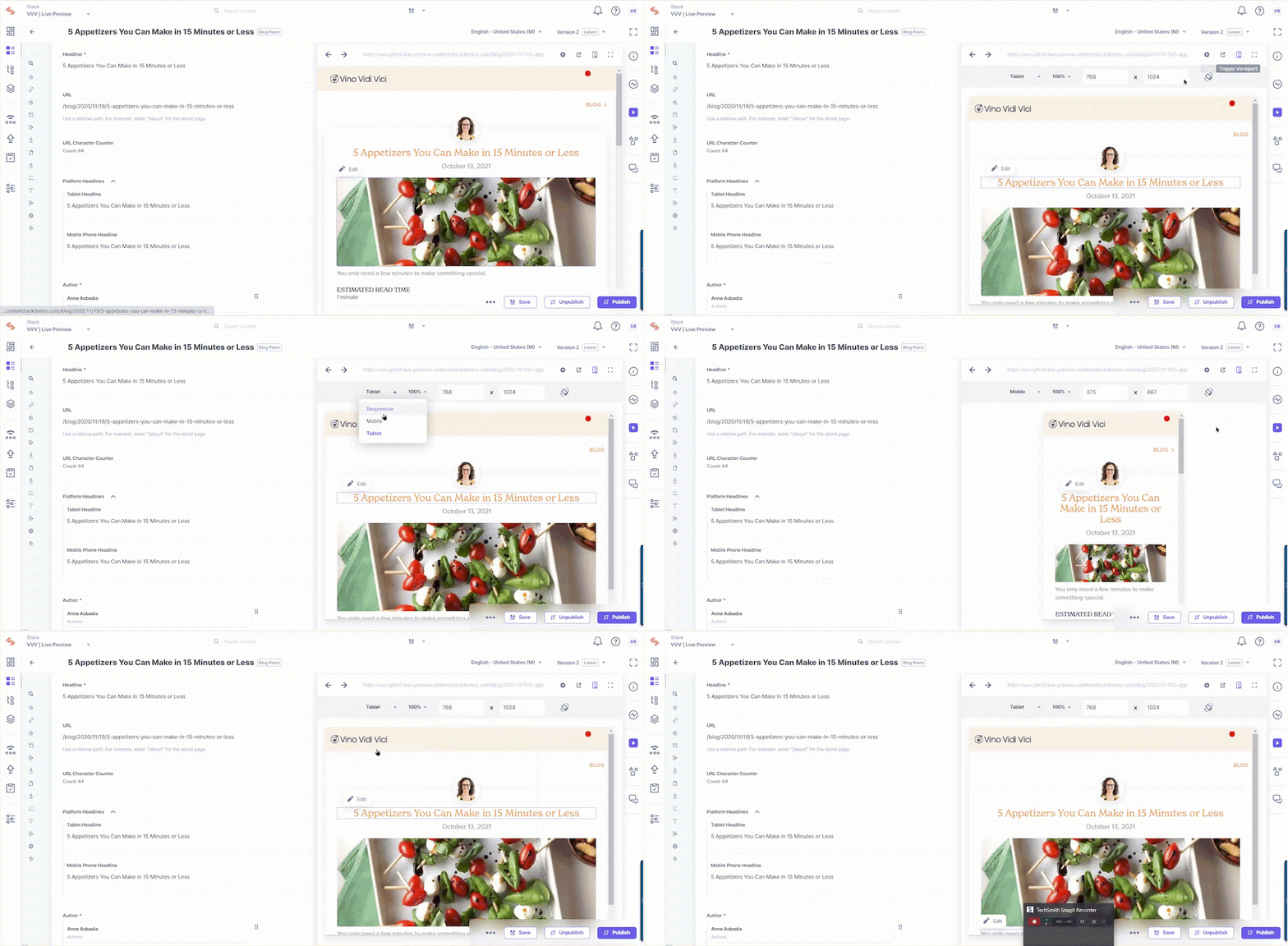
The Live Preview pane allows you to preview content across three default platforms: Mobile, Tablet, and Desktop. Selecting one of these options sets the Live Preview pane to the width of the specified digital platform.
Track and Edit Content in Real-Time
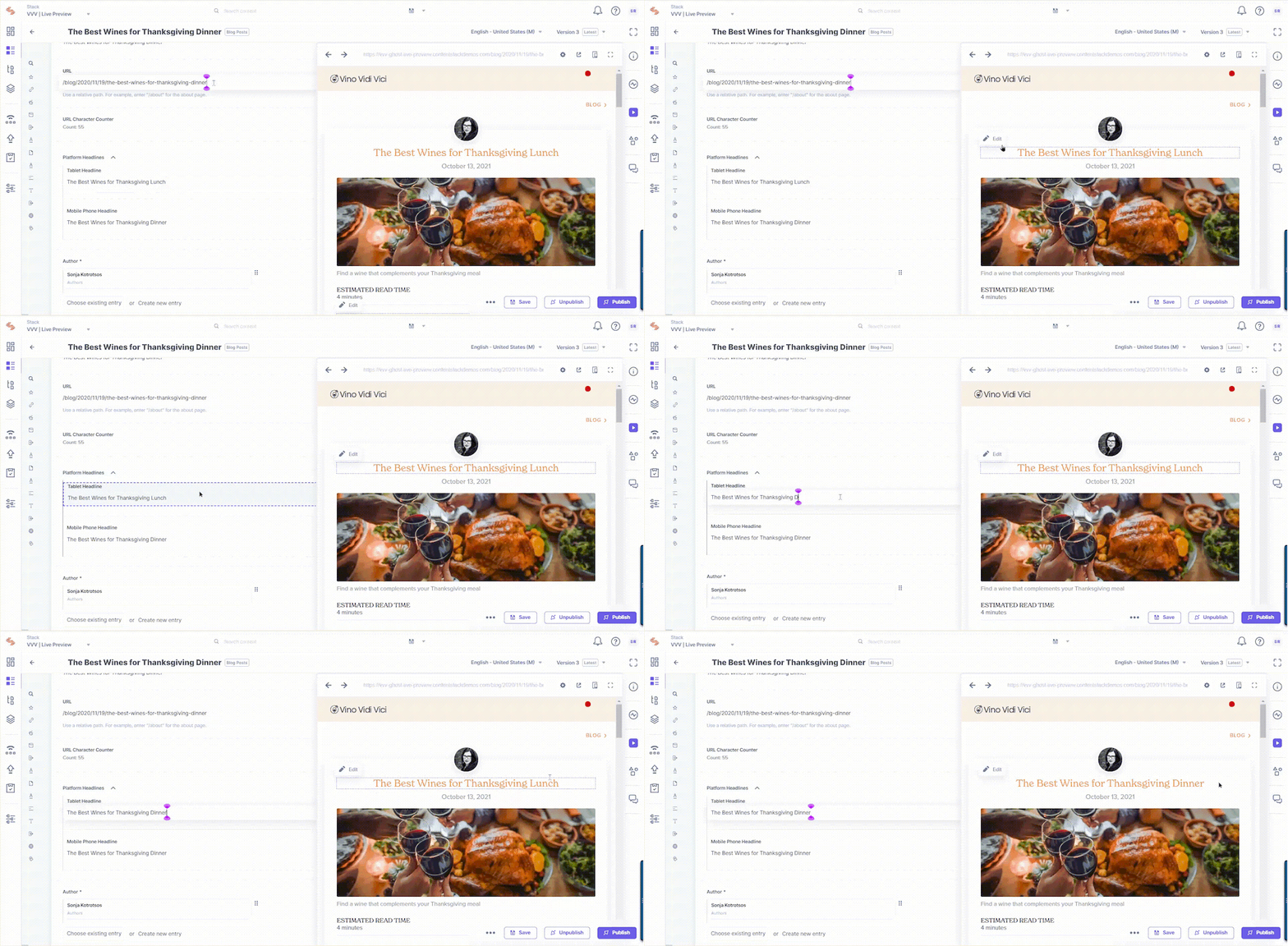
Marketers can click on a specific content block in the Live Preview window to quickly traverse to the corresponding field and edit and preview the changes side by side. This includes changing the block layout of the page.
Preview Content on Different Environments
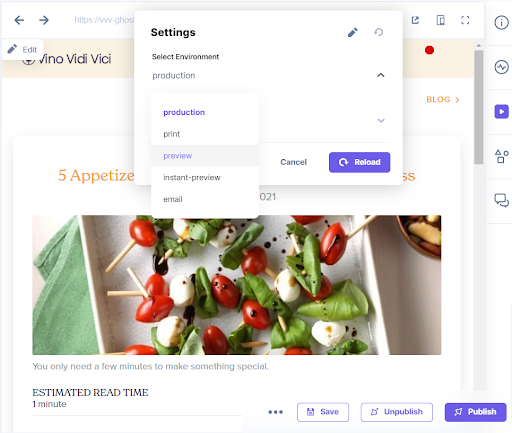
Within the preview window, you can switch between different environments, e.g., production and development, to check whether your content looks the same throughout.
Varied Preview Window Sizes For Legibility
With a simple click of a button, you can instantly maximize or minimize the preview window or preview content in a new browser window.
Benefits of Live Preview
For Content Managers and Business Users:
- Omnichannel preview experience: Content managers can seamlessly preview content across multiple channels, such as mobile devices, tablets, and desktops.
- Real-time content edits: Content managers can click on the “Edit” icon beside any content sections in the Live Preview window to navigate to the corresponding field in the editor, where they can edit and watch the changes reflected in real-time.
- Test website content changes instantly: You can preview content to see how it displays across different digital platforms without publishing or saving the changes. Live Preview lets you test content changes in different website sections to see how it appears on a webpage.
For Developers:
- Scope for innovation and enhancement: Live Preview is part of the native Contentstack app, rather than an add-on or an extension. This ensures that the feature stays in sync with core development and innovation.
- Content schema remains intact: The actual content entry remains JSON-structured, so developers can keep modeling content as and when required and deliver it into any frontend framework.
How to Set Up Live Preview for Contentstack-powered Websites
To allow content managers to use the “Live Preview” option in all of the entries in your stack, you need to perform the following steps:
- Navigate to the Live Preview section under stack’s “Settings.”
- Select the Enable Live Preview checkbox.
- Select a default URL and environment for previewing live content across all entries of your stack.
- Save the settings.
You will now see a live preview of the default environment and URL in all entries. These settings can also be updated when on the entry page to preview content across different scenarios.
Try Out Live Preview
“Live Preview” is a plan-based feature and is only available in the new Contentstack interface. You can read our documentation on Live Preview to learn more or reach out to our Support team if you have any questions.
About Contentstack
The Contentstack team comprises highly skilled professionals specializing in product marketing, customer acquisition and retention, and digital marketing strategy. With extensive experience holding senior positions in notable technology companies across various sectors, they bring diverse backgrounds and deep industry knowledge to deliver impactful solutions.
Contentstack stands out in the composable DXP and Headless CMS markets with an impressive track record of 87 G2 user awards, 6 analyst recognitions, and 3 industry accolades, showcasing its robust market presence and user satisfaction.
Check out our case studies to see why industry-leading companies trust Contentstack.
Experience the power of Contentstack's award-winning platform by scheduling a demo, starting a free trial, or joining a small group demo today.
Follow Contentstack on Linkedin

Recommended posts