Create Reusable Fields Using Global Fields

Last week, we released a feature that gives more power to developers by eliminating manual, recurring work. Introducing: Global fields.
What Is a Global Field, You Ask?
A ‘Global field’ is a standalone, reusable field (or group of fields) that you define once and reuse in any content type within your stack.
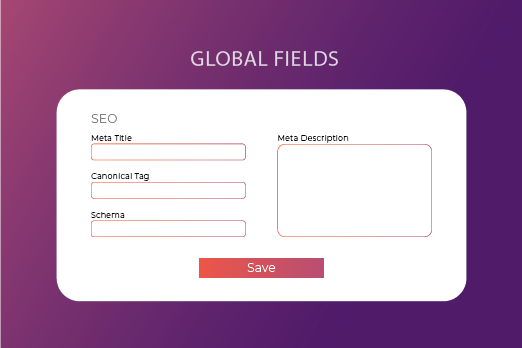
An apt use-case is ‘SEO’. You can create a Global field called ‘SEO’ by adding ‘Meta Title’ (Single-line Textbox) and ‘Meta Description’ (Multi-line Textbox) subfields within it. Now, simply add this SEO Global field in any content type, and the subfields will be added automatically. The content within those subfields can be changed per instance, i.e. each blog can have a unique meta description. This eliminates the need to create the same collection of fields repeatedly for different content types.
Another important benefit is that Global fields can be managed from a central location. If the developer changes the structure or settings of a Global field, the changes are reflected across all content types where this field is being used.
How Global Fields Benefit Developers
Let us look at a few situations where using Global fields is particularly helpful.
Reduce manual work: Instead of adding and configuring the same field in multiple content types, define a Global field and use this field in multiple content types. This cuts down developers’ time and effort considerably.
Auto-update changes: Global fields can be managed from a separate, dedicated section. If a Global field is updated, the changes are reflected automatically in all the content types. This further reduces manual work for developers and gives better control over the fields.
When to Use a Global Field
Here’s a rule of thumb:
While creating a content type, if a field (or a group of fields) takes time to build, and you are likely to create the same field for different content types, it’s best to create a Global field instead, and then reuse this field in the required content types.
Global field use cases include:
- SEO group field
- Address group field
- Taxonomy group field
- Any other field used repeatedly in multiple content types
Does Global Field Help Content Managers?
Not directly, as it is a feature for developers. However, since it helps accelerate creating and updating content types, it cuts down the wait time for content managers in case of change requests. Visually, a Global field looks like any other field (or a group of fields) to content managers.
How to Create and Use a Global Field
Perform the following steps to start creating your Global field:
- Log in to your Contentstack account, and go to stack.
- Navigate to Settings > Content.
- Click on the Global Fields tab and then the + New Global Field button. You will be led to the Create New Global Field form.
- Provide a Name and Description for your Global field, and click on Create and Add fields. You can now drag and drop fields into your Global field, just like you do for content types.
- Create a new content type, and add a Global field to it. Under Edit Properties on the right-hand side, select the Global field that you want to use.
Read more about Global fields.
About Contentstack
The Contentstack team comprises highly skilled professionals specializing in product marketing, customer acquisition and retention, and digital marketing strategy. With extensive experience holding senior positions in notable technology companies across various sectors, they bring diverse backgrounds and deep industry knowledge to deliver impactful solutions.
Contentstack stands out in the composable DXP and Headless CMS markets with an impressive track record of 87 G2 user awards, 6 analyst recognitions, and 3 industry accolades, showcasing its robust market presence and user satisfaction.
Check out our case studies to see why industry-leading companies trust Contentstack.
Experience the power of Contentstack's award-winning platform by scheduling a demo, starting a free trial, or joining a small group demo today.
Follow Contentstack on Linkedin

Recommended posts